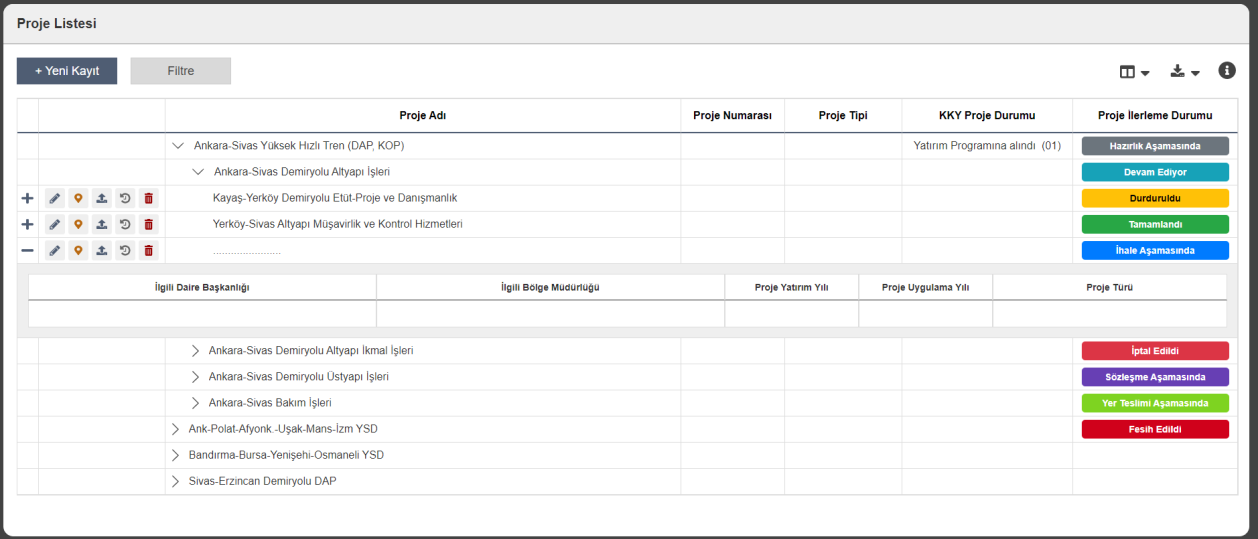
Project List
The main management screen providing access to the status, type, and numbers of all investment projects in one place. With color-coded status labels, project phases (preparation, tender, contract, implementation, completed, etc.) are instantly distinguished. Users can view project details, access map location, and manage current processes easily from this screen.
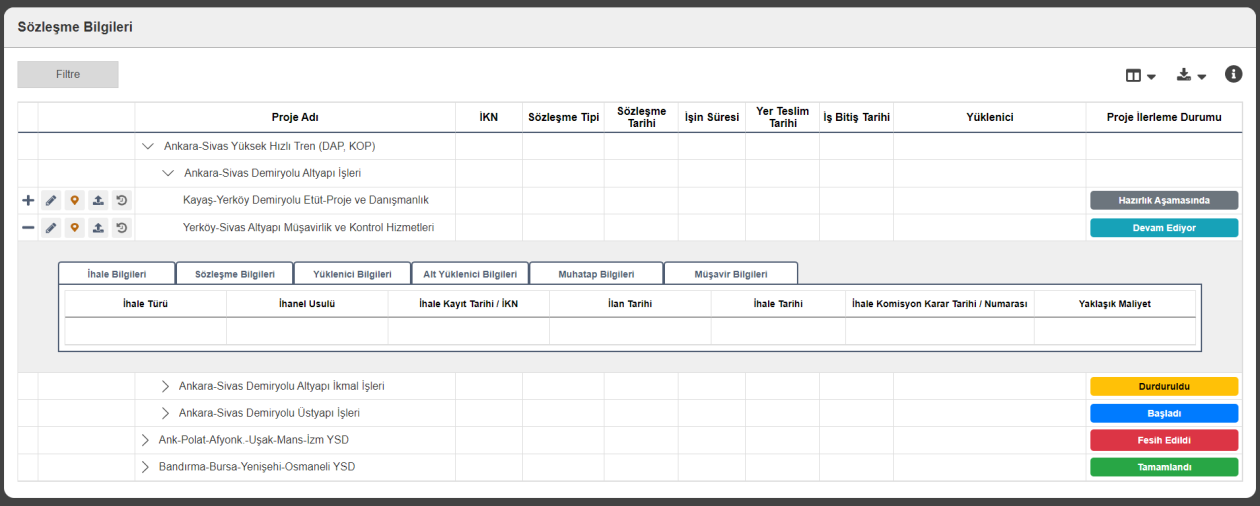
Contract Information
This area manages tender, contract, contractor, and consultant information for projects on a single screen. For each project, tender type, contract date, duration, site handover, and end dates can be viewed in detail. The user can easily track contract processes along with current progress status.
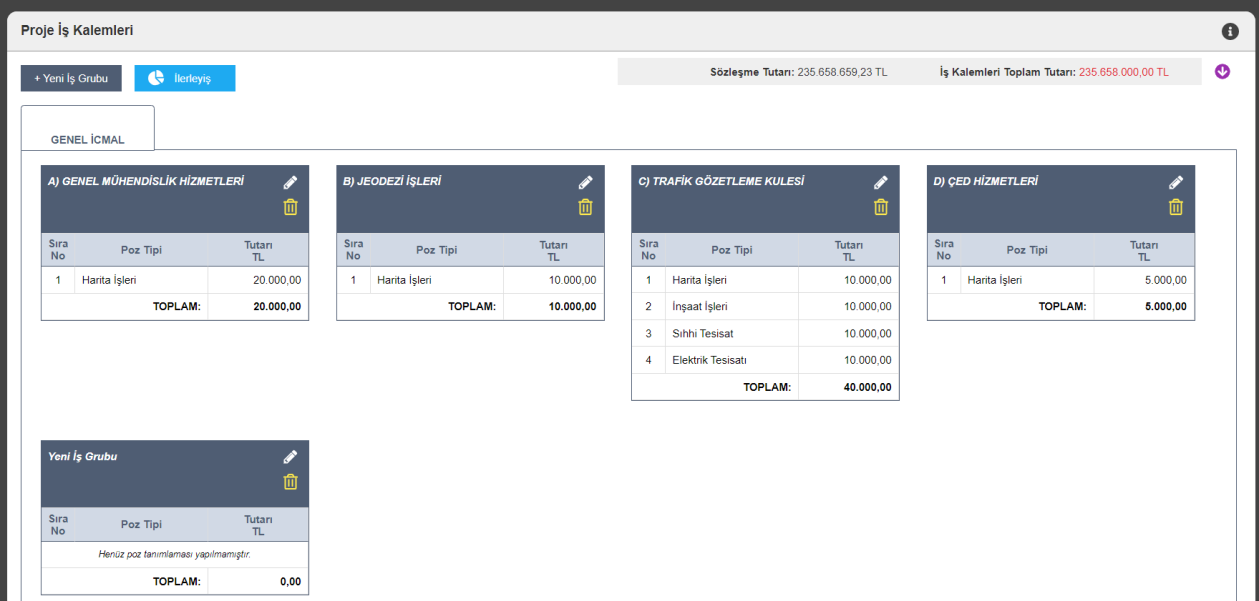
Project Work Items
All work groups and line items for the project are displayed on this screen. The user can define service groups such as engineering, geodesy, traffic, and EIA separately and see their total amounts in real time. Integrated with the contract amount, this structure ensures accurate and detailed tracking of project costs.
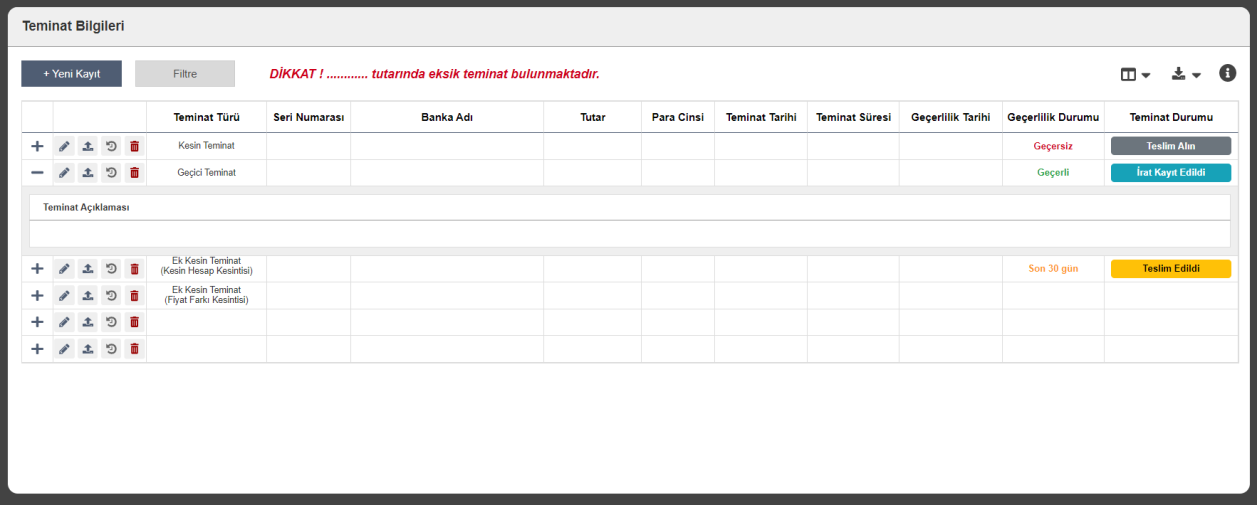
Guarantee Information
This screen manages all types of guarantees for the project (definitive, temporary, additional, etc.). Bank information, validity status, and delivery dates are tracked through the system. The application provides automatic alerts for missing guarantees to ensure processes are carried out safely and completely.
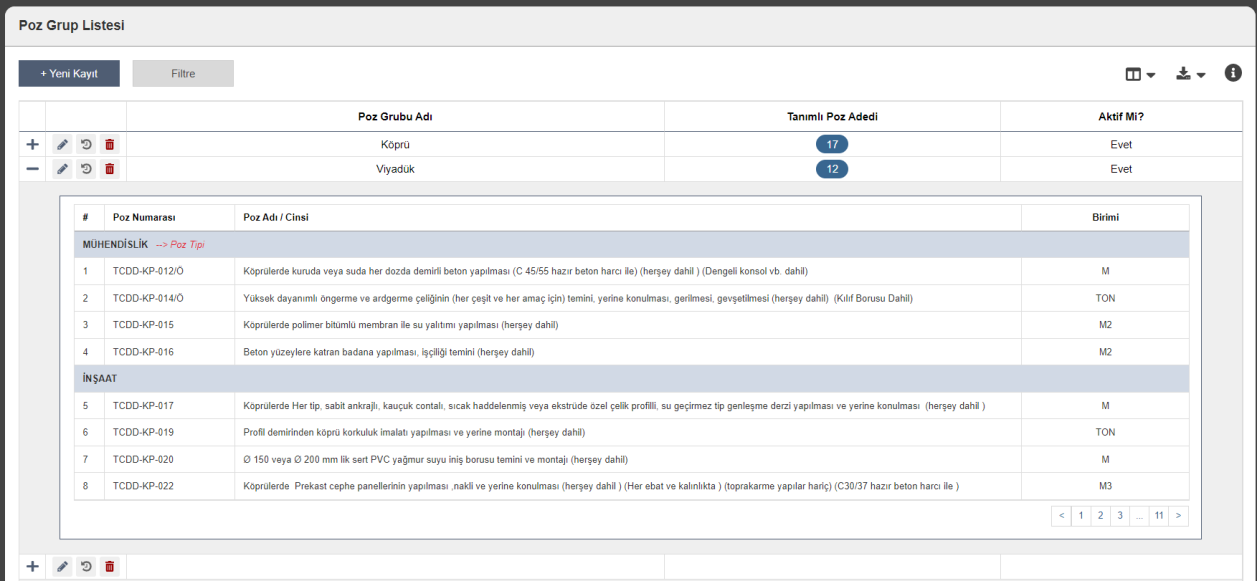
Item Group List
This management screen classifies work items used in the project by type. Under groups such as bridge, viaduct, engineering, or construction, related item numbers, descriptions, and units are listed. This structure enables detailed and orderly tracking of all work items within the project scope.
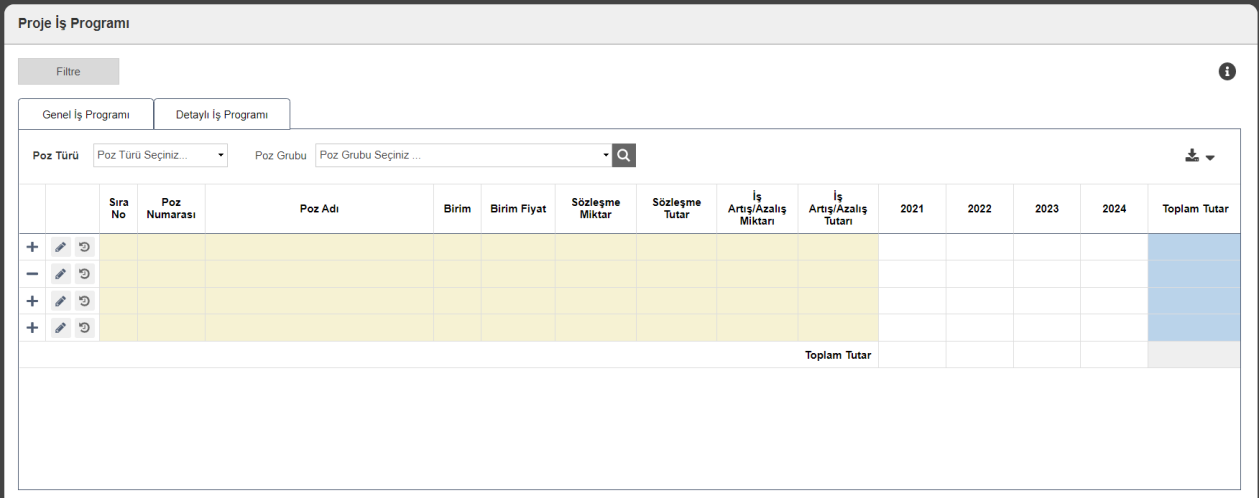
Project Work Program
Contract quantities, unit prices, and yearly distributions of all work items are managed on this screen. With general and detailed work program tabs, planning can be done by item type or work group. Tracking increases/decreases makes project progress financially transparent and traceable.

Unit of Measure List
This screen defines and manages all units of measure to be used in the project. Units such as meter, square meter, cubic meter, and kilogram are recorded in the system and their active status can be set. This structure ensures standard and error-free handling of work items and cost calculations.
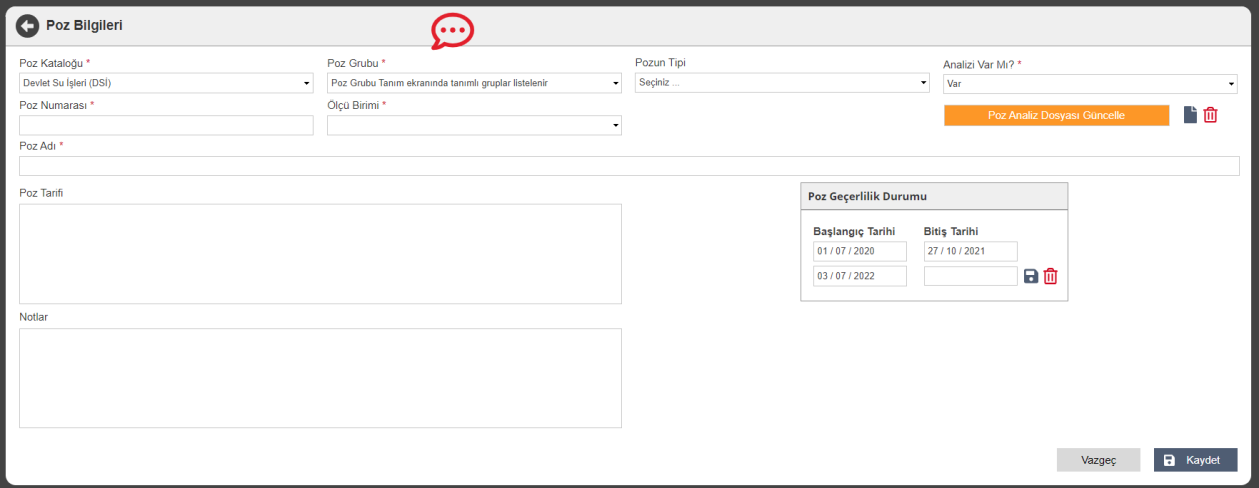
Item Information
This screen defines details of work items (items) to be used in the project. The item's technical and administrative information is recorded by entering catalog, group, unit of measure, number, and validity dates. An analysis file can also be uploaded, and the scope can be detailed via the description and notes sections.
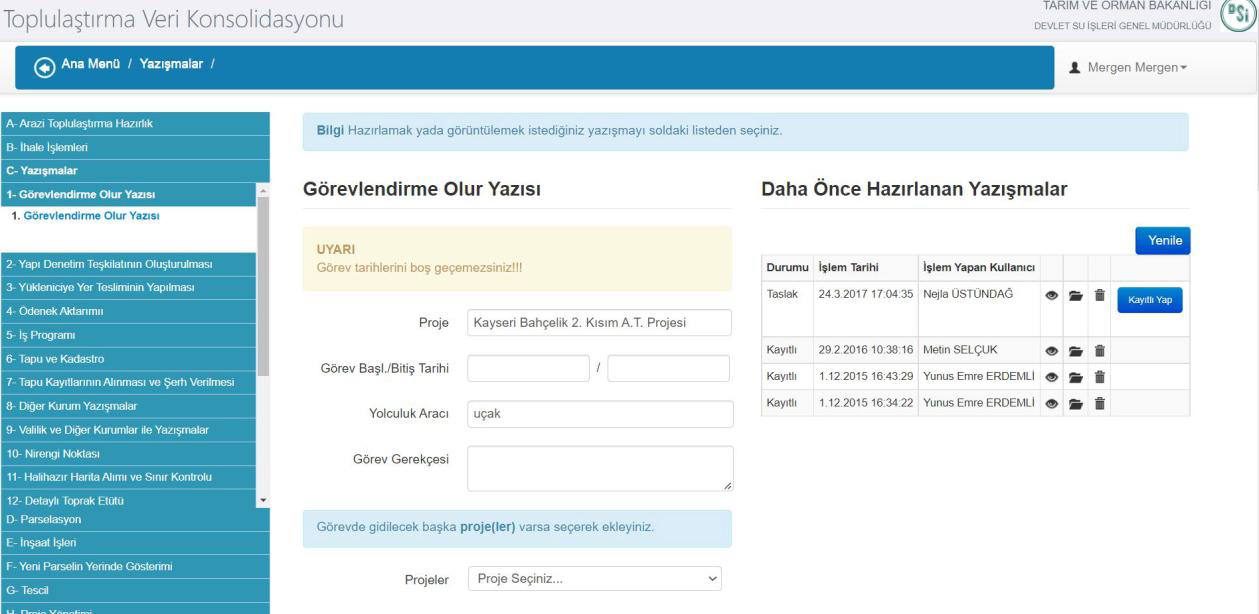
Assignment Approval Letter
This screen is where date, vehicle, and justification information is entered for personnel to be assigned to the project. Prepared approval letters can be saved as draft or recorded, and past correspondence can be accessed. This enables orderly and traceable project-based task planning.
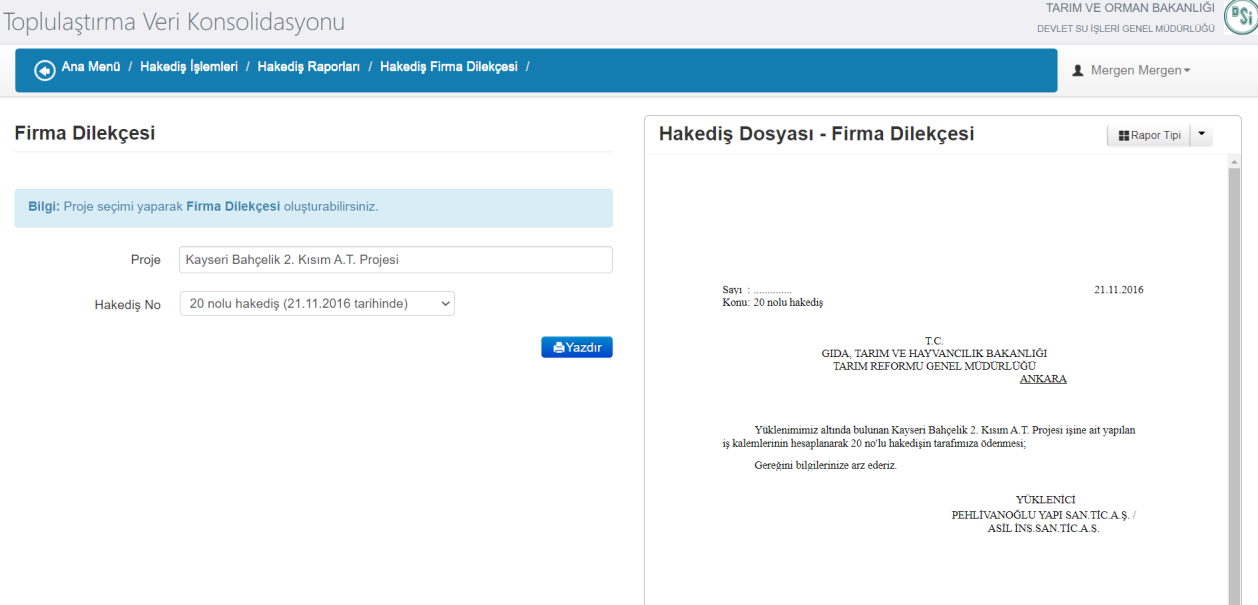
Company Petition
This screen is where official petitions created by the contractor during the progress payment process are prepared. By selecting the project and progress payment number, the system automatically generates the petition text. With the print option, the official output can be sent to relevant institutions, completing the progress payment process digitally.

Green Ledger
An official document showing the quantities and measurement details of works performed during progress payments. By selecting the project and progress payment, the system automatically generates the summary table of completed works. With the print option, output can be taken and review, approval, and archiving processes are easily completed.
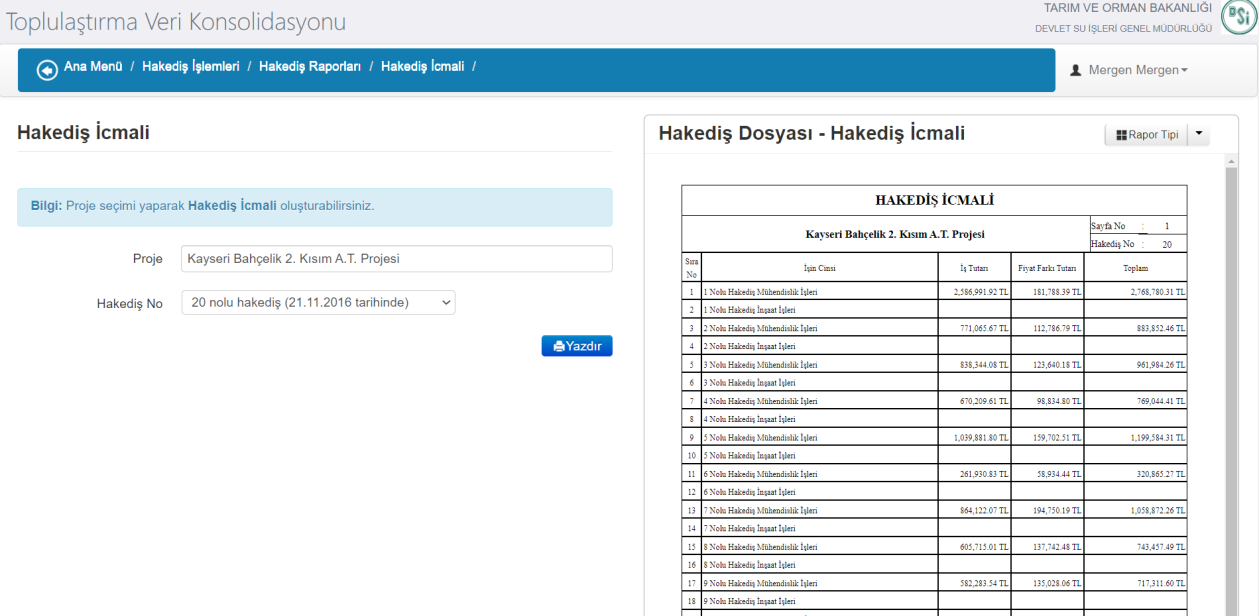
Progress Payment Summary
Shows amount and price difference calculations for work items in progress payment periods of the project. The system automatically generates a summary table based on the selected project and progress payment number. The prepared document can be printed in official format, reporting the financial totals of completed works.
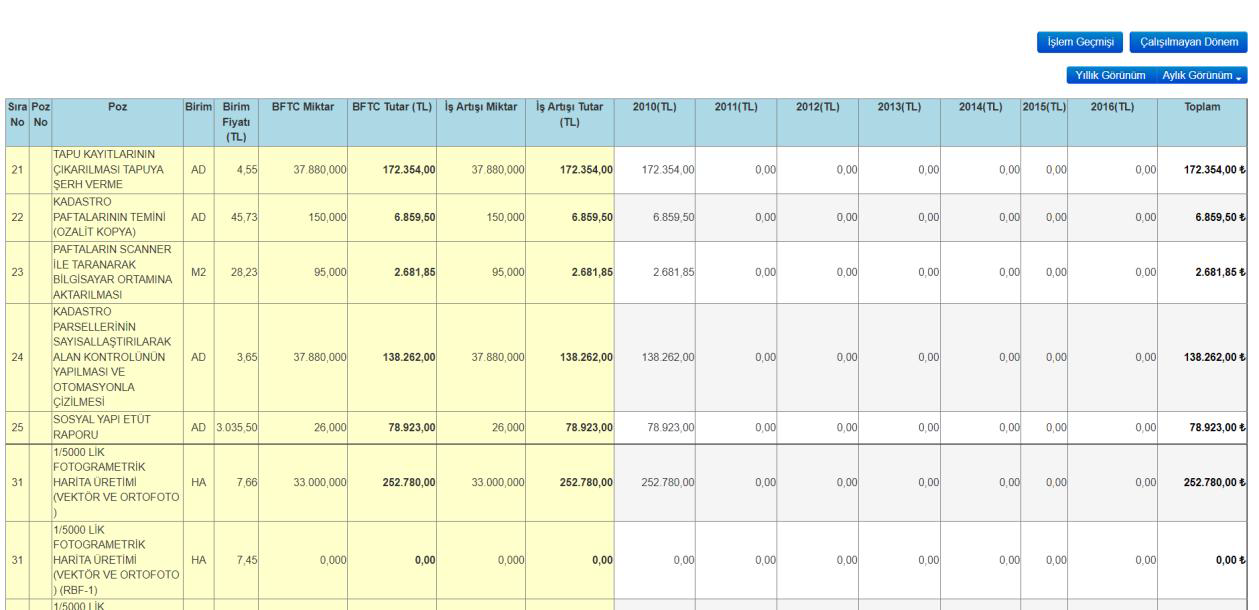
Monthly Progress Payment View
Shows the financial distribution of work items by year and month in detail. The table allows analysis of quantity, unit price, total amount, and increase amounts for each item. With annual or monthly view options, project progress can be easily tracked both technically and financially.
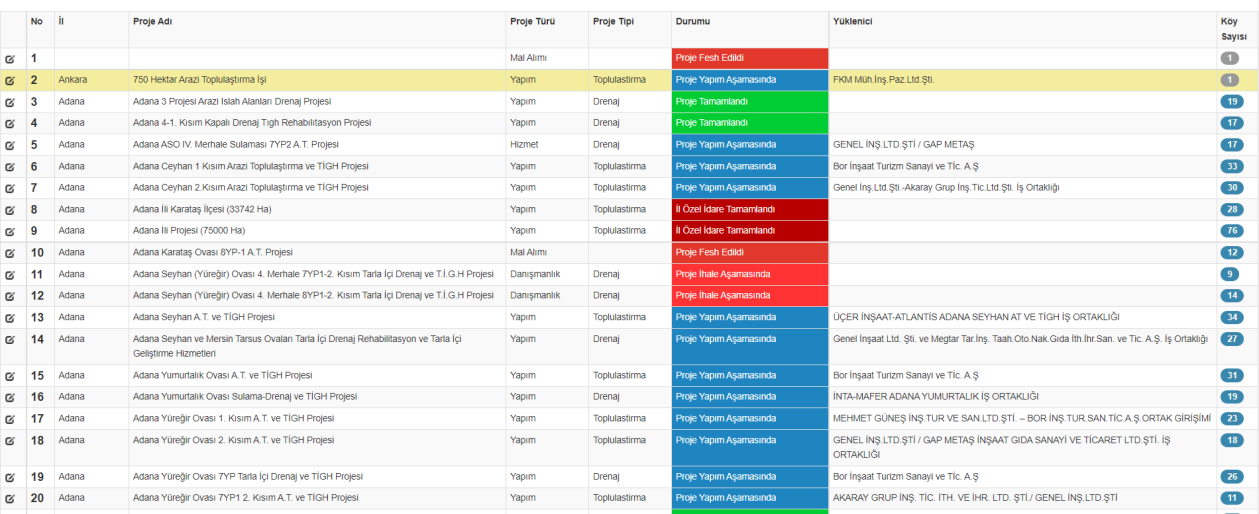
Project Tracking List
A general management table showing all projects' province, type, contractor, and current status on a single screen. With colored status labels (completed, terminated, in tender stage, etc.), current progress is easily tracked. Thanks to the filterable and editable structure, users can track projects quickly and effectively.