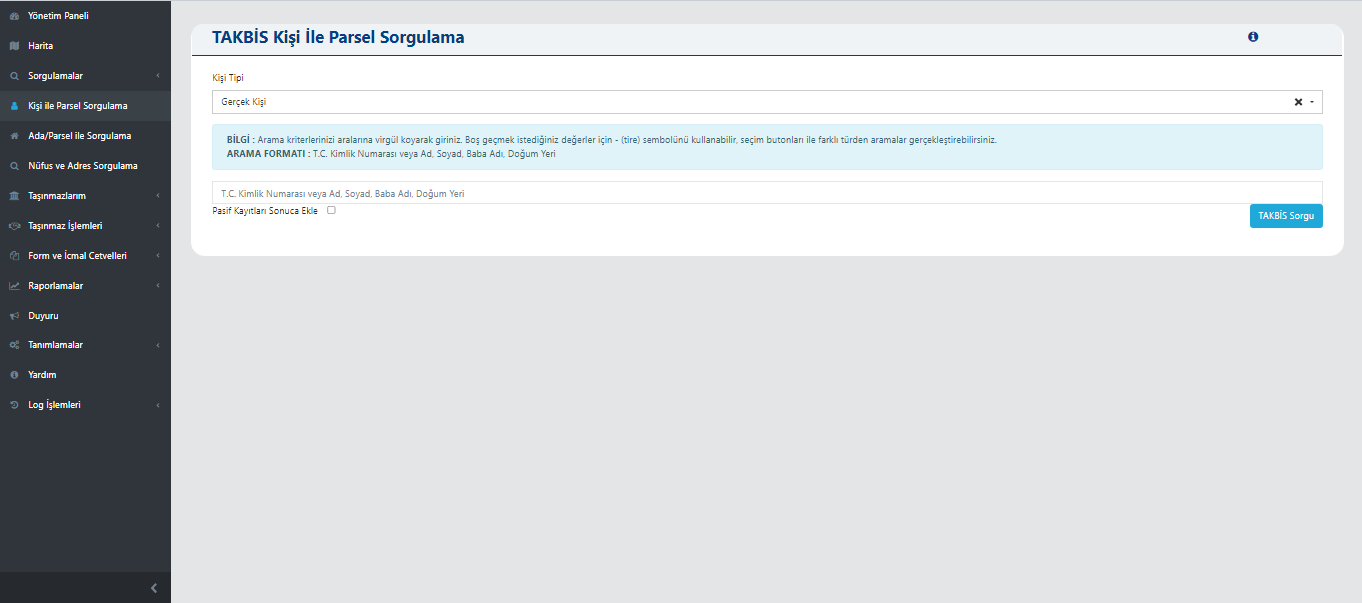
TAKBIS Person-to-Parcel Query
This screen enables querying property records for individuals through the Land Registry and Cadastre Information System (TAKBIS) integration. The user can enter identity information for a real or legal person to access property details recorded in the system. Query results are displayed with the property's location, ownership status, and title deed information. This allows institutions to securely conduct ownership verification and property tracking from a centralized system.
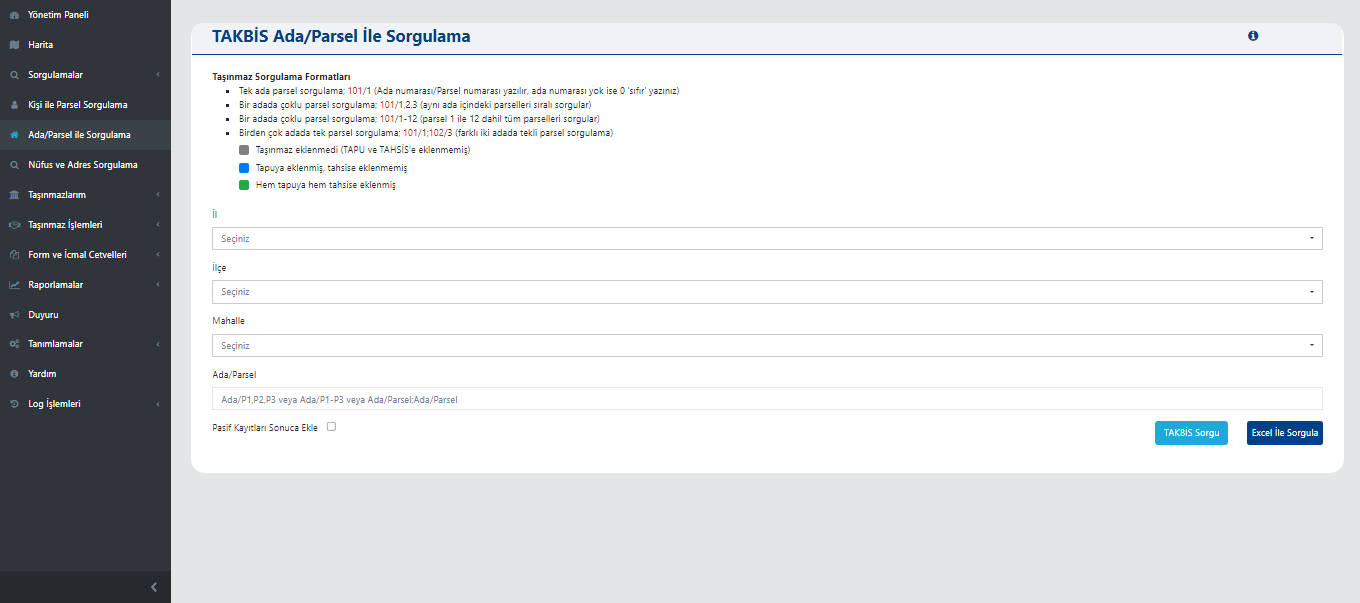
TAKBIS Block/Parcel Query
This screen is used to query property information for a specific block or parcel number via the Land Registry and Cadastre Information System (TAKBIS). The user can enter province, district, neighborhood, and block/parcel details to view ownership, allocation, and title deed statuses of properties recorded in the system. Query results are presented with color indicators depending on whether the property is registered to the land registry and whether allocation status has been determined. This structure enables institutions to quickly analyze property inventory and verify ownership control on the map.
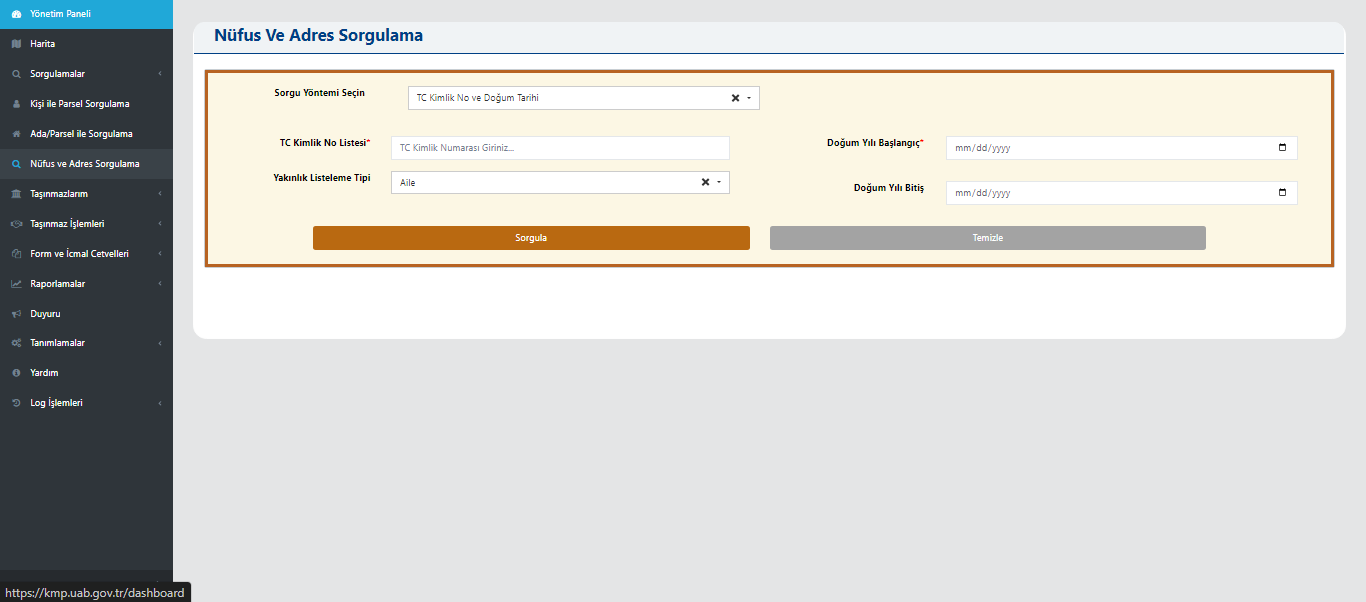
Population and Address Query
This screen enables querying population records and address data based on personal information. The user can enter details such as Turkish ID number, birth date, or relationship type to perform a query. As a result, the person's own or family population and address information is displayed. This screen allows institutions to securely perform identity verification, address confirmation, and household-based analysis.
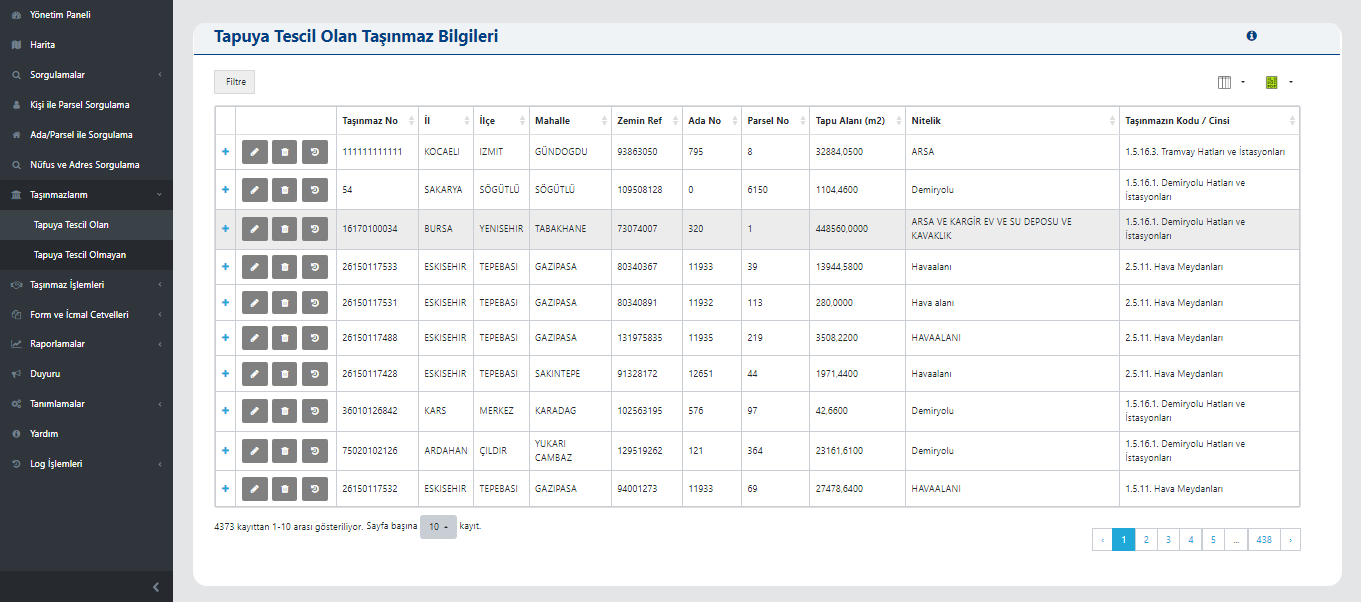
Registered Property Information
This screen displays detailed records of properties registered in the land registry. The user can review information such as province, district, neighborhood, block, parcel, title deed area, attribute, and property code in a table. Records can be filtered, edited, or exported from the listing screen. This structure enables institutions to systematically track properties in inventory and comparatively analyze ownership, intended use, and size information.
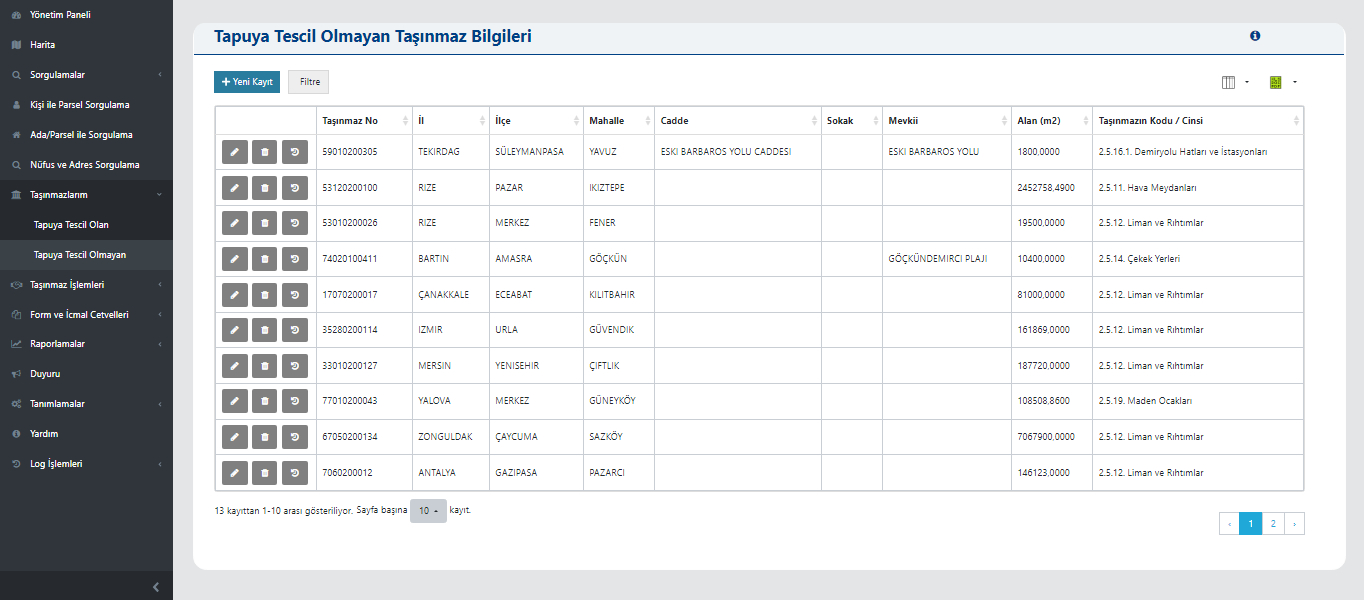
Unregistered Property Information
This screen is used to view information for properties not yet registered in the land registry. The user can list properties by province, district, neighborhood, avenue, street, locality, and area information. For each property, area (m²), property code/type, and location information are shown in detail. This structure helps institutions identify properties whose ownership transfer has not occurred and manage inventory accurately and transparently before land registry procedures.
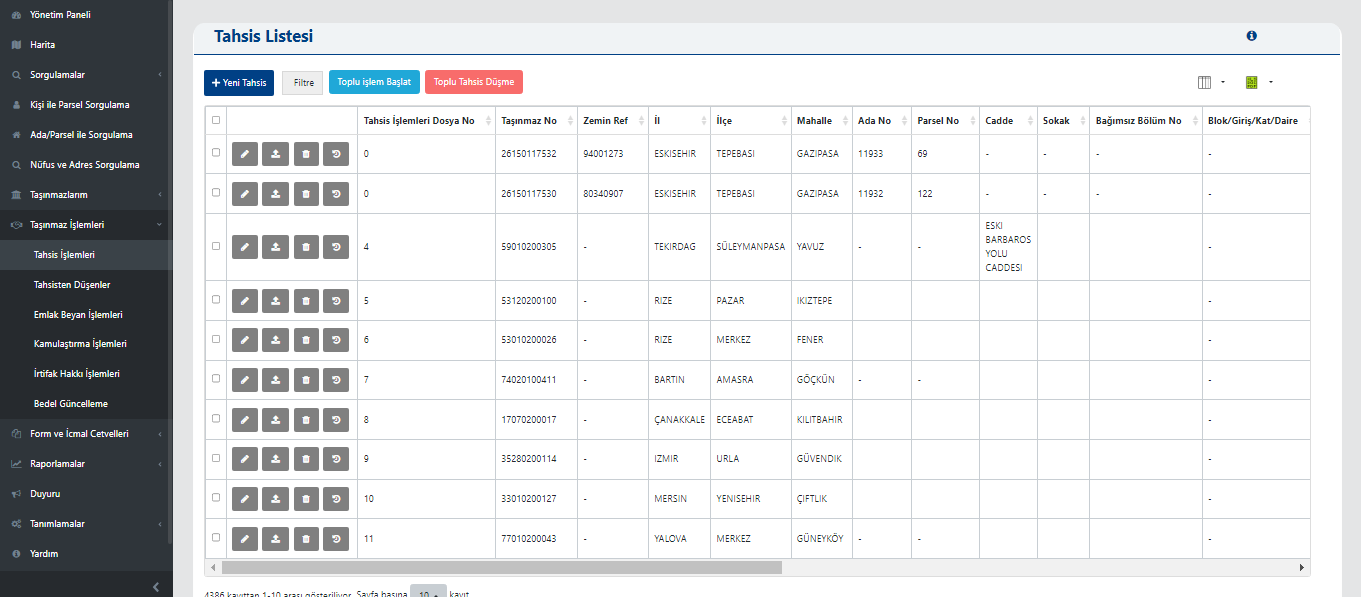
Allocation List
This screen manages all property records related to allocation processes. The user can view and filter records by fields such as property number, province, district, neighborhood, block, and parcel. Allocation files listed can be edited, new records can be created, or allocation drop processes can be performed with batch options. This screen makes it easier for institutions to centrally monitor and manage property allocation processes.

List of Released Allocations
This screen displays properties whose allocation process is completed and allocation record is closed. The user can view past allocation records by property number, ground reference, province, district, neighborhood, block, and parcel. Each record in the table can be edited, filtered, and exported. This screen ensures institutions properly manage current ownership status by tracking allocations that have expired or been canceled.
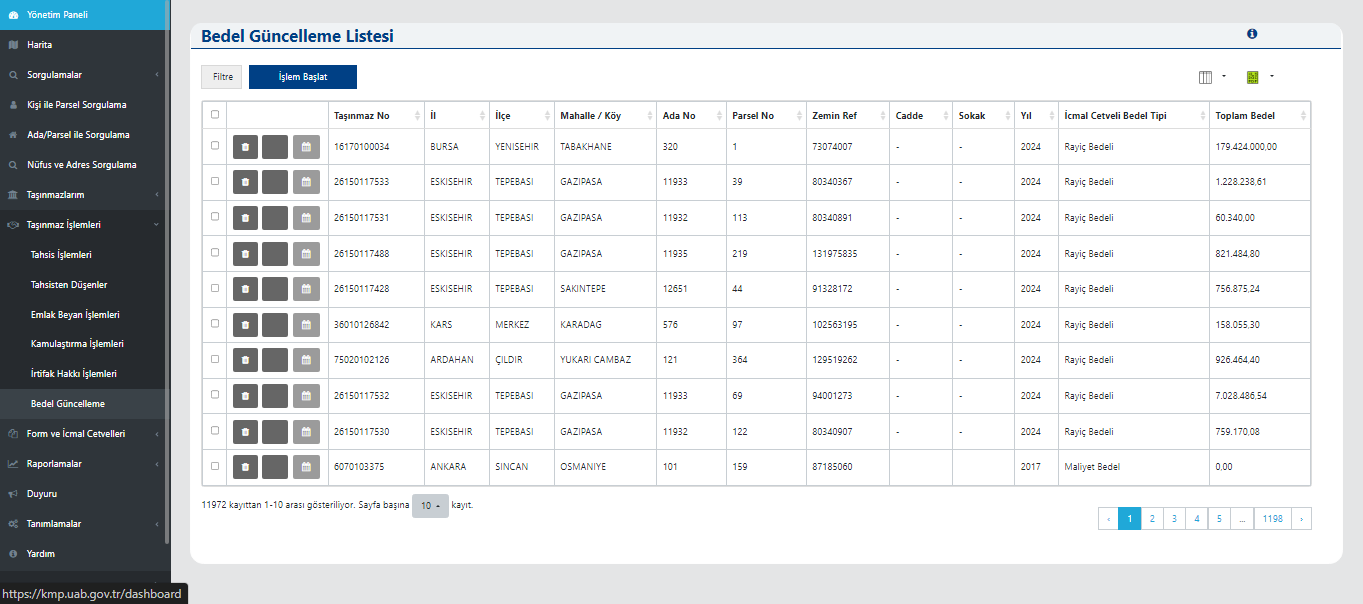
Value Update List
This screen is used to view and manage value update processes for properties. The user can access current values of registered properties using information such as property number, province, district, neighborhood, block, parcel, year, and total value. The summary ledger value type is listed by the system. This enables institutions to update property values according to each year's economic data and maintain accurate financial reporting.
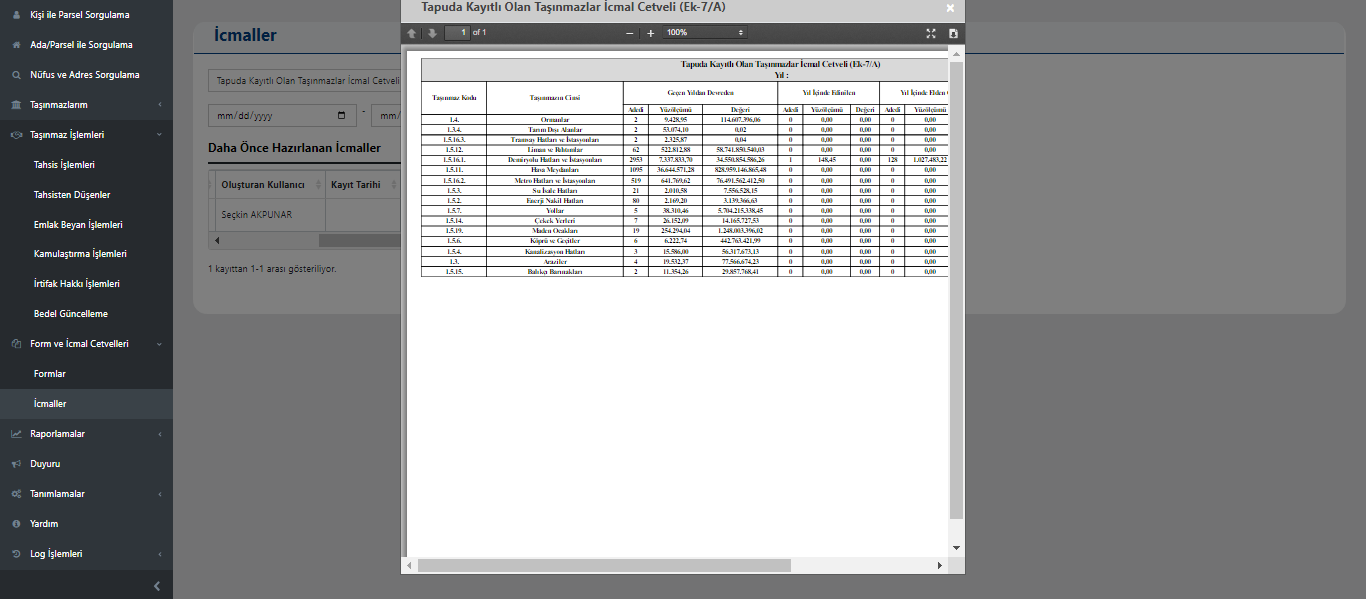
Summary Ledger for Registered Properties
This screen displays the annual summary (icmal) ledger for all properties owned by the institution. In the prepared ledger, each property's code, type, quantity, and value are listed annually. The user can compare with data from previous years and create new period values through the system. This allows the institution to report the total size of its property portfolio and its changes over the years.
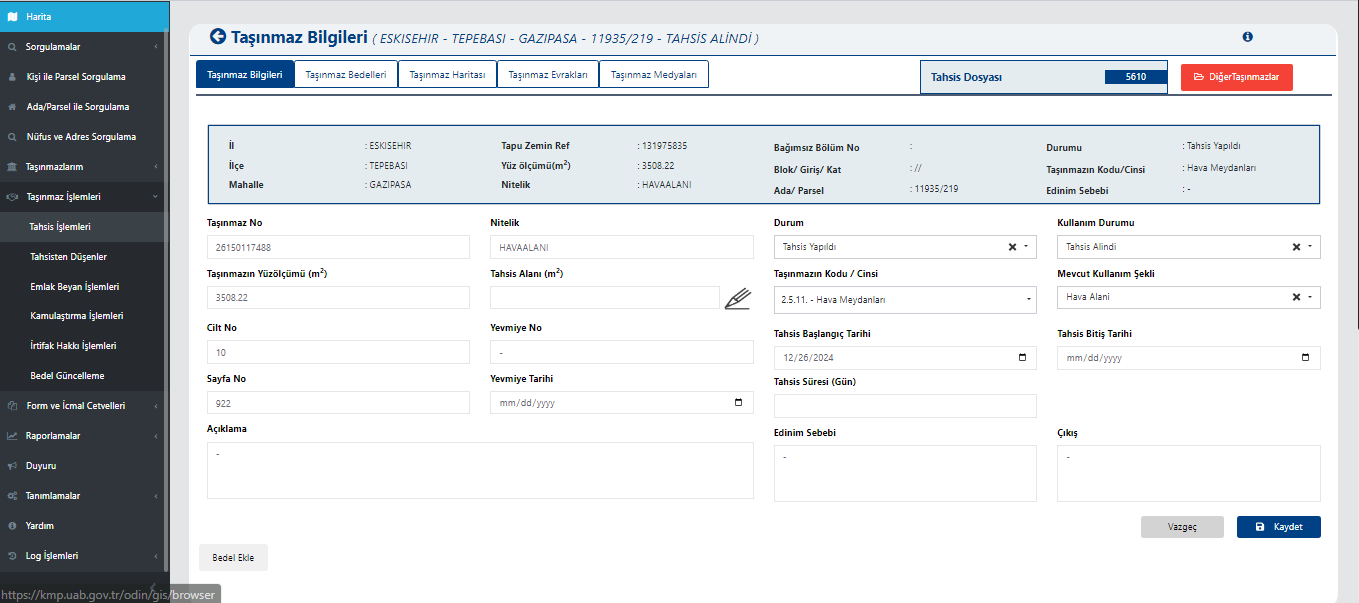
Property Information
This screen is used to view and update detailed ownership and allocation information for the selected property. The user can access basic information such as property number, area, ground reference, block/parcel, volume, and page number. Administrative data such as allocated area, usage status, current usage type, allocation period, and start/end dates are also included. The screen is used to monitor current status of allocated properties and, when necessary, direct to value calculation or reporting processes.
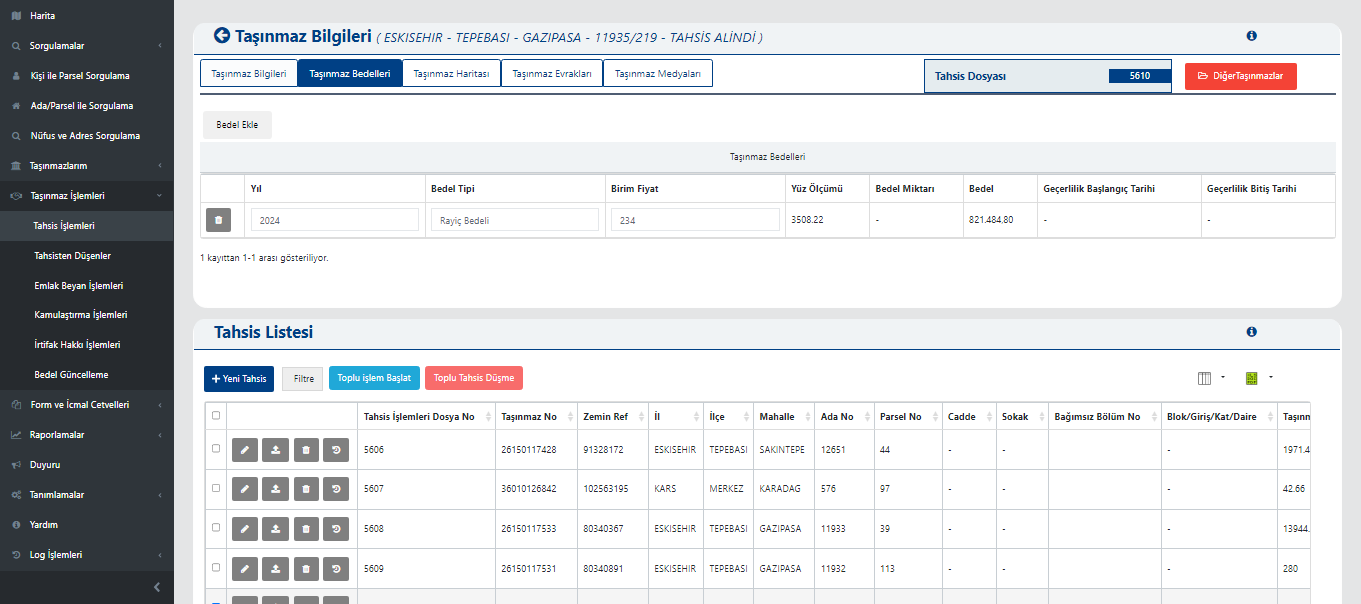
Property Values and Allocation List
This screen displays the annual value calculations and current allocation records for the selected property together. The upper section shows year, value type, unit price, area, total value, and validity dates. This section is where the property's economic value is calculated based on market or cost. The allocation list in the lower section provides details of allocation transactions for each property in table form. The user can create new allocations, start batch operations, or update allocation records from this screen.