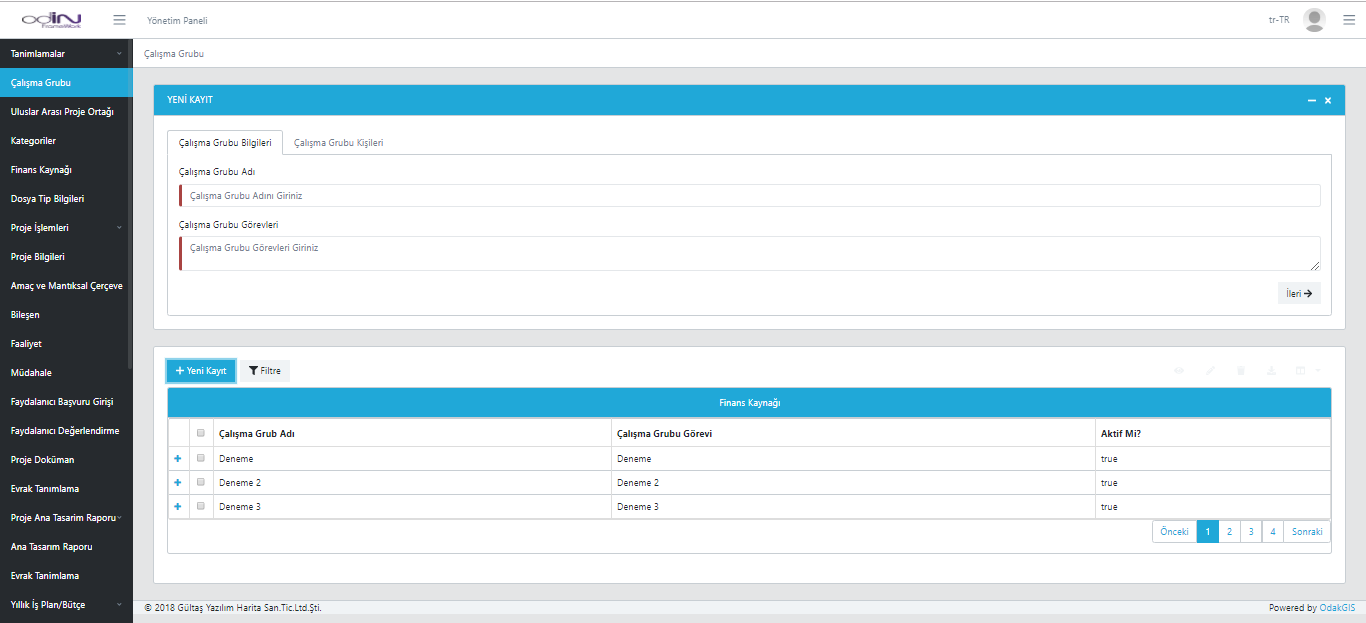
Workgroup Management
Technical, administrative, or consulting teams for projects can be defined. Each group's role is defined, members are added, and activity status is managed. This standardizes project roles and enables transparent task distribution.

International Project Partner Definition
International organizations involved in outsourced projects are recorded in the system and managed with contact details. For each project partner, address, phone, email, and other information are defined to keep the project stakeholder network organized. This makes project collaborations transparent, accessible, and traceable.
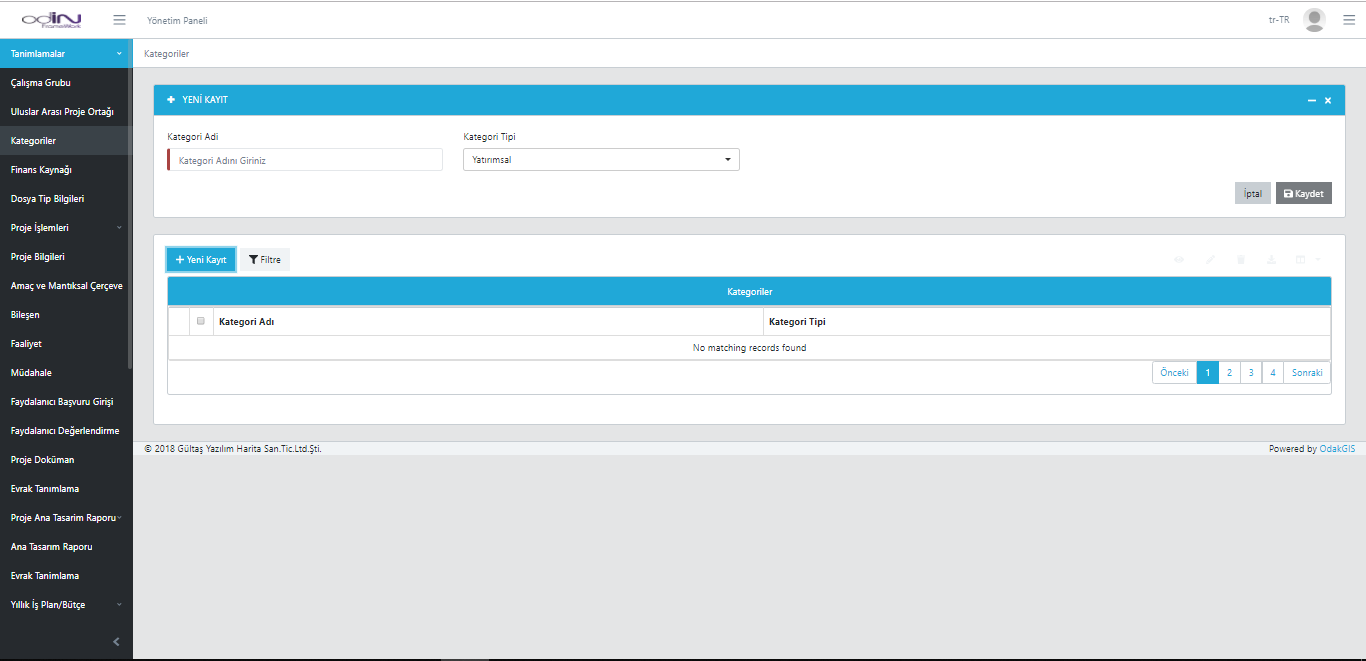
Category Management
Category types such as activities, investments, and training used in projects are defined to maintain classification integrity. By recording name and type for each category, project data is structured and organized. This screen provides easy filtering for reporting and analysis.
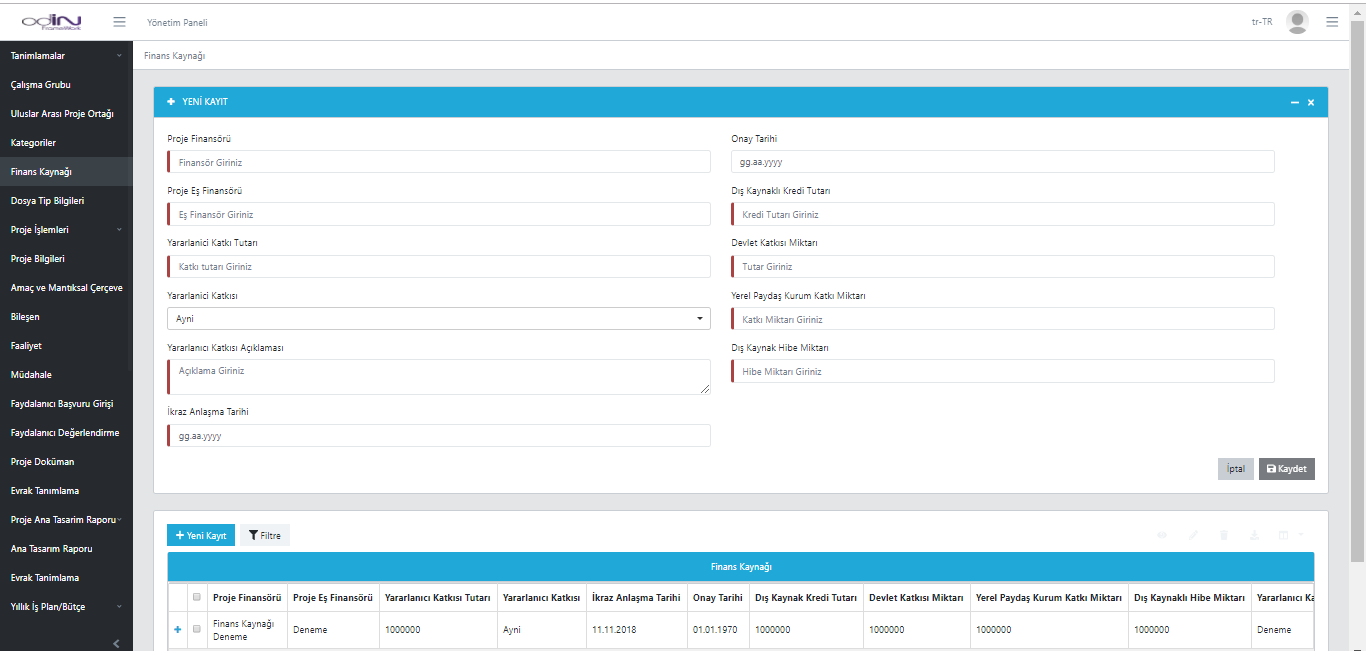
Funding Source Management
All project funding sources are recorded, including grants, loans, government and local stakeholder contributions. For each source, funder, approval date, contribution type, and amount are defined, making the financial structure traceable. This screen enables holistic planning and reporting of project financing.
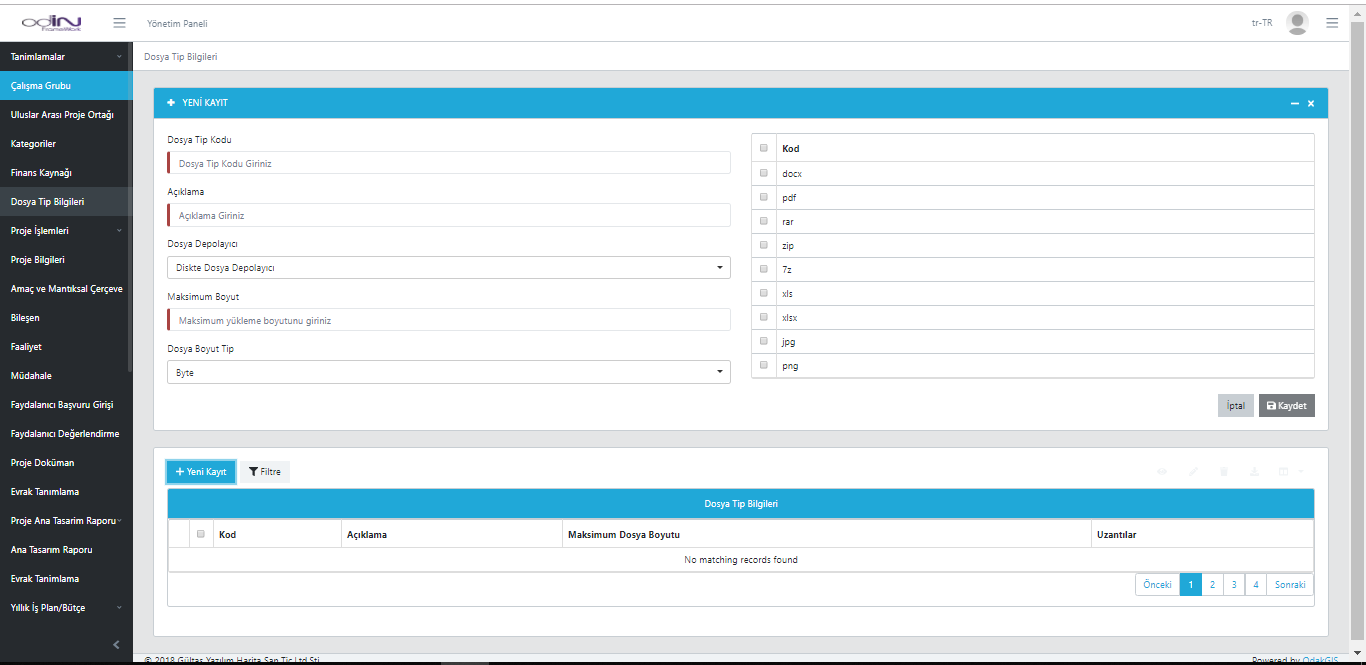
File Type Information
All file types and extensions that can be used in the application are defined. For each file type, code, description, maximum size, and storage type are specified to keep the system secure and controlled. This structure ensures documents are uploaded and stored in standard formats.
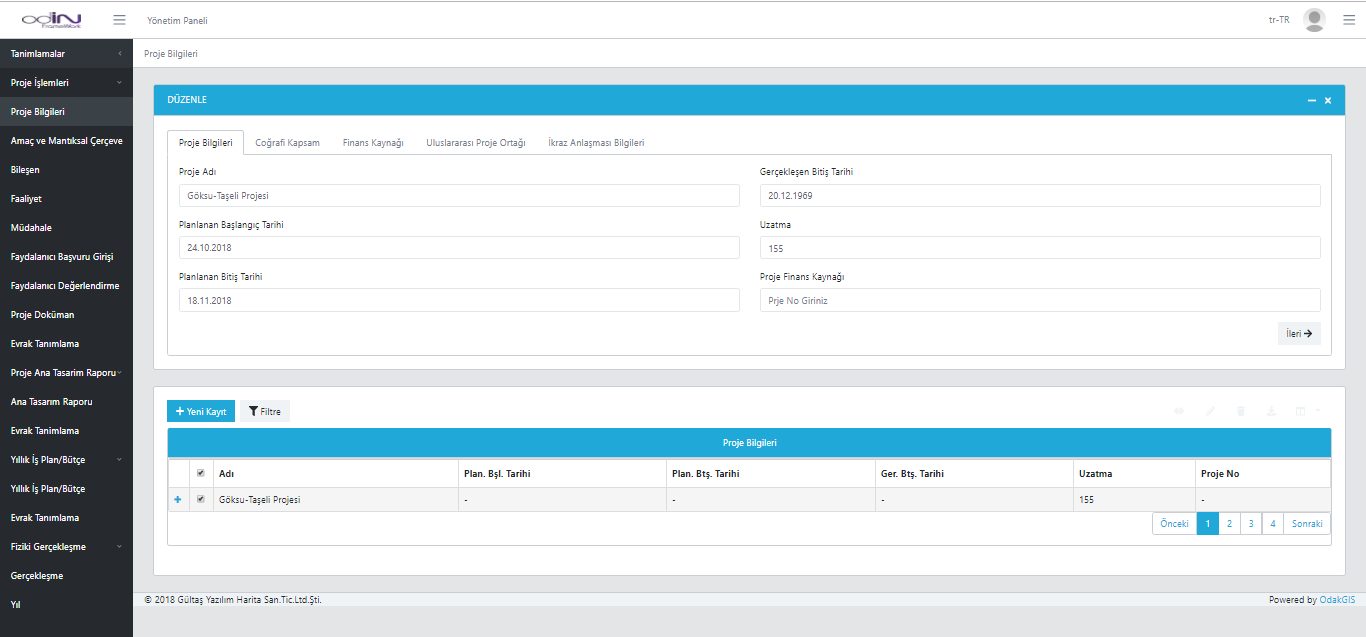
Project Information
Core project details, geographic scope, funding source, and international partnership data are managed on a single screen. Fields such as start-end dates, extension period, and project finance number are entered to facilitate tracking. This screen is used to monitor overall project status and ensure progress aligns with the planned schedule.
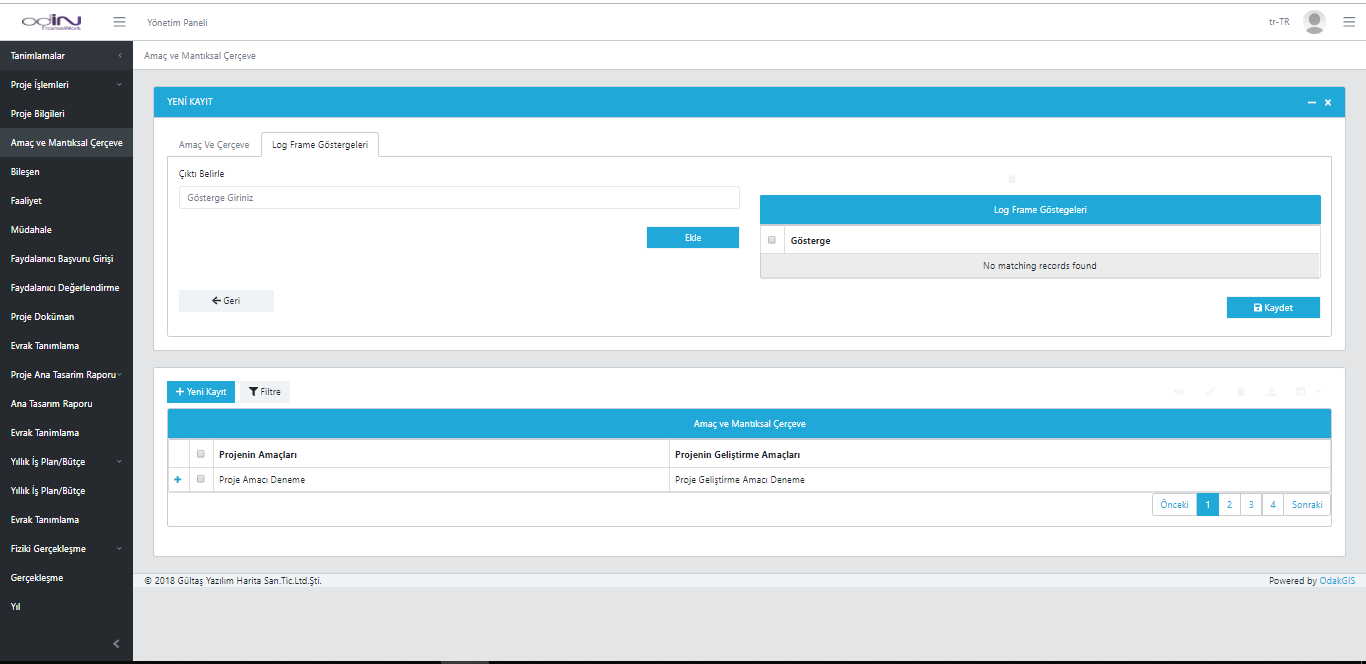
Purpose and Logical Framework
The project's overall and specific goals, indicators, and expected outputs are defined on this screen. The logical framework structure makes project objectives measurable and simplifies performance monitoring. The user can define project indicators and integrate them into the monitoring process.
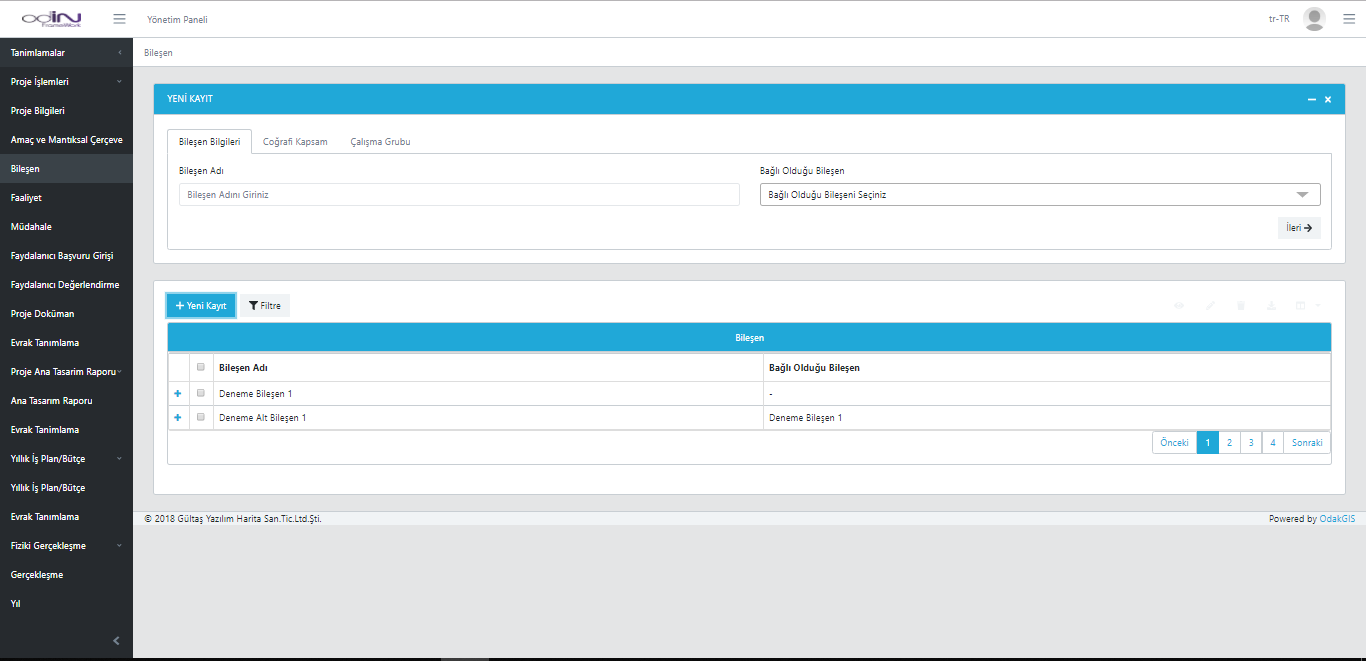
Component Management
All subcomponents of the project are defined and linked on this screen. For each component, name, parent component, and scope information are added to create a hierarchical structure. This enables project activities to be monitored and managed in a modular way.
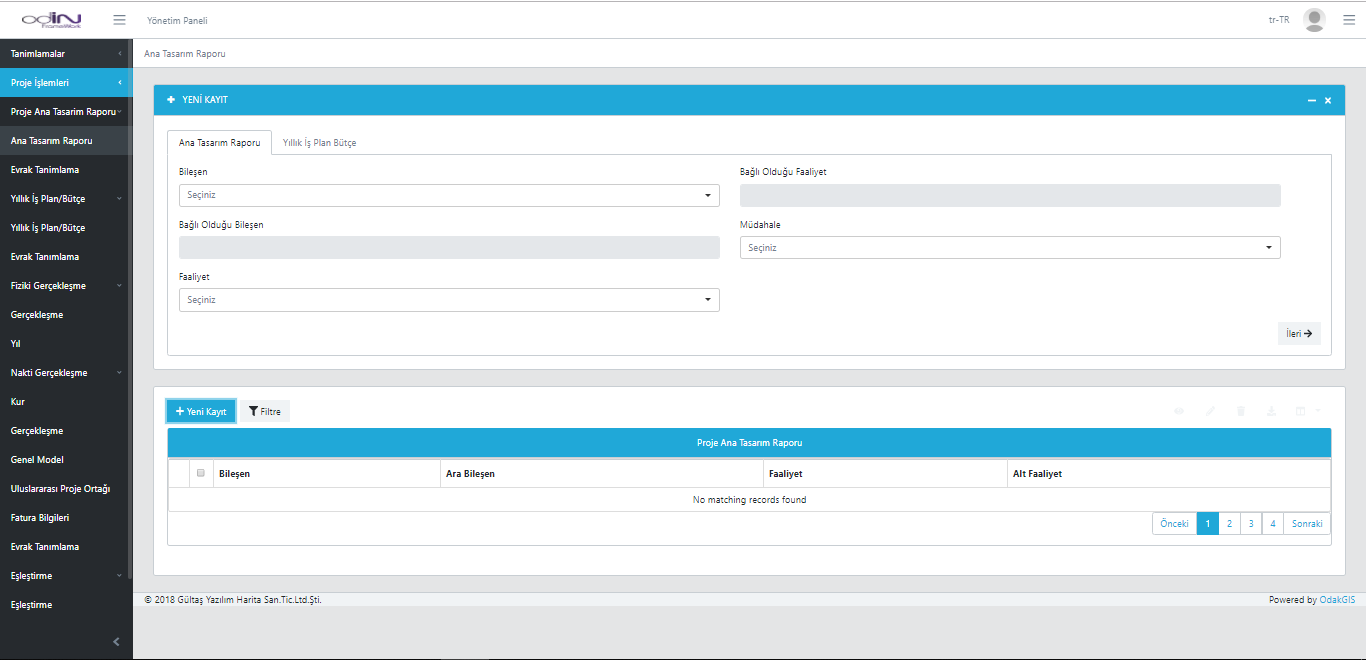
Main Design Report
All component, activity, and intervention relationships of the project are defined on this screen. Each activity is linked to its parent component and sub-activities to form the holistic design of the project structure. This screen enables systematic planning of project architecture and reporting of hierarchical relationships.
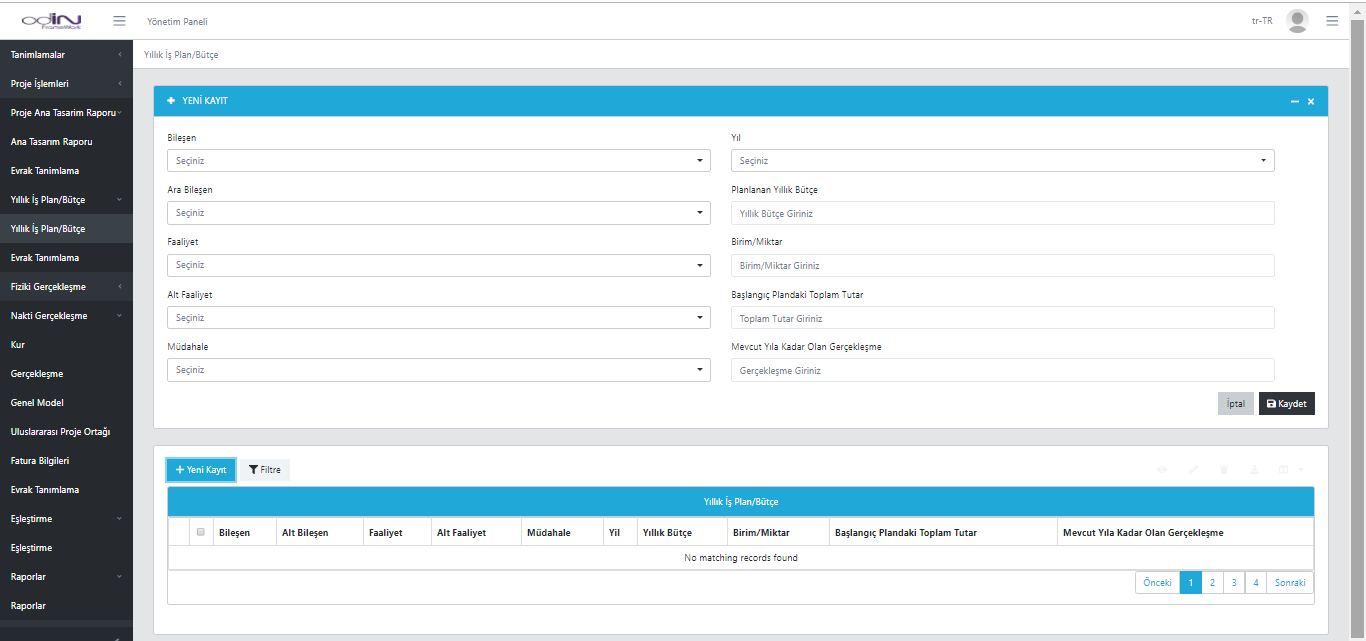
Annual Work Plan and Budget Management
The annual planning and budgeting of project activities are created on this screen. For each component, activity, and intervention, the planned annual budget, unit/quantity, and progress status can be defined separately. This allows year-based tracking of project performance, and budget deviations and completion rates can be easily reported.
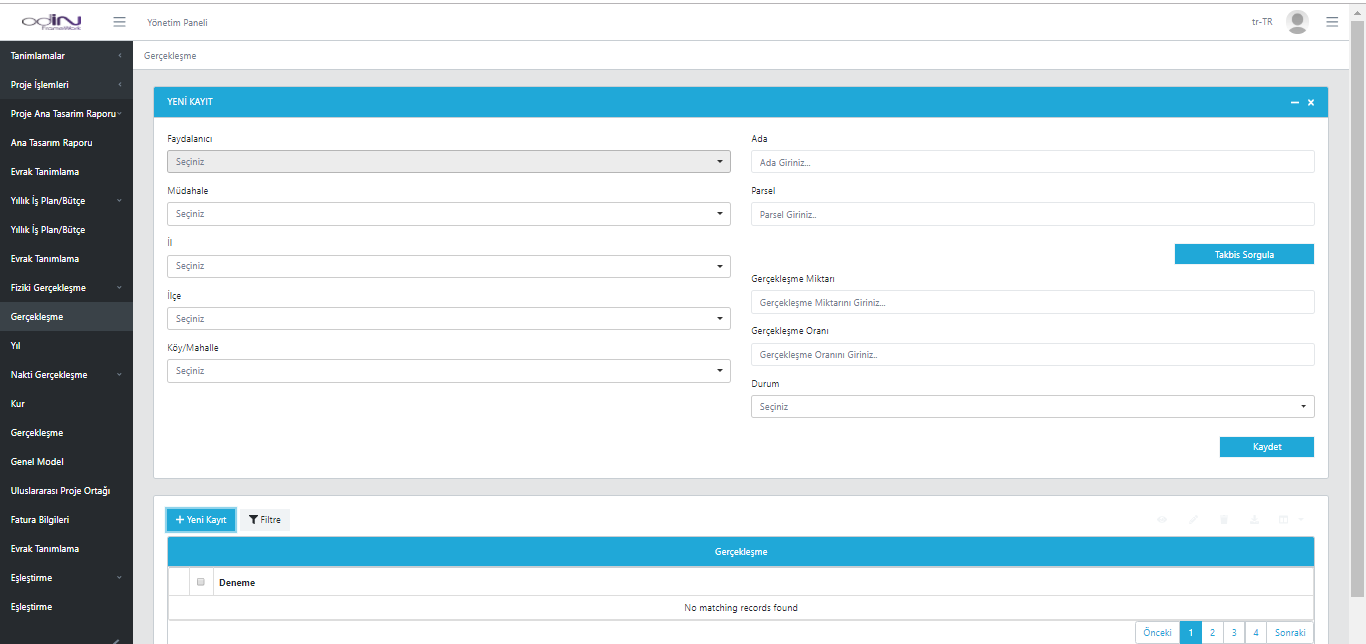
Progress Tracking Screen
Physical or financial progress of the project is tracked on this screen. Progress amounts and rates are recorded by province, district, neighborhood, block, and parcel. Thanks to TAKBIS query integration, property information is automatically retrieved to ensure accuracy. This screen facilitates real-time tracking and reporting of field progress.
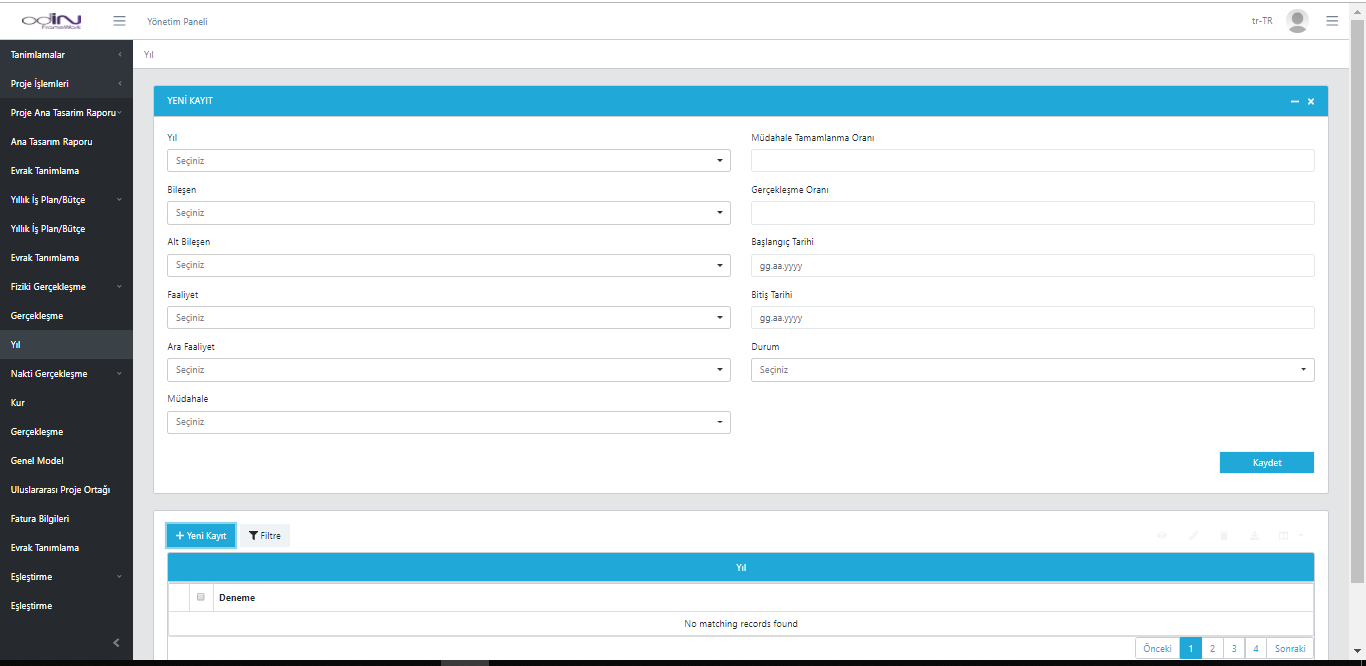
Year-Based Activity Management
All project activity and intervention processes are planned and tracked on a yearly basis. For each activity, start and end dates, completion rate, and completion status are recorded. This screen enables systematic tracking of annual progress and performance analysis.
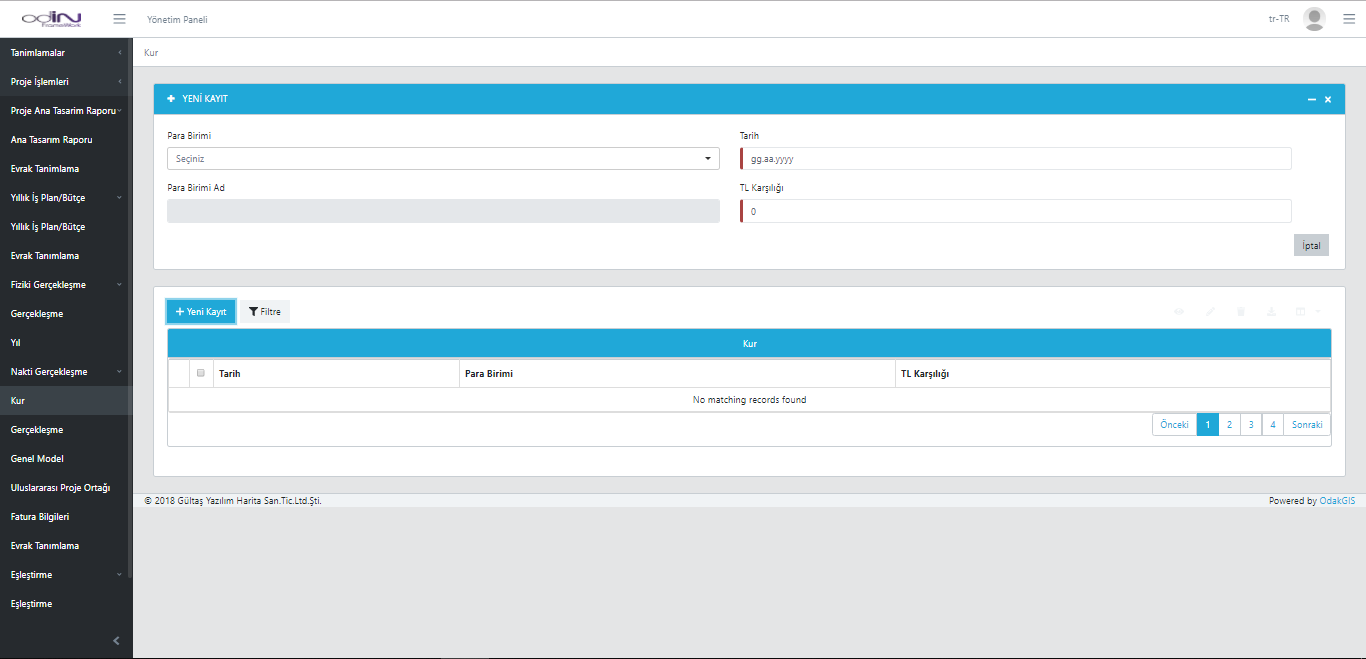
Exchange Rate Management Screen
Exchange rates for different currencies used in the project are defined on this screen. The user selects the date and currency and records the current TRY equivalent in the system. This ensures accurate calculation of financial data with current rates in multinational projects.
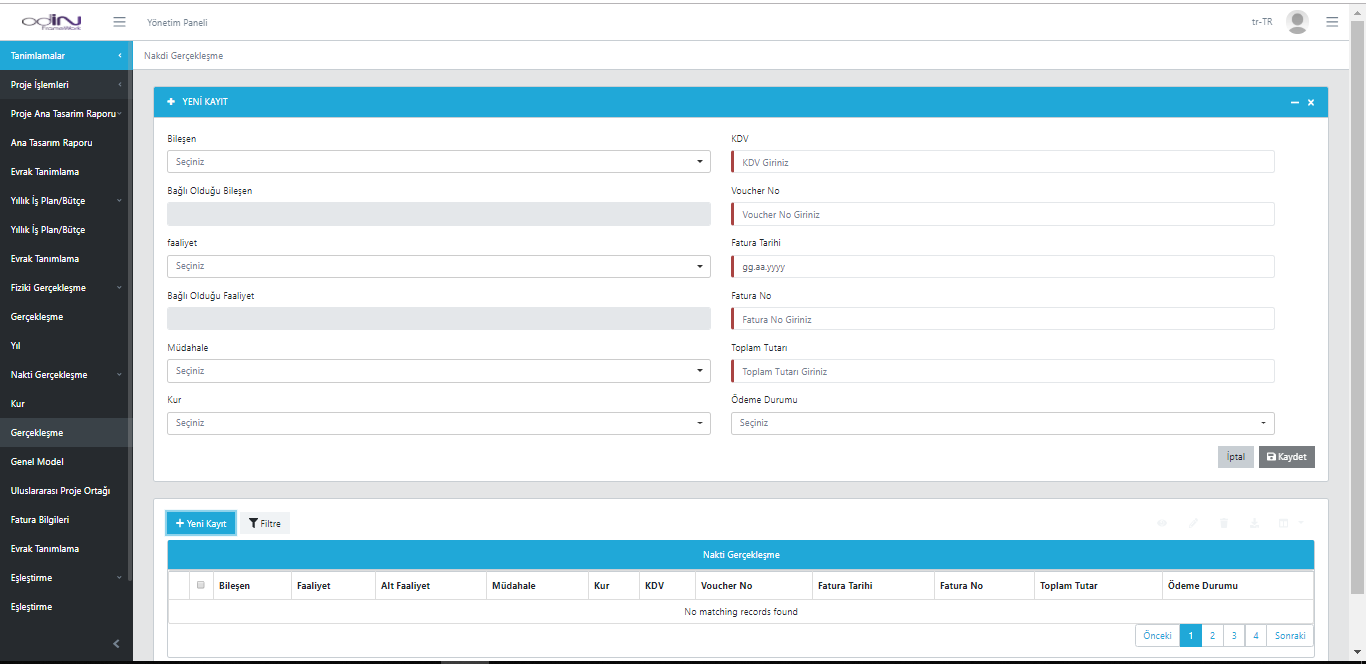
Cash Realization Screen
Financial payments and invoicing processes for the project are recorded on this screen. For each intervention, VAT rate, invoice details, exchange rate, total amount, and payment status are defined. This screen allows detailed tracking of the project's financial flow and realized payments. In addition, matching with related components and activities ensures each financial record is linked to the project structure.
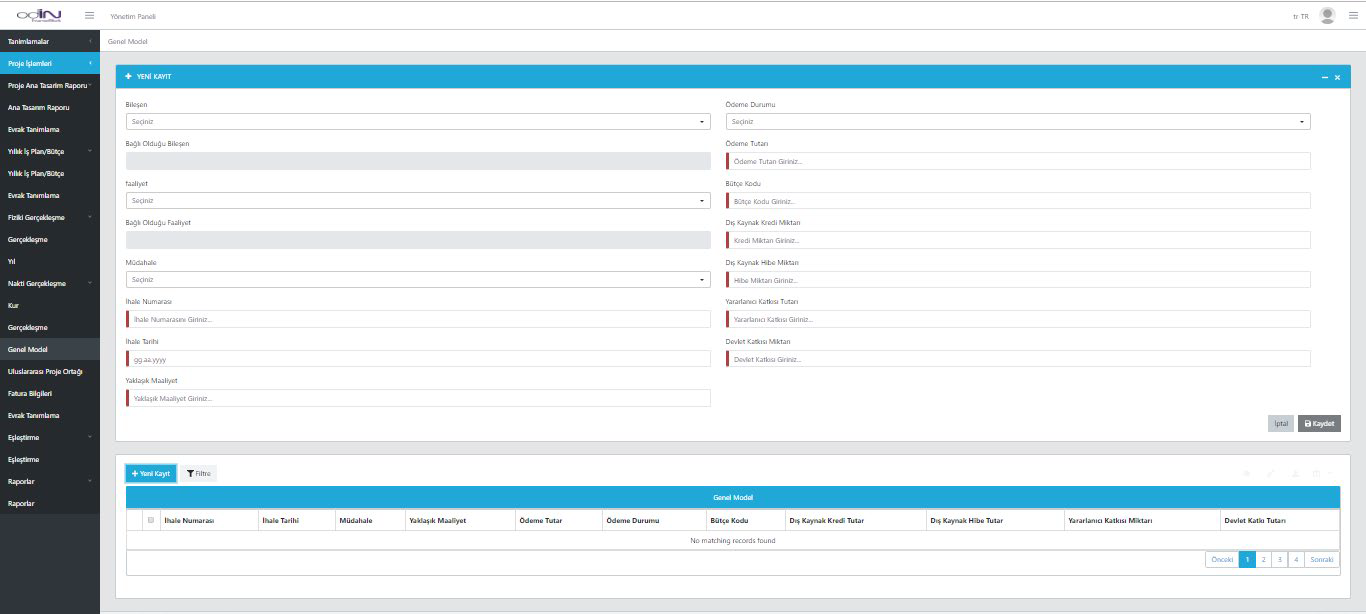
General Model
All financial transactions within the project (tender, budget, payment, loan, grant, and contribution amounts) are managed on a single screen. The user can compare internal and external financial data and track current financial status in real time.
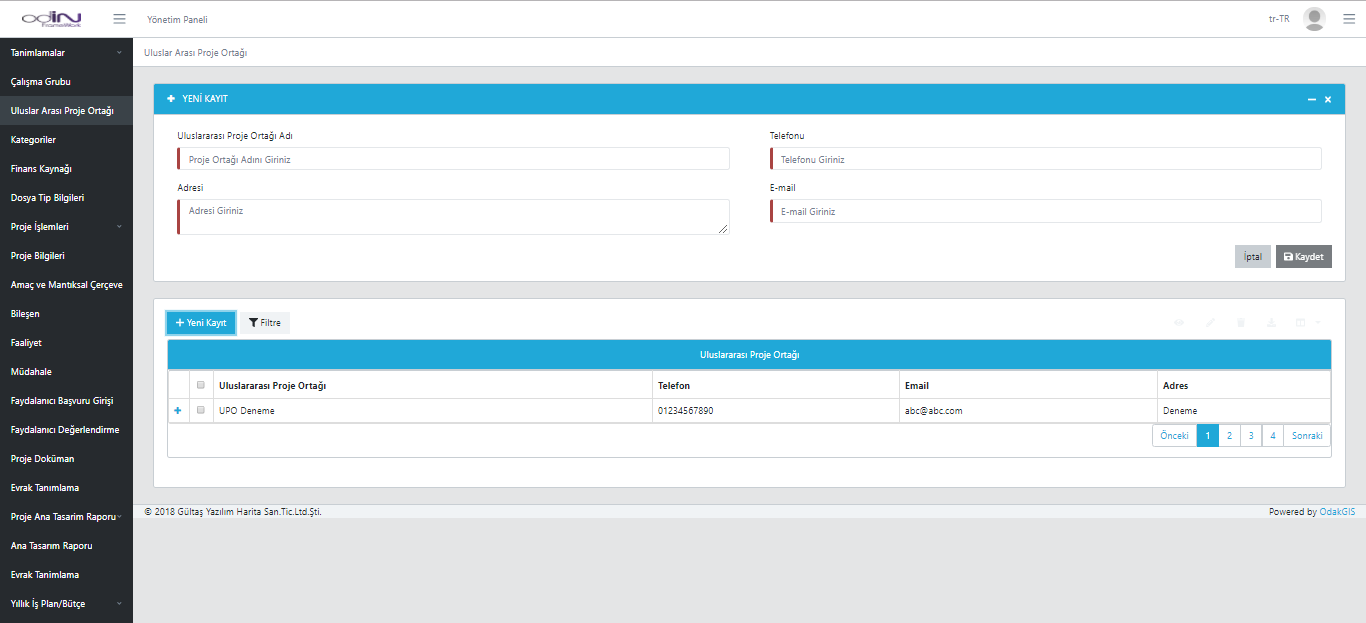
International Project Partner
Contract, invoice, and contribution information for international organizations involved in the project are managed on this screen. Each partner's financial contribution rate, loan, and grant amounts are recorded separately and integrated into the project budget.
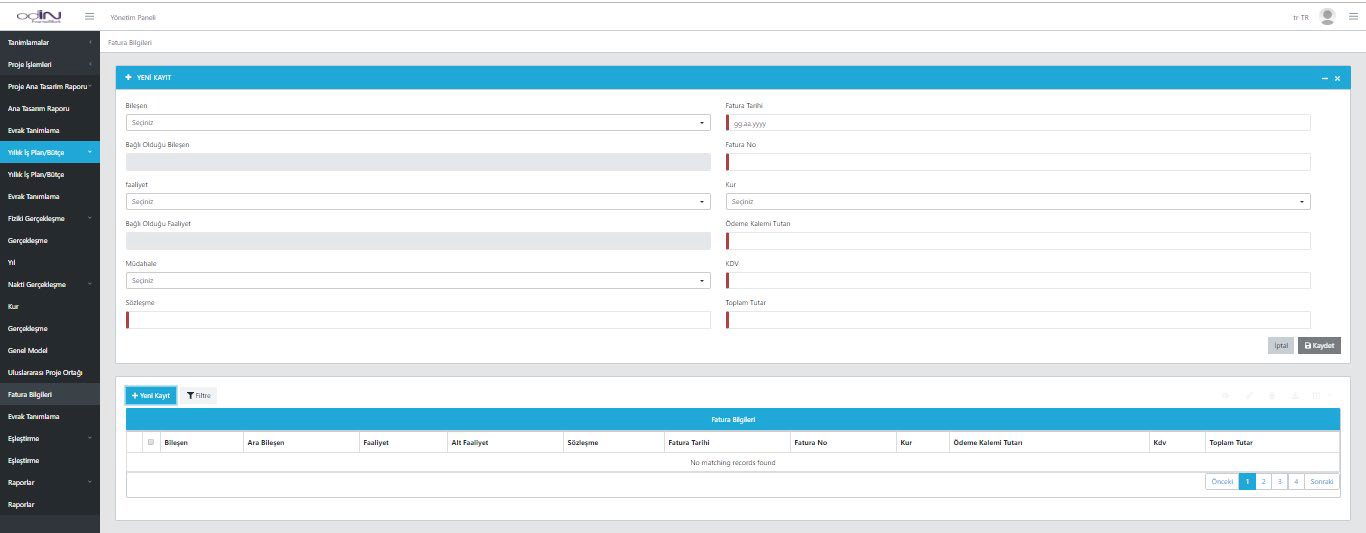
Invoice Information
All project invoices are recorded by date, number, exchange rate, VAT, and payment items. With contract-based filtering, each project's financial tracking is monitored in detail.