Home Page
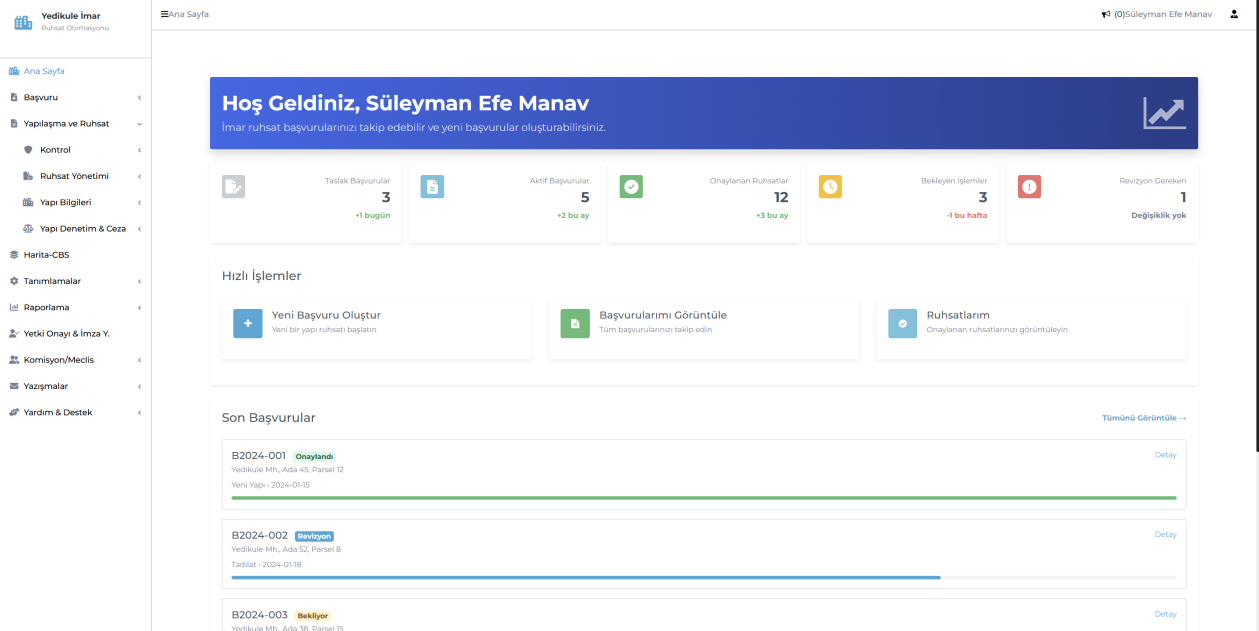
This screen, shown when the user logs in, provides a quick overview of all application statuses and summaries. Creating new applications, tracking existing ones, and accessing approved permits can be done easily.



End-to-end digital transformation and full integration in zoning and permit processes.
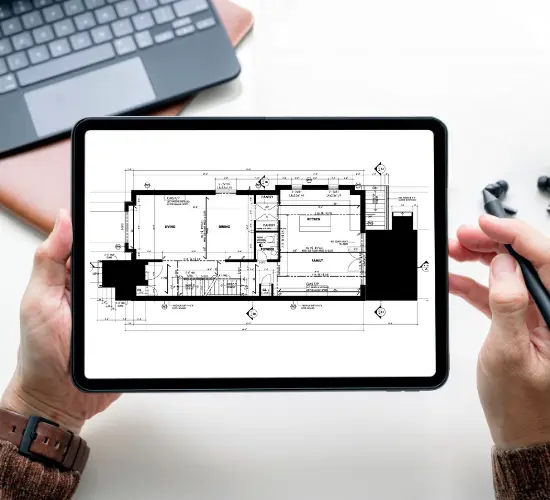

Manages parcel, building, and project relationships on a single screen via a geospatial map infrastructure; guarantees the correct property selection.

Supports WFS/WMS, DWG, CityGML, TAKPAS, KPS, and XML data formats.

All data related to application, review, approval, permit issuance, and occupancy processes is displayed through the system with filterable reports.

Works fully integrated with MAKS, TAKPAS, MERNIS, KPS, SMS, EBYS, e-signature, and TAPU services.

Fully compliant with the Zoning Law No. 3194, the Building Inspection Law No. 4708, and municipal zoning regulations.
Yedikule Zoning and Permit Automation is a map-based integrated web software that digitizes municipal zoning permit processes from start to finish. The system integrates application, review, permit issuance, occupancy, building inspection, commission, and council processes into a unified platform.
All users (administration, contractor, designer, building inspection firm, etc.) access the system according to their permissions, upload required documents, and complete e-signed approval processes.
The software provides the following benefits:
Parcel's integration of maps ensures that all applications are managed transparently and in full compliance with regulations. This approach ensures processes are auditable and conducted with the utmost transparency.
This screen, shown when the user logs in, provides a quick overview of all application statuses and summaries. Creating new applications, tracking existing ones, and accessing approved permits can be done easily.
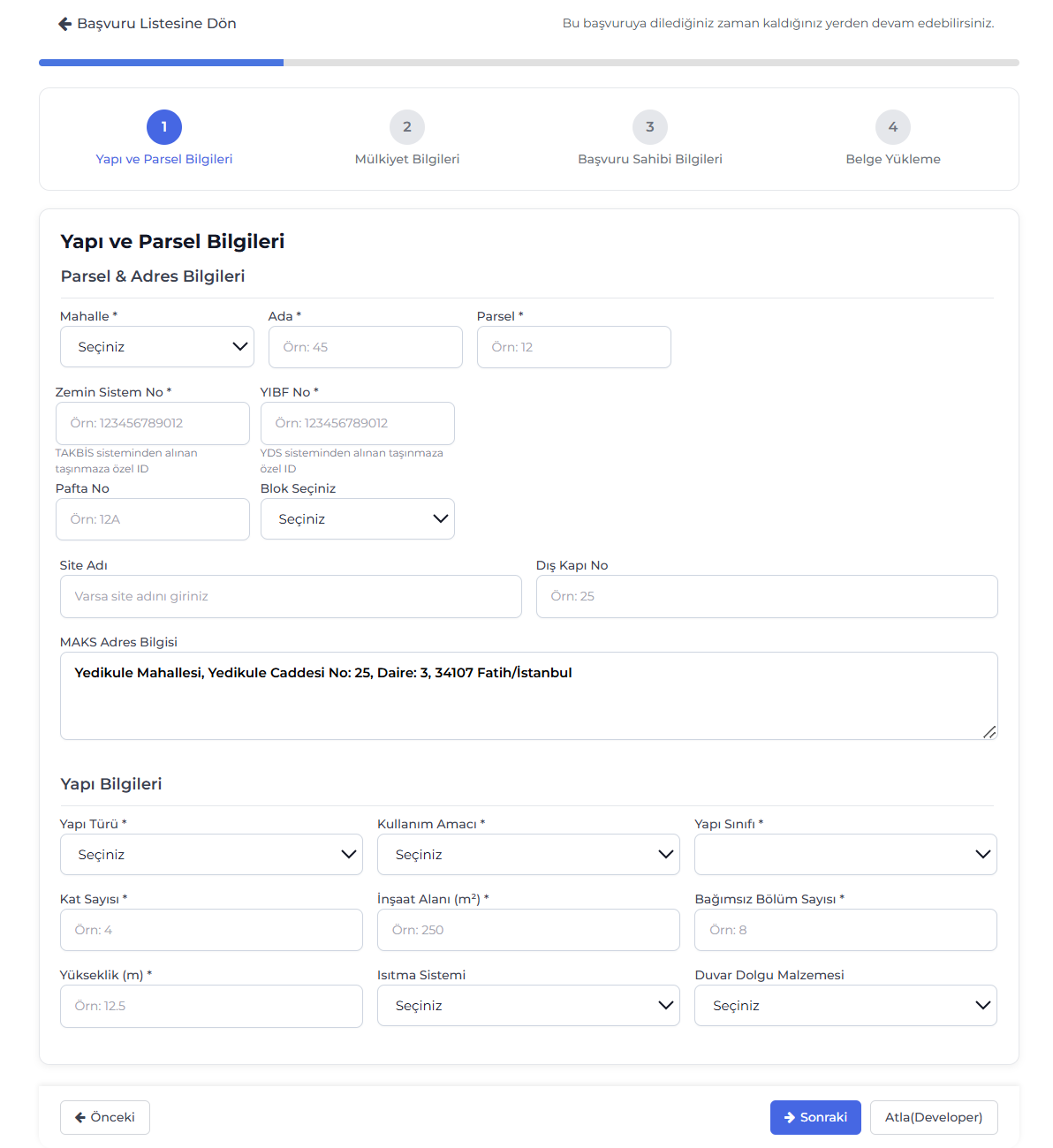
This screen, where permit applications are created, follows a step-by-step flow. Parcel, ownership, applicant, and document upload information are completed in a single flow to ensure a complete, error-free application.

This management area displays the status of all applications on a single screen. Application number, type, technical review stage, and approval status are easily tracked; filters provide quick access.
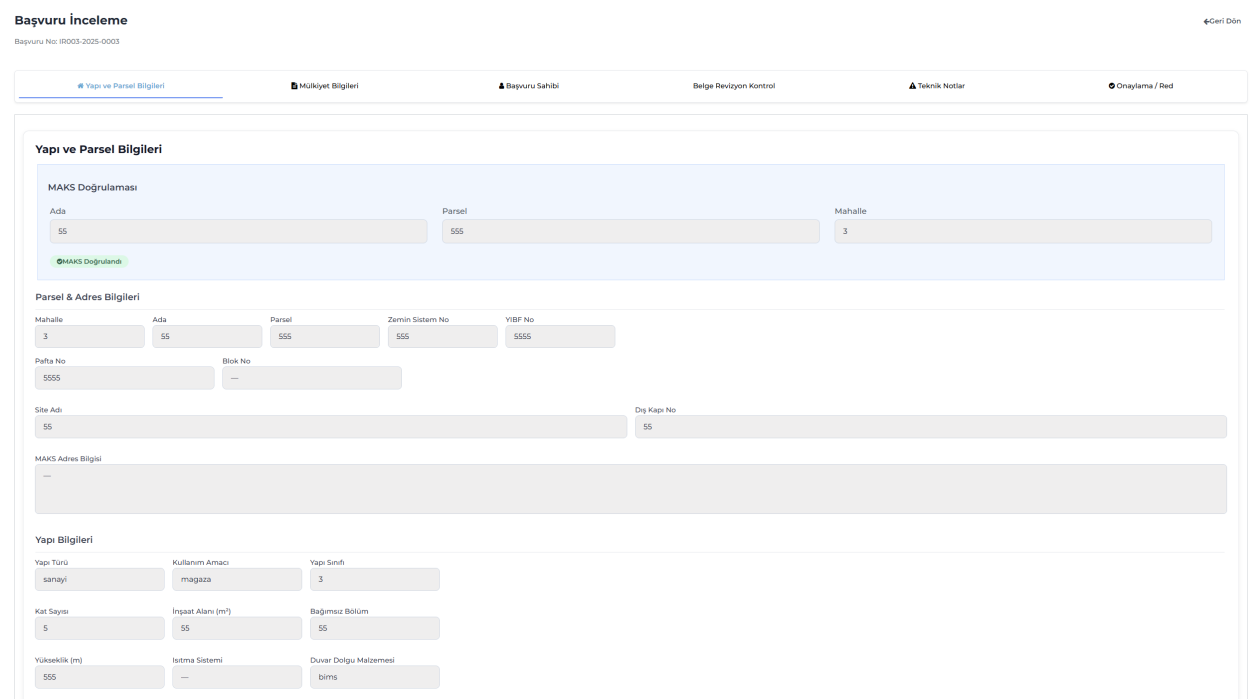
This screen is where administration staff review applications submitted by contractors in detail. Building, ownership, applicant, technical notes, and revision checks can be viewed step by step; suitable applications can be approved directly or sent for revision.
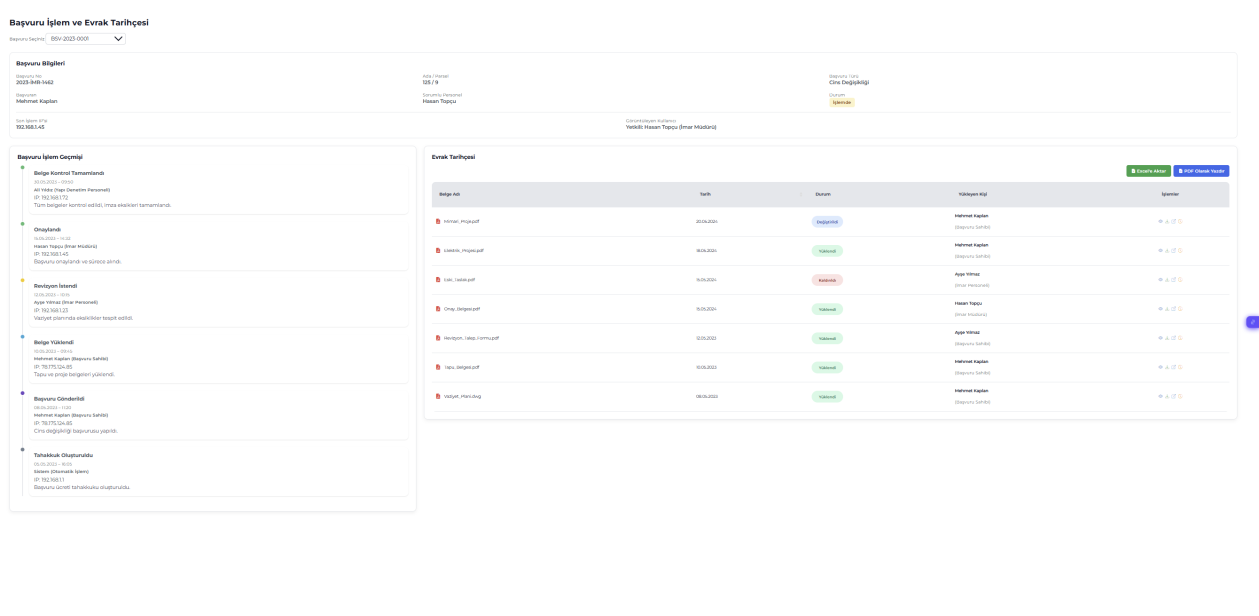
This screen chronologically tracks all steps and document movements in the application process. Who progressed the application, when, and at which stage is shown in the action history area; the document history table shows uploaded document dates, status, and user information. The user can export the entire process to PDF or archive it in Excel format.
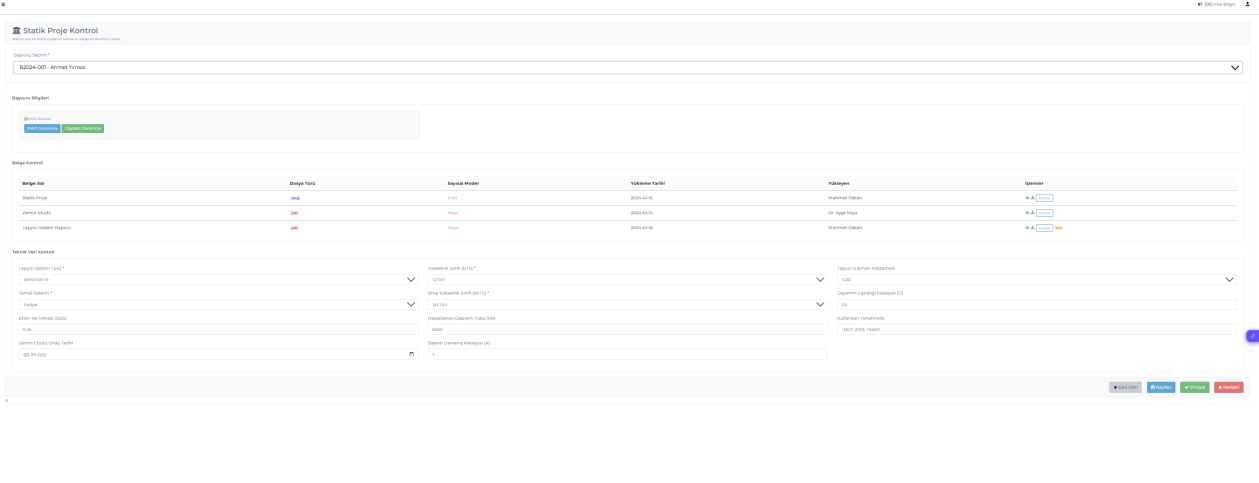
This is the main module where all technical projects related to applications are reviewed. For each discipline (architectural, structural, electrical, mechanical, geological, cross-section application, map), the relevant project, digital model, and technical data are examined on this screen. Documents uploaded to the system can be viewed in DWG and PDF formats; technical parameters are checked to approve or reject. All review processes are recorded and form the basis for permit approval.
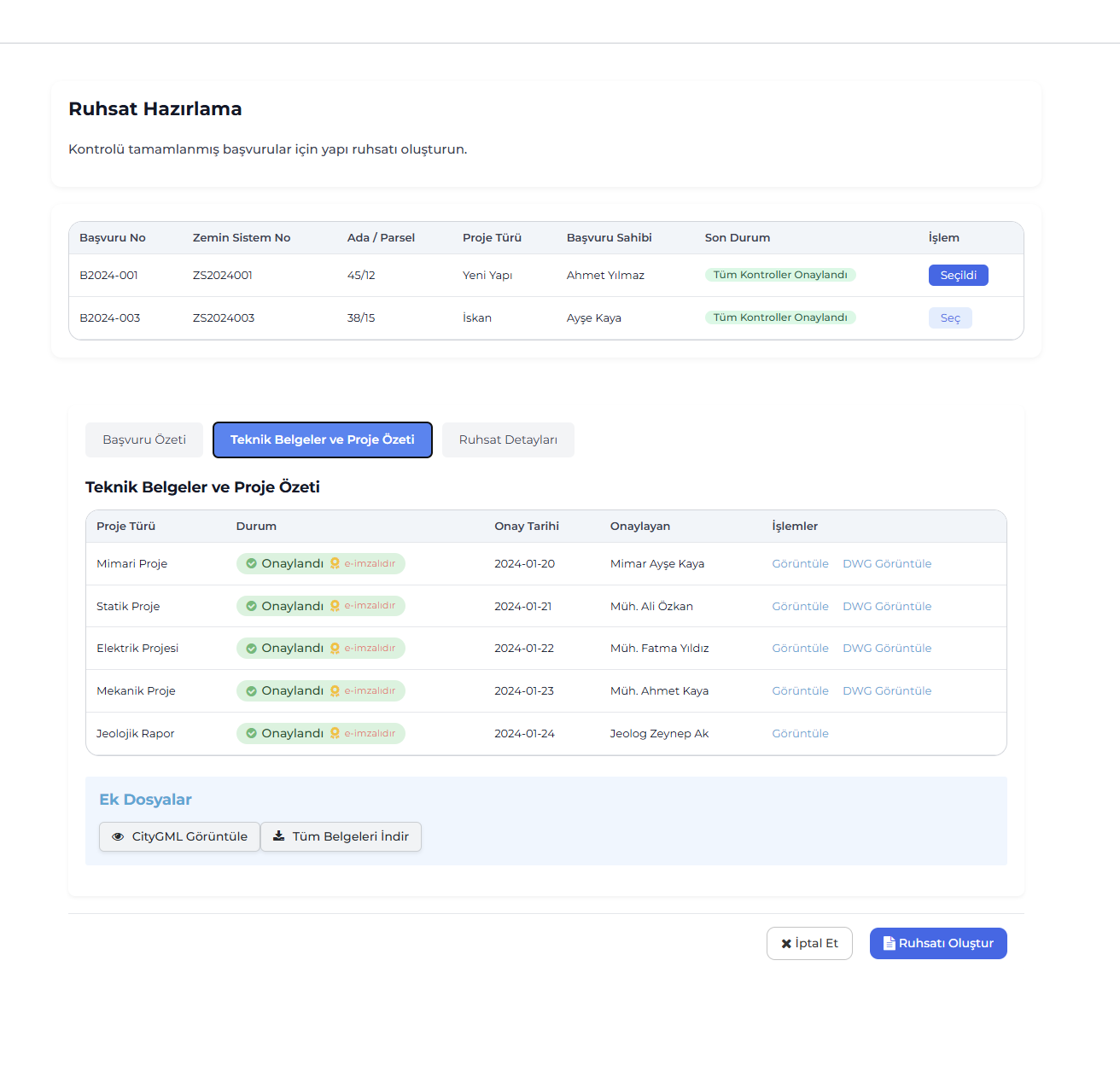
This screen converts applications with completed project reviews into building permits. Approved projects and signed documents are listed in summary in the system. Authorized users can view technical documents, review CityGML data, and download all files in bulk. After verifying all approved documents, the building permit is automatically prepared with the "Create Permit" action.
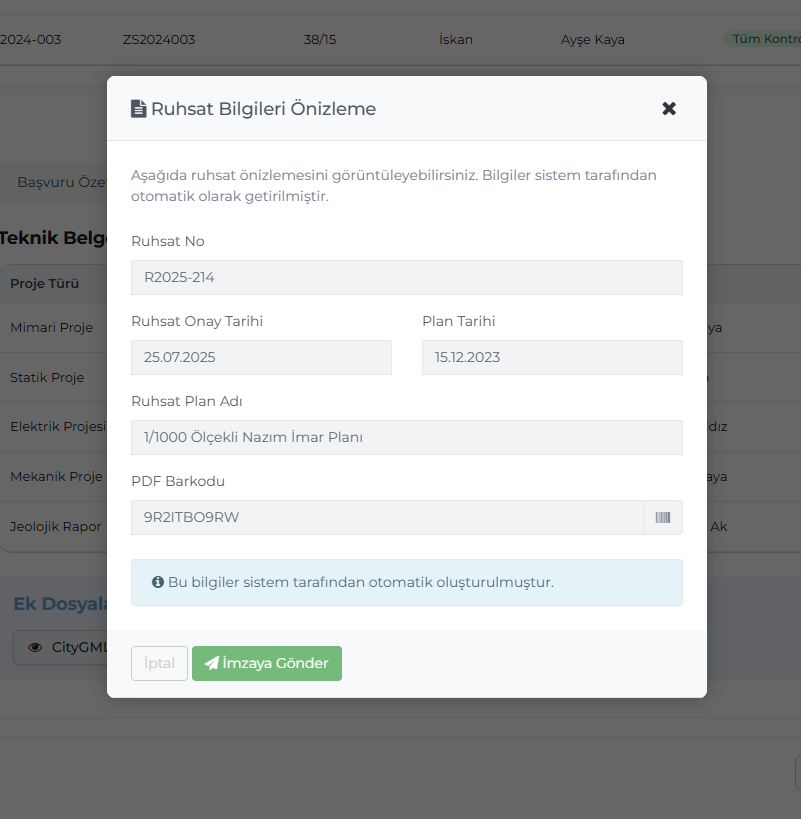
This screen allows verification of information automatically brought by the system before creating the permit. Fields such as permit number, approval date, plan name, plan date, and PDF barcode are displayed here. After checking the information, the user sends the permit document to the e-signature process using the "Send for Signature" button. Since all information is pulled automatically from the database, manual data entry is not required.
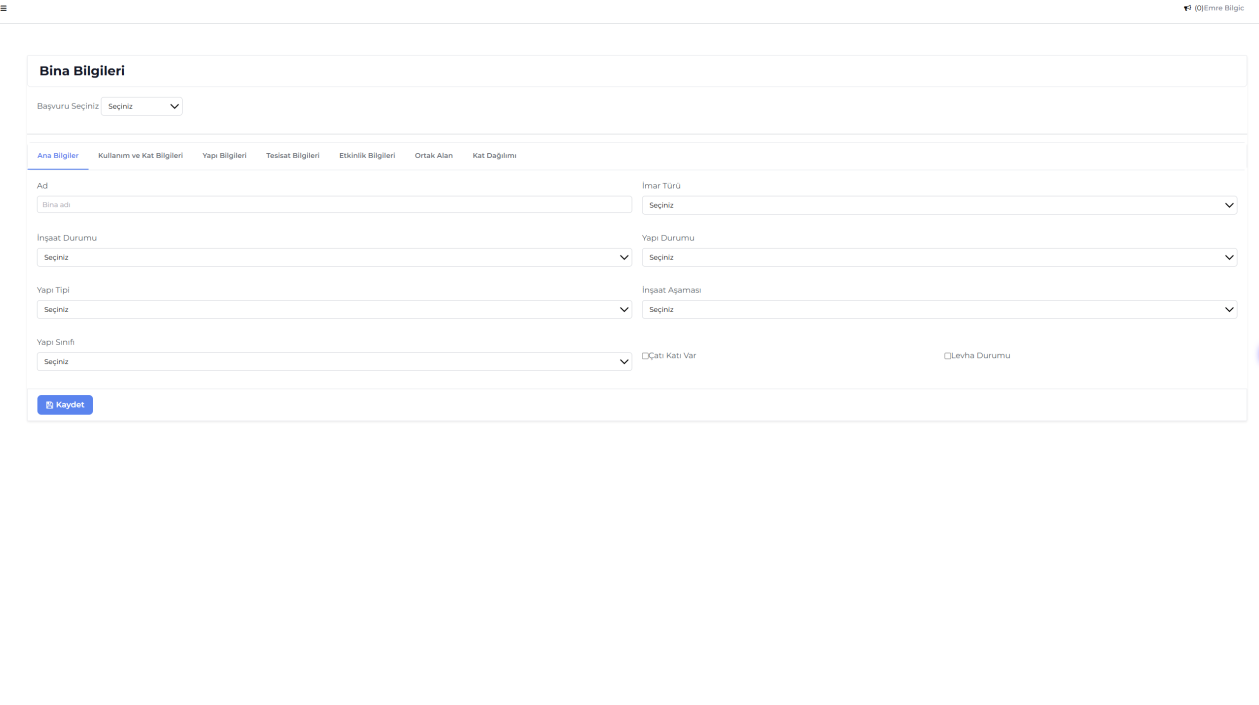
This module is where all physical and technical information about the building subject to the permit process is entered. Data such as addressing, usage type, floor information, installation features, common areas, and activity information are recorded here. The system defines fields such as building class, type, and zoning type according to standards, ensuring automatic use of this data during permit and inspection stages.
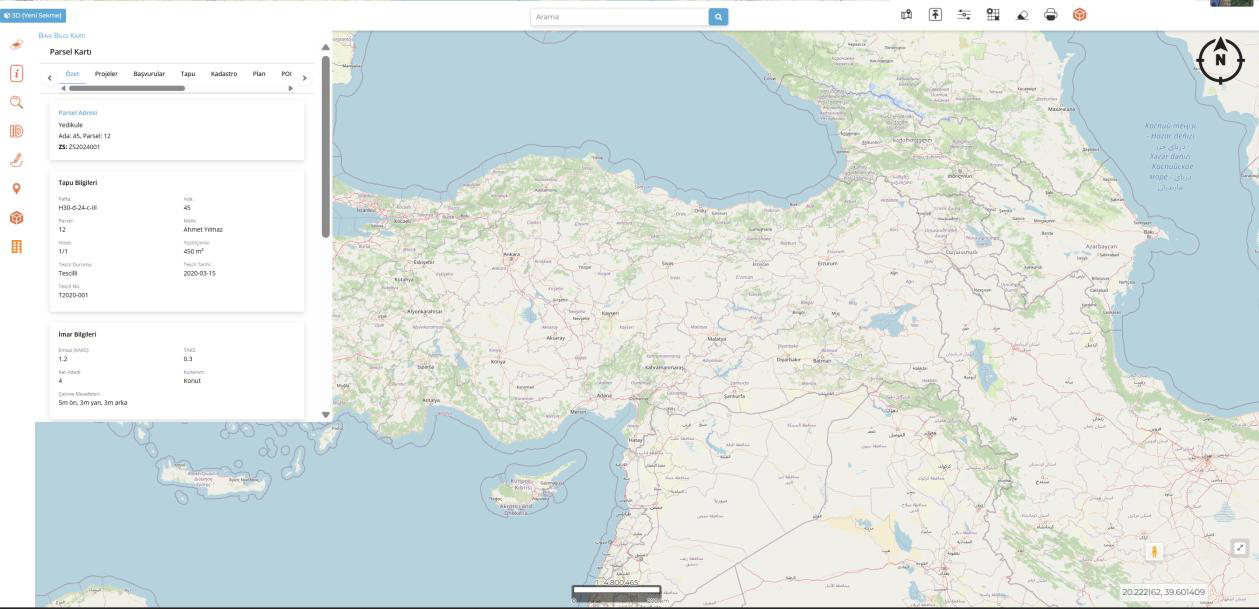
Parcel information is displayed on an interactive map along with title deed and zoning data. The user can access block-parcel details, owner information, and zoning plan data on a single screen to view project area details.
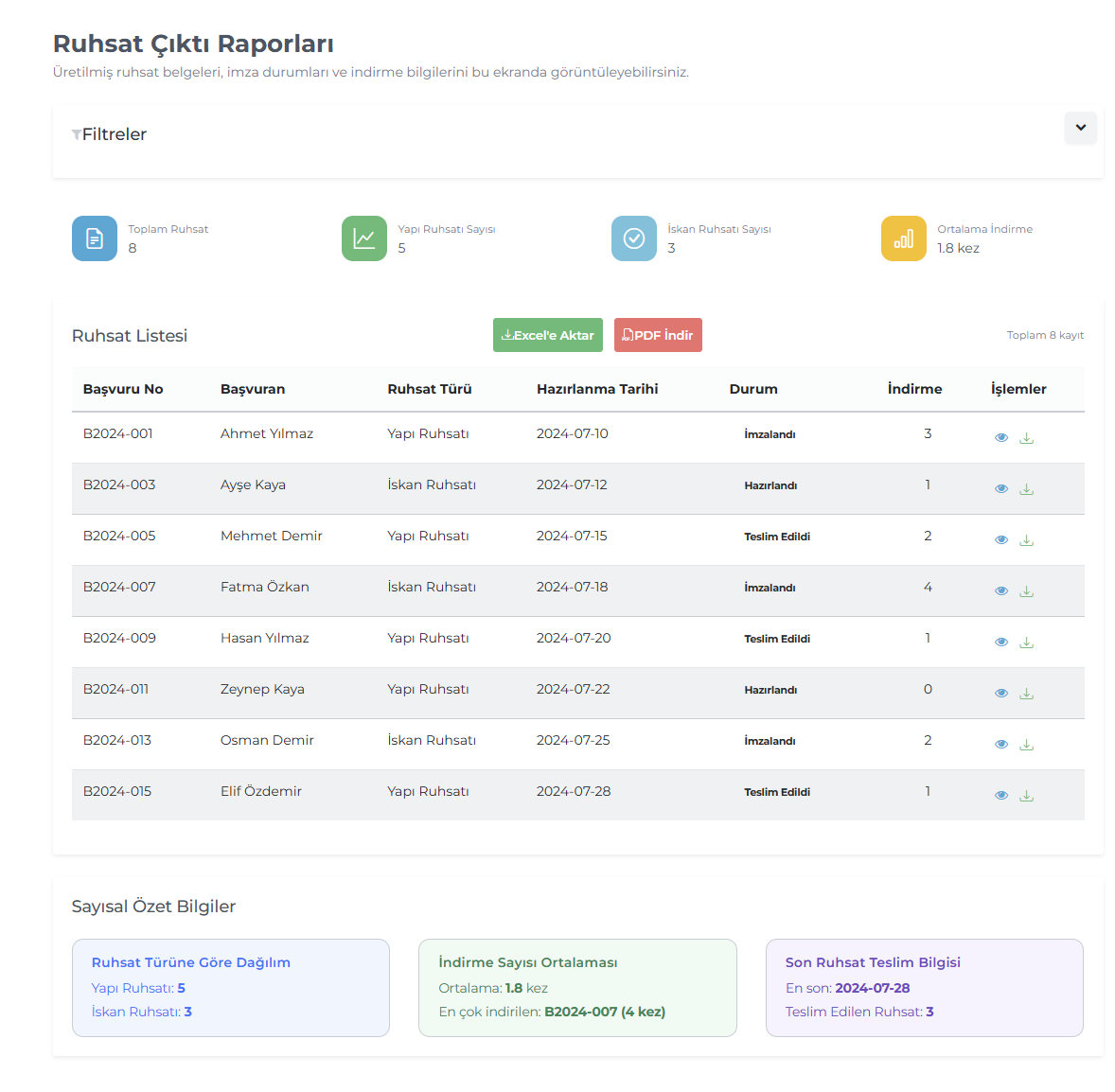
This reporting area lists generated permit documents. Building and occupancy permit types, preparation and delivery dates, download counts, and signature statuses are tracked in a single table. Data can be exported to Excel or PDF; the summary area shows average download count and latest delivery information.
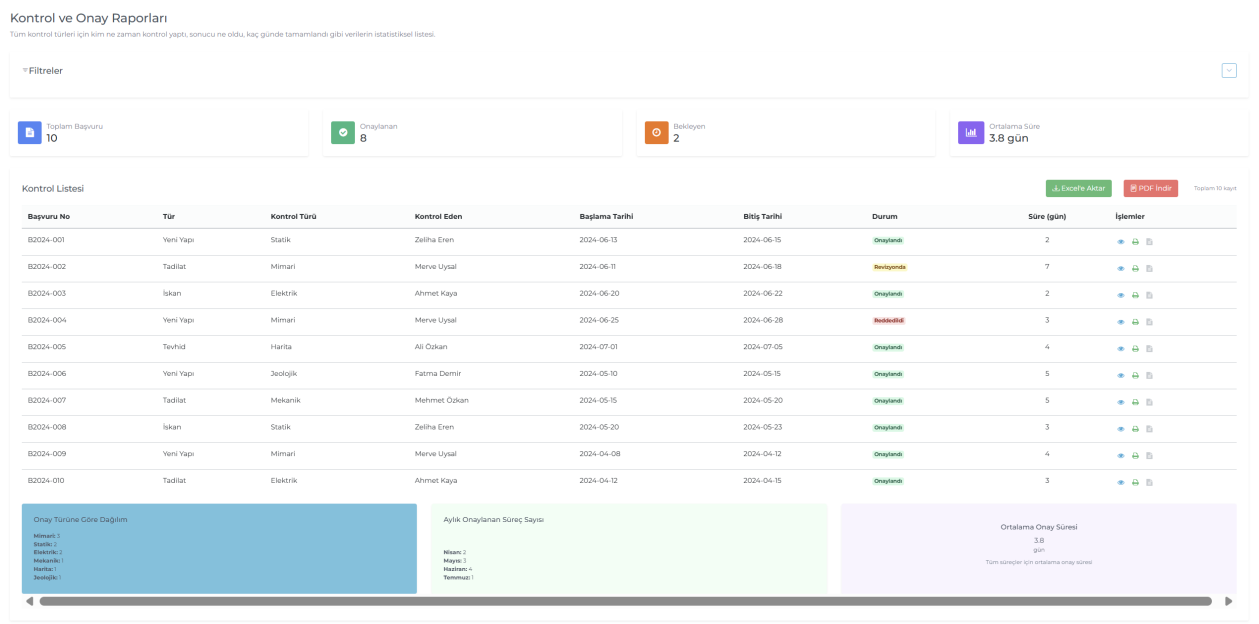
Used to statistically monitor review processes for building projects. For each review type (architectural, structural, electrical, mechanical, etc.), reviewer, start-end dates, result status, and average approval times are displayed. Data is supported with tables and charts; reports can be exported to Excel or PDF format.
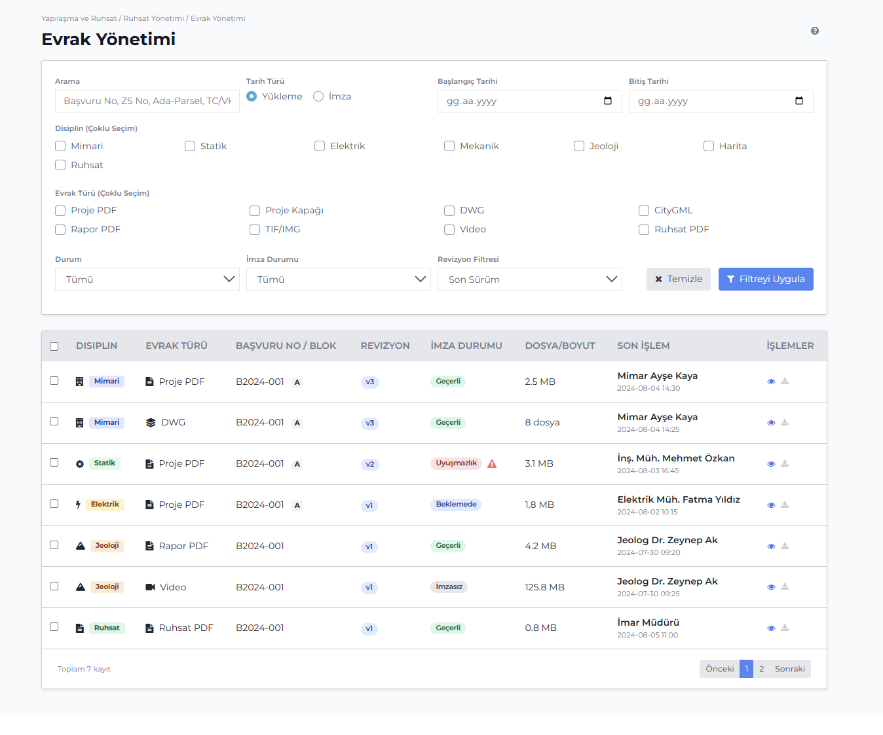
This screen tracks project, permit, and report documents by discipline, including uploads, signatures, and revisions. The user can filter by document type, signature status, revision information, and date range. Each file row displays document status, revision number, signature validity, and last action details. This screen is the central control point for document flow, e-signature processes, and revision management for both municipality and contractor sides.
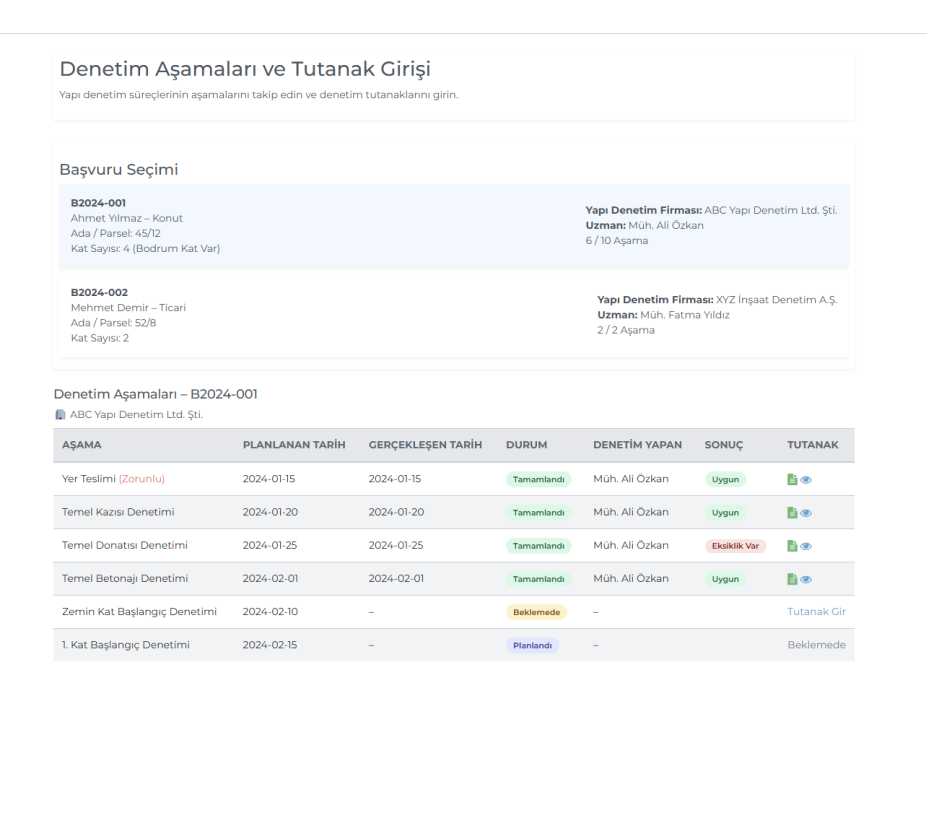
This summary screen displays planned and completed stages of building inspection processes. For each application, inspection firm, expert, and stage statuses (completed, pending, etc.) are listed. Reports can be entered directly for missing or incomplete inspections.
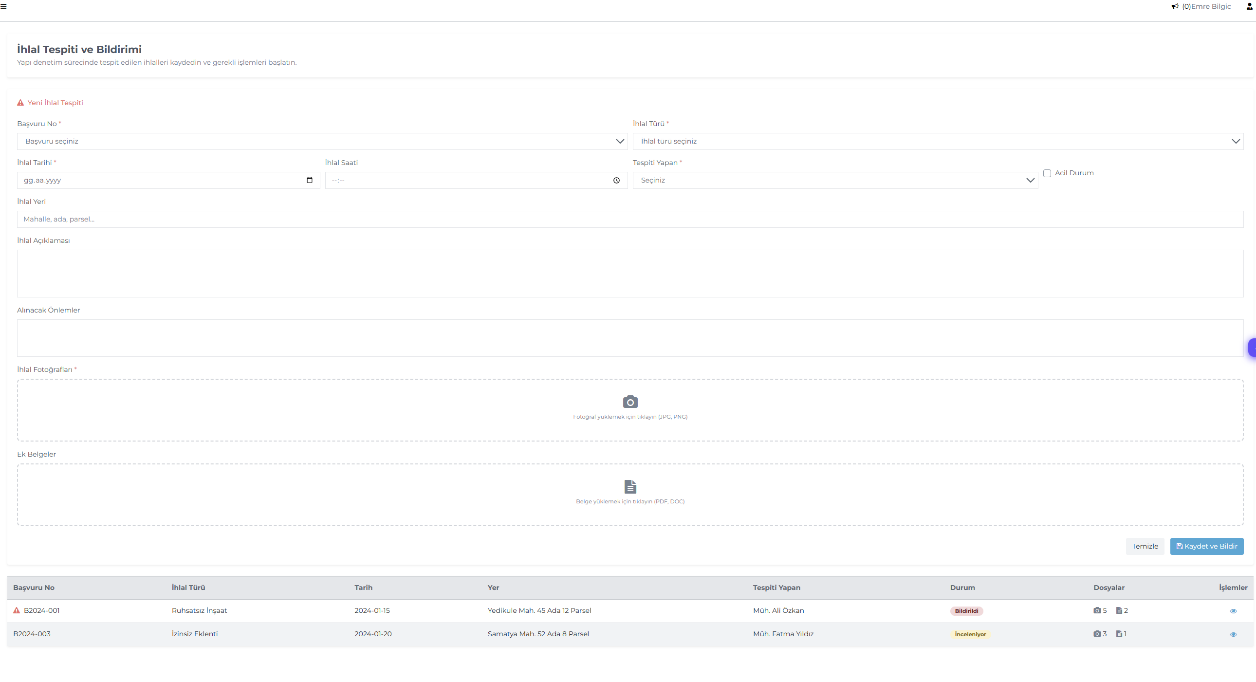
This screen records violations detected during the building inspection process and issues required notifications. Violation type, date, description, and measures to be taken are specified; relevant photos and documents are attached. All violations are listed in the lower table with their statuses (e.g., notified, under review).
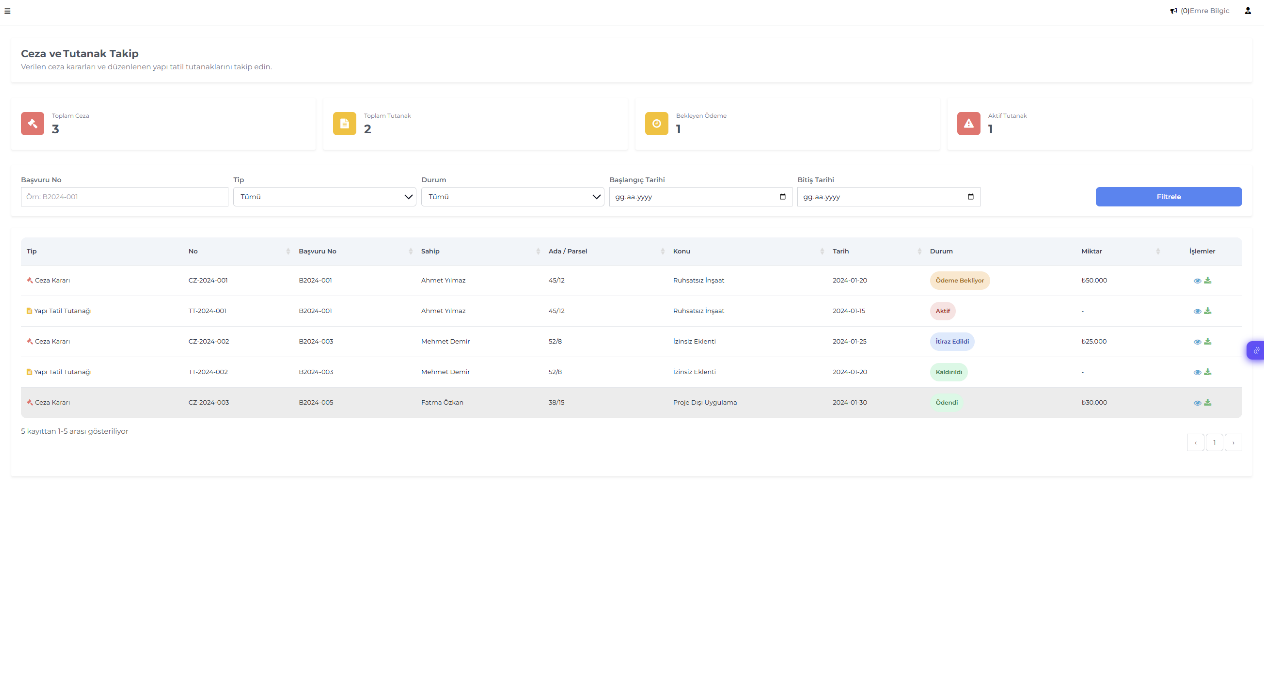
This management screen tracks penalty decisions and building suspension reports. For each record, penalty type, subject, amount, and payment/appeal status are shown. Municipal officials can track penalty processes in bulk from this screen.