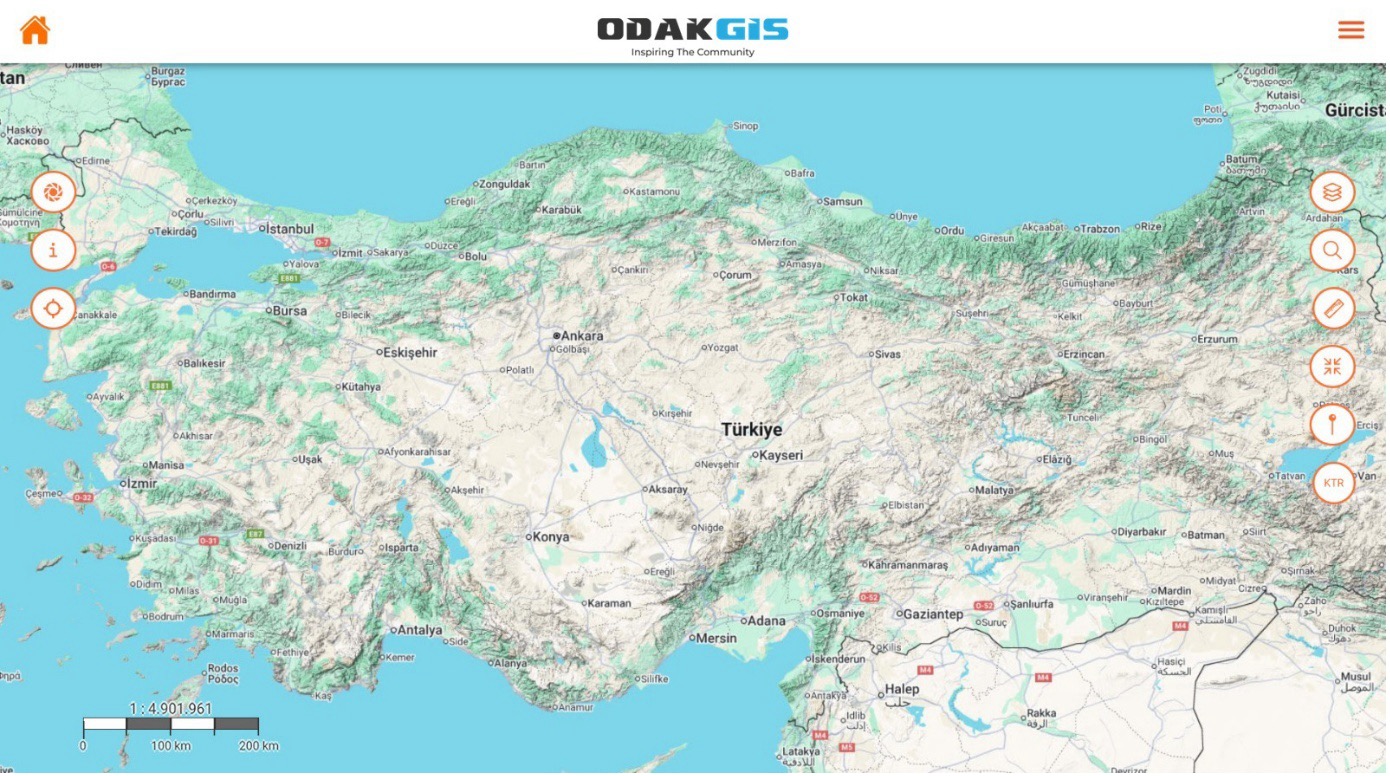
Real-Time Map View
The app provides real-time viewing of all location data on the Turkey-wide basemap. Users can monitor and analyze field data directly on the map using layer management, measurement, search, and drawing tools.



A mobile GIS solution that manages field data in real time, reliably, and map-based.


Provides real-time viewing of field data on a geographic map. With layer management, measurement, and drawing tools, all spatial data can be managed from the field.

Supports WMS, WFS, GeoJSON, GPX, and SQL data formats. Allows data from different GIS infrastructures to be viewed on a single platform.
Field activities, tasks, and user movements can be reported through the system by location, date, and user.

Works fully integrated with TAKBIS, MAKS, MERNIS, EBYS, e-signature, ERP, and OdakGIS WebCBS.

Developed in compliance with Municipal Law No. 5393, Metropolitan Municipality Law No. 5216, and Geographic Information Systems Law No. 6326.
OdakMobil is a mobile GIS application that enables institutions to manage field operations integrated with geographic data. Field personnel can view location-based data on the map, take measurements, add photos, and enter notes. This information is transmitted to the center in real time.
Offline operation enables data collection in environments without internet connectivity. When a connection is available, the system automatically syncs the data. OdakMobil's user-friendly interface, real-time data transfer, and integrated analysis tools ensure continuous, reliable, and efficient data flow from field to center, providing institutions with the tools they need to succeed.
The app provides real-time viewing of all location data on the Turkey-wide basemap. Users can monitor and analyze field data directly on the map using layer management, measurement, search, and drawing tools.
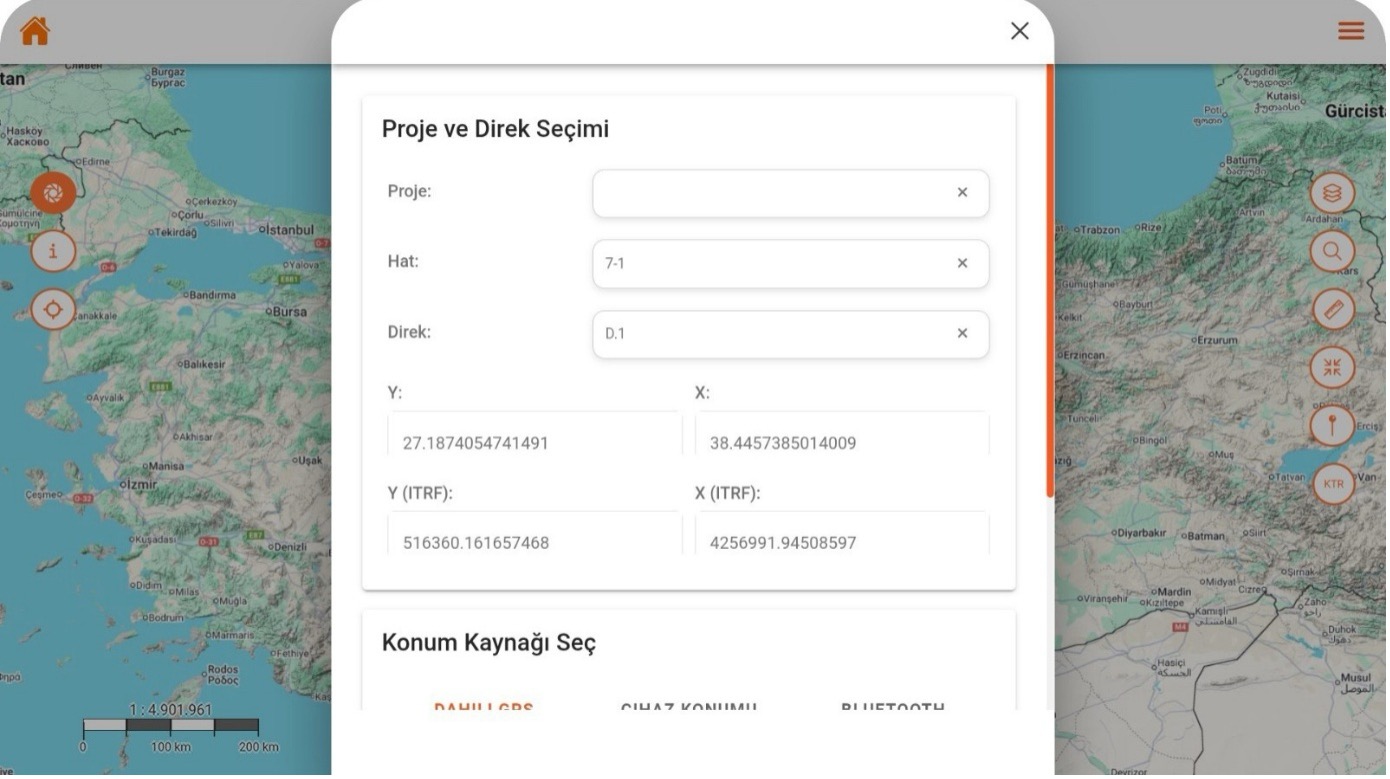
Field users can easily select line and pole information for the active project to record location-based data. GNSS coordinates are captured automatically, and the system produces high-accuracy location data in ITRF format.
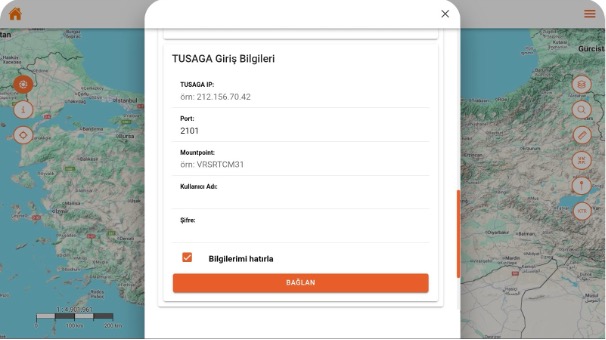
Users can connect GNSS devices directly to the app by entering the IP, port, and mountpoint information for the TUSAGA-Active system. With the auto-connect option, quick and secure access is provided without re-entering credentials each session.
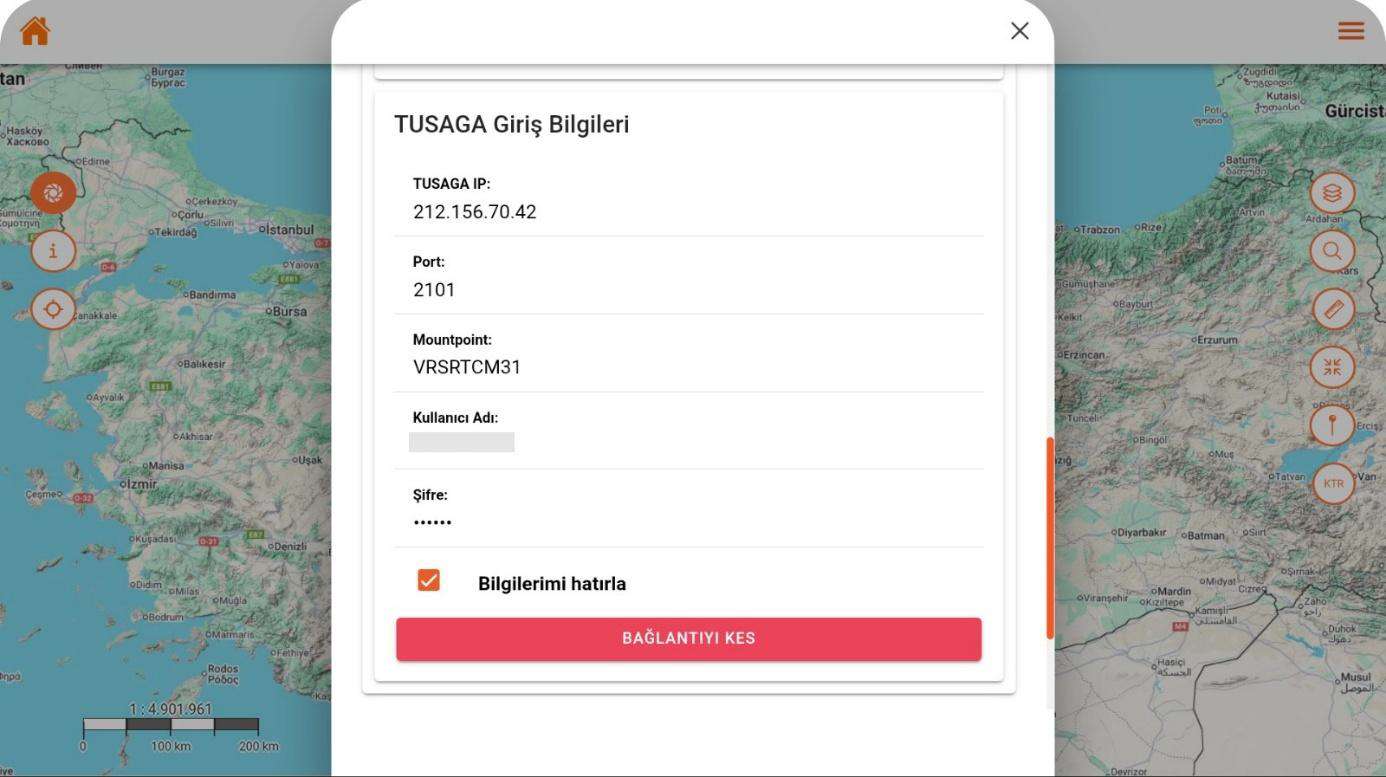
When the user successfully connects to the TUSAGA-Active network, the system receives real-time RTK corrections to generate centimeter-level positioning. Connection status is continuously monitored, and the user can disconnect and restart with a single tap if desired.

The app displays the device's current GNSS data with high precision and analyzes position quality at the RTK level. Satellite count, horizontal-vertical error rates, and PDOP values are monitored in real time to visually present measurement reliability.
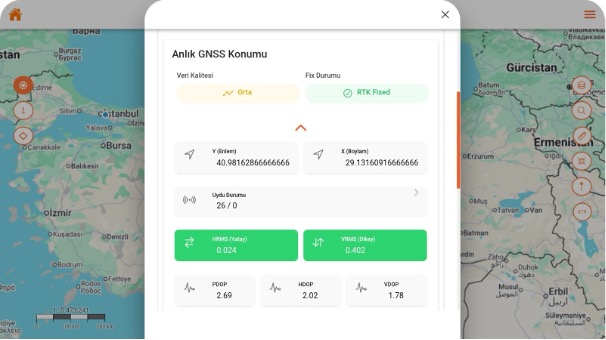
The system indicates that the GNSS receiver has switched to RTK Fixed mode, informing the user that centimeter-level accuracy has been achieved. Position data is continuously updated with satellite density and error rates, enabling the highest-precision measurements.
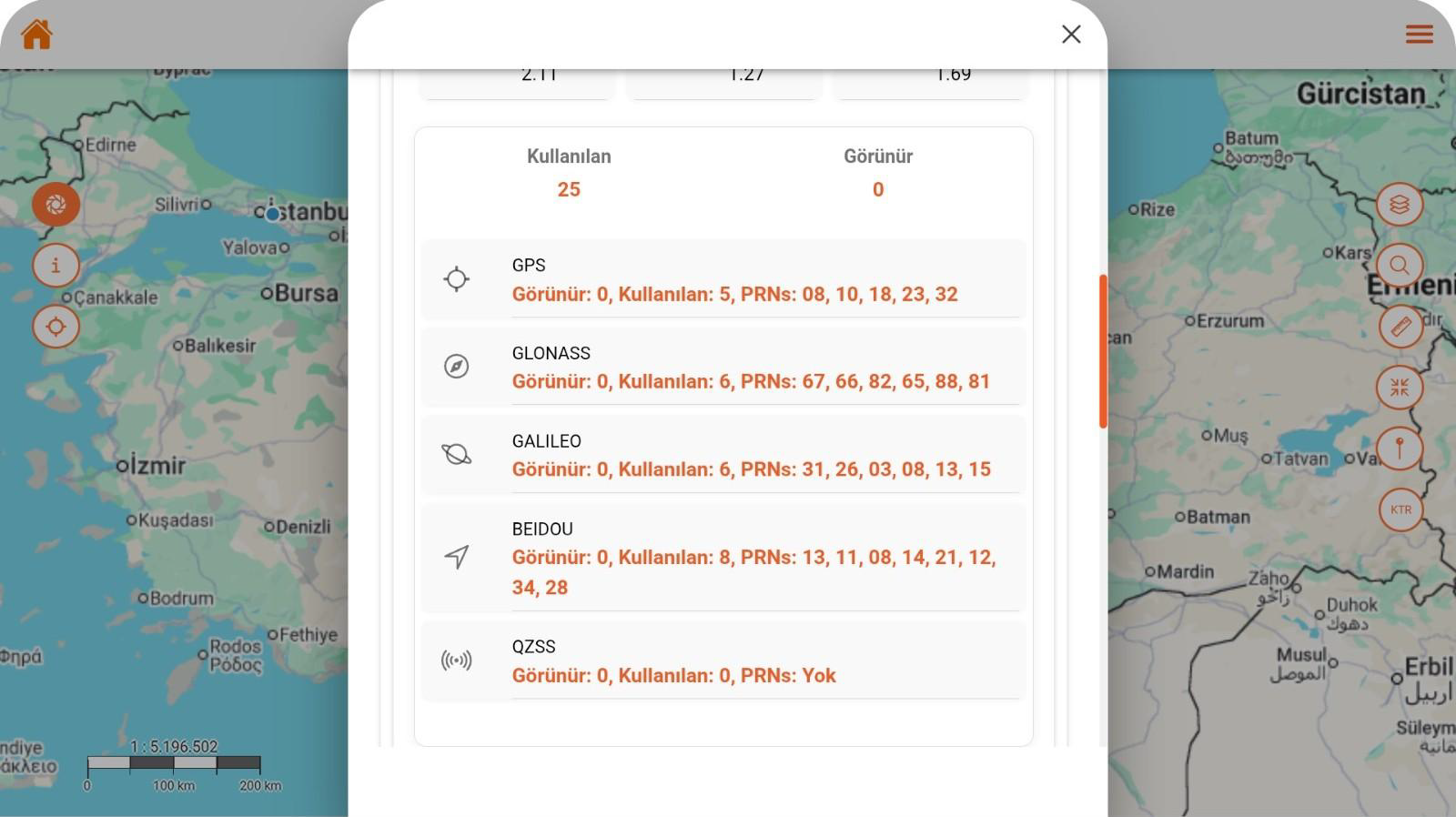
All GNSS systems connected to the device (GPS, GLONASS, GALILEO, BEIDOU, QZSS) are monitored in real time, and satellite counts are shown in detail. With this screen, users can evaluate satellite distribution and signal quality affecting position accuracy in real time.
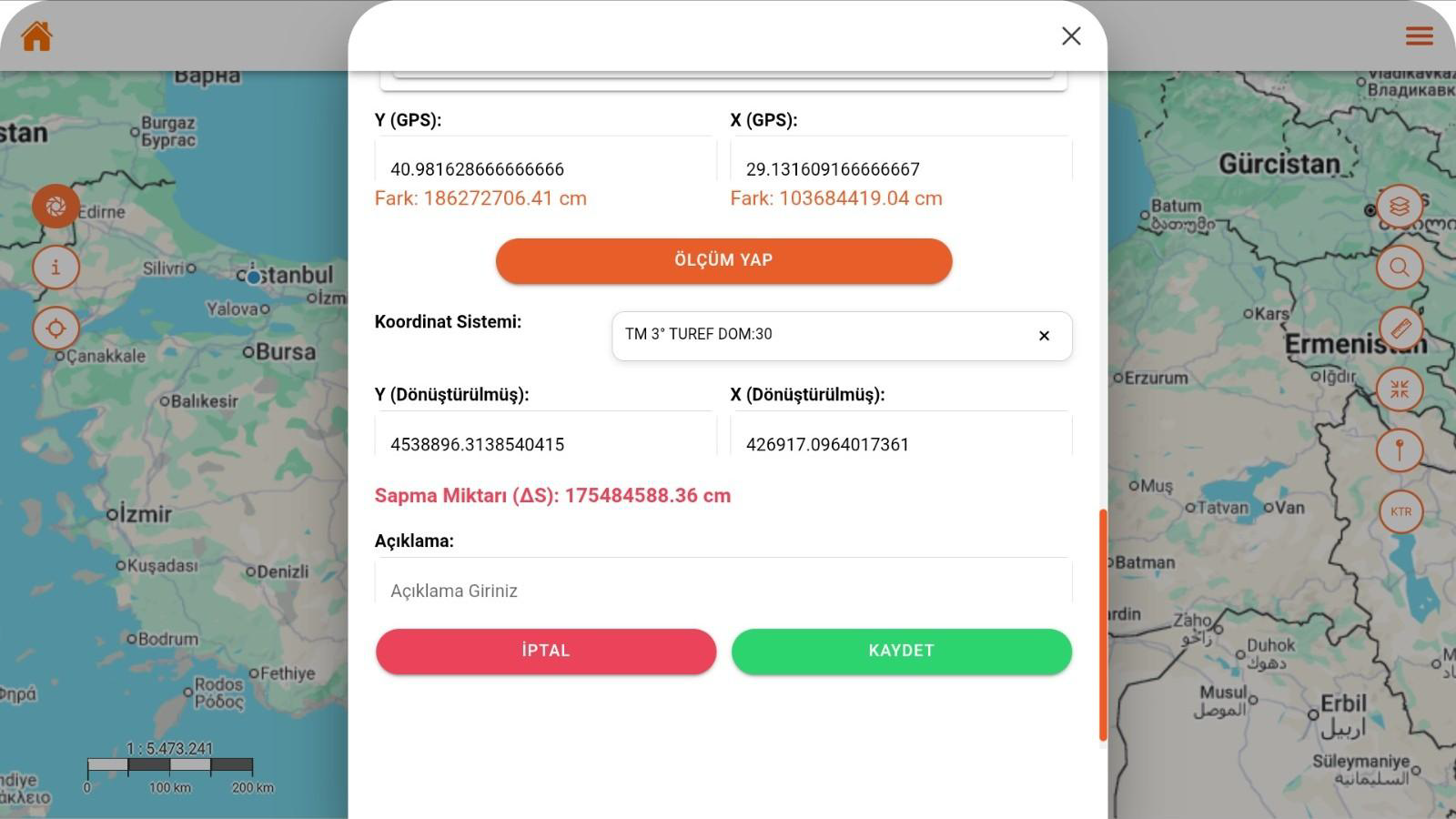
This screen converts GNSS data to the selected coordinate system for real-time measurement. The deviation amount is calculated automatically, and the user can add a note to save the result.
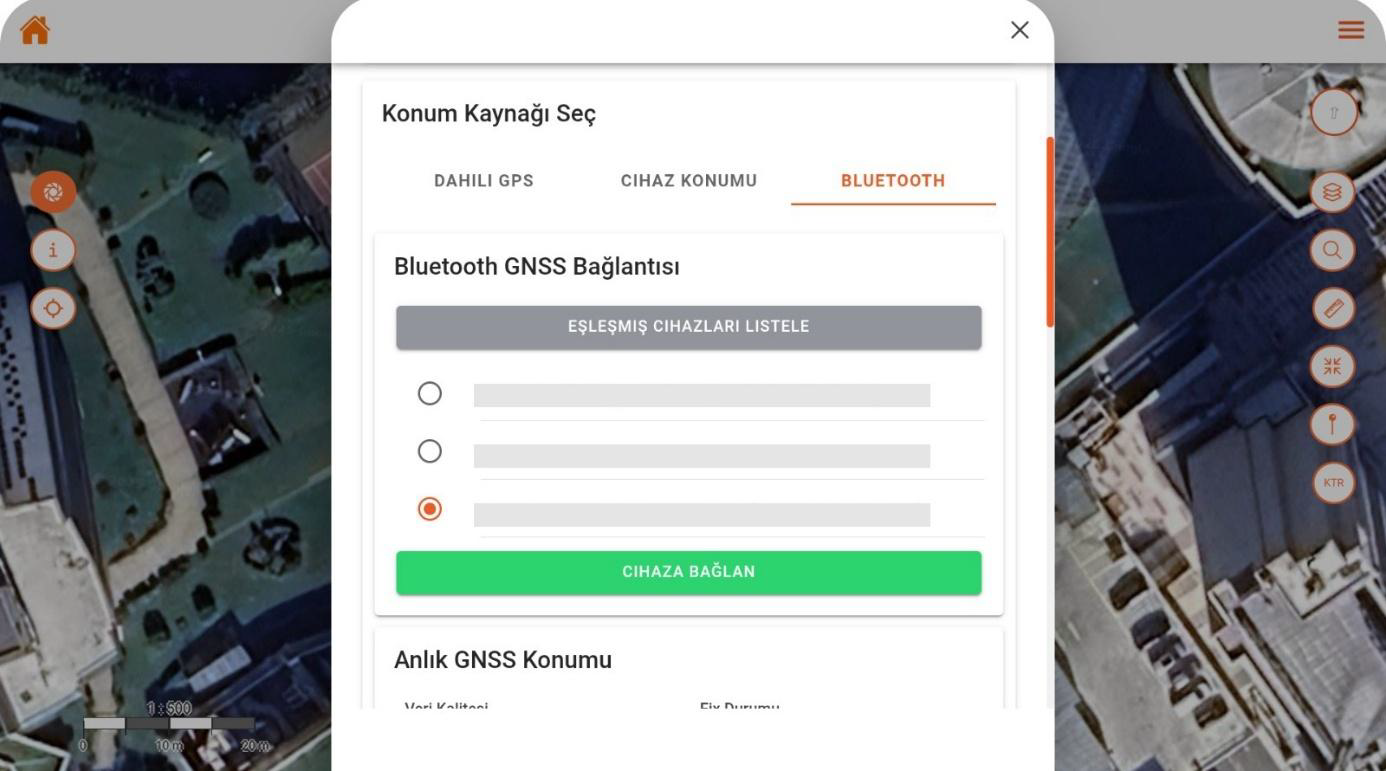
This screen enables external GNSS devices to connect to the mobile app via Bluetooth. The user can select from the paired device list to connect instantly and begin receiving location data in real time.
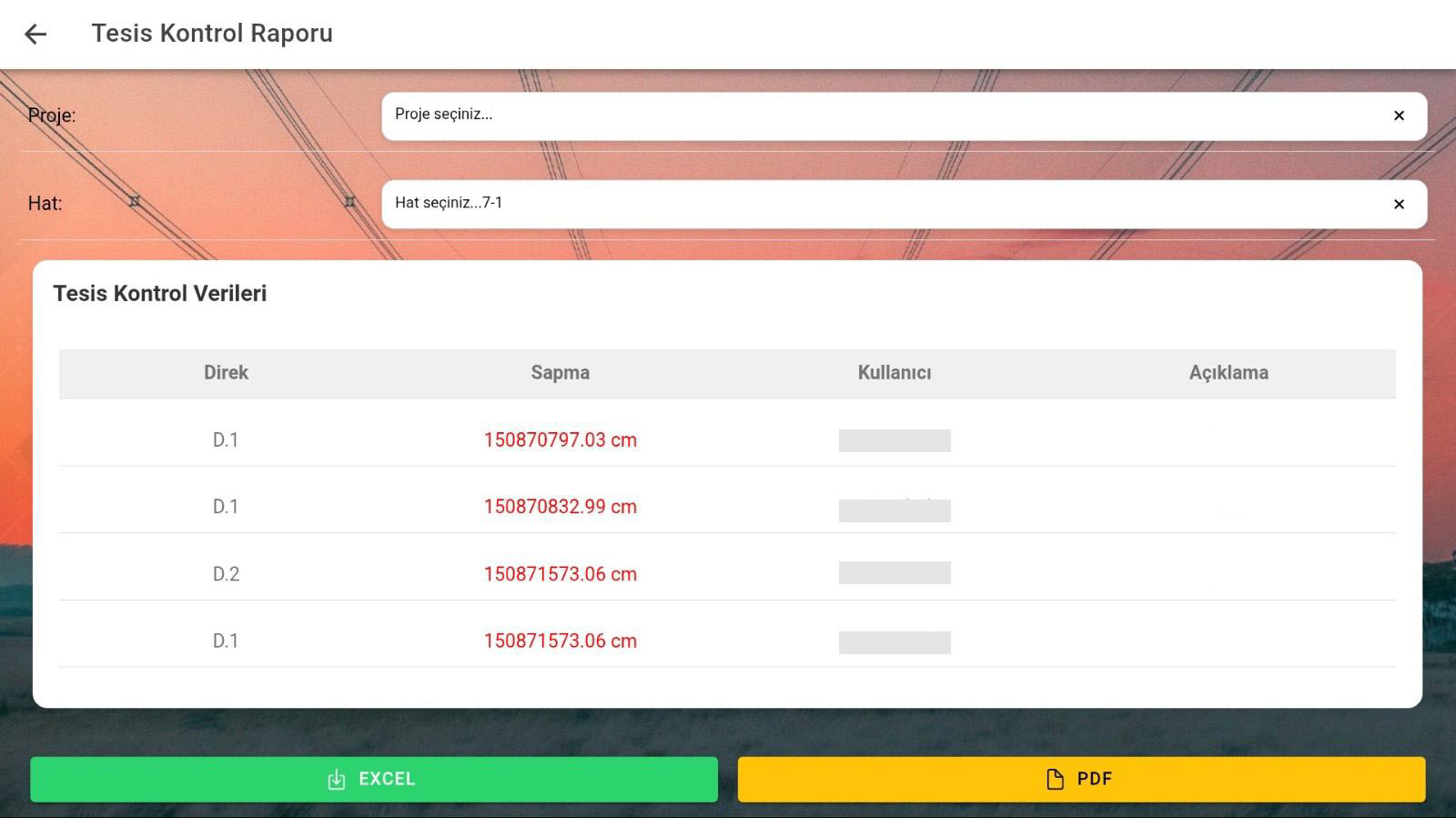
This screen lists pole-based deviation data obtained from field measurements, providing a way to review. Users can view the report by selecting project and line, and export results in Excel or PDF format.