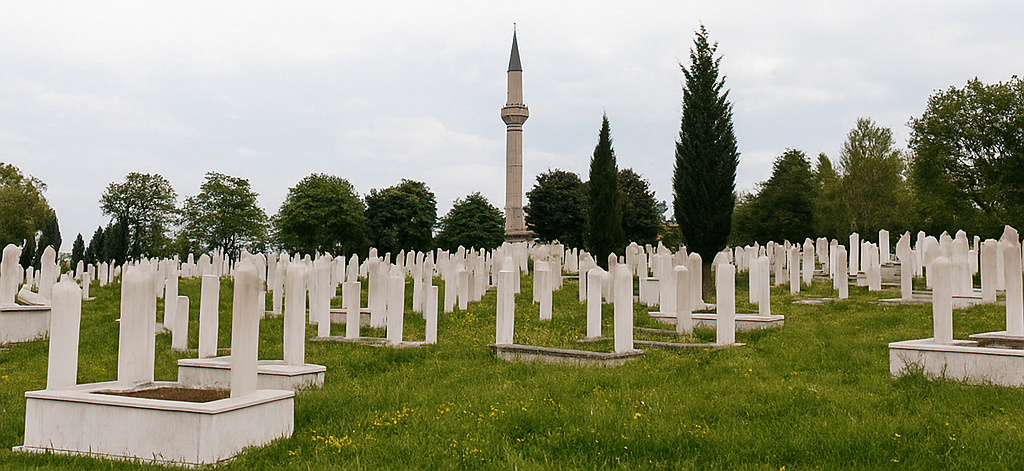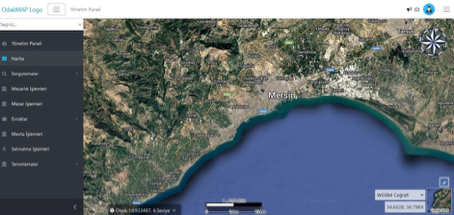
Viewing Cemetery Areas on the Map
The system displays cemetery locations and boundaries on a geographic map. Working with satellite, vector, and cadastral layers, it enables real-time monitoring of graves, parcel areas, and defined cemetery zones. Users can view information about the relevant cemetery on the map, see occupancy rates, and review defined grave areas in detail.
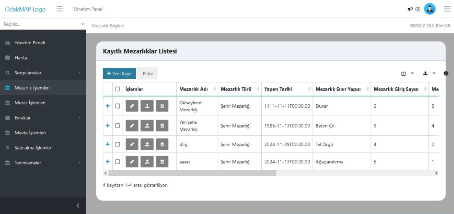
Registered Cemeteries List
The system lists all cemetery areas on a single screen for easier management. Each record includes details such as cemetery name, type, construction date, boundary structure, and number of entrances. Adding a new cemetery, editing existing records, or deleting them can be done directly from this screen. This structure enables municipalities to keep all cemeteries across the city current and organized.
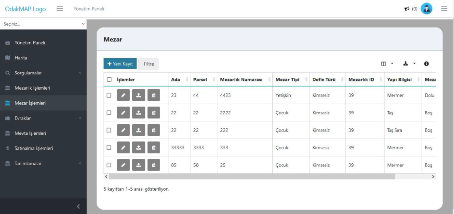
Grave Information Management
This screen lists detailed information for each grave in an organized way and simplifies management processes. All fields such as block, parcel, number, type, burial type, and structure information can be viewed at a glance. Adding new grave records, updating existing records, or deleting them is done directly from this screen. This makes it easier to track occupied and vacant graves and enables fast, error-free field planning.
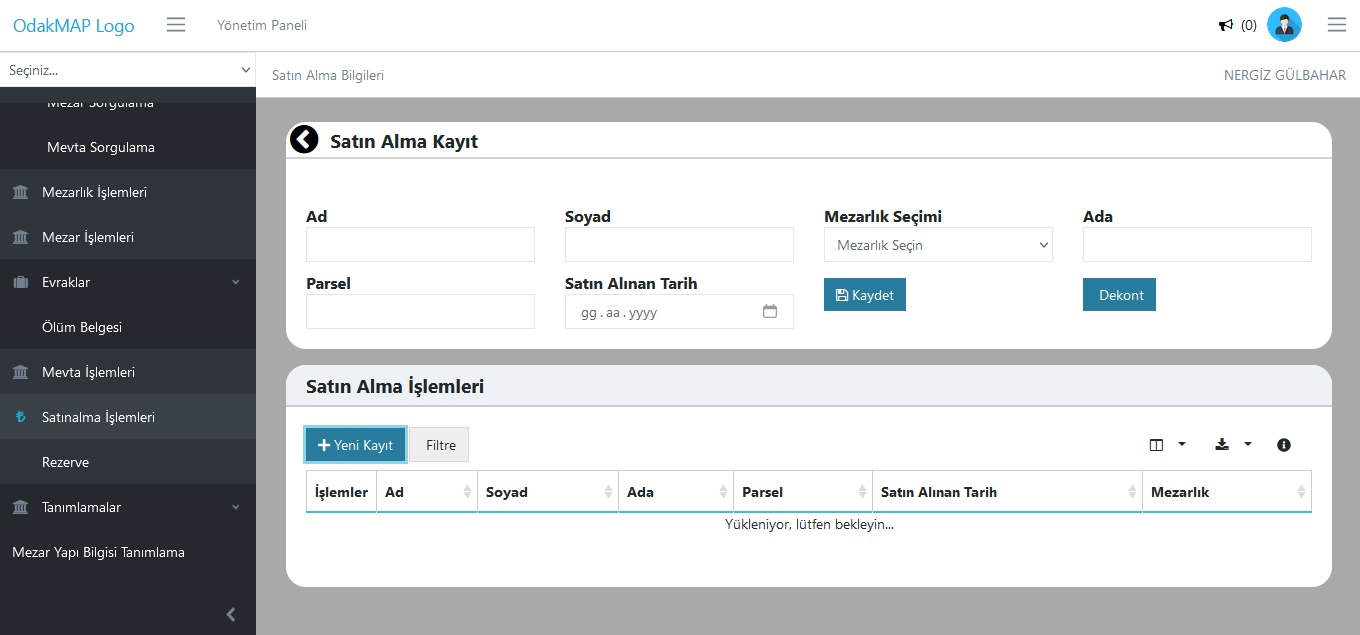
Purchase Operations Management
Allows easy recording and tracking of grave purchase requests from citizens or institutions. Purchased cemetery information is entered into the system along with block-parcel number, buyer details, and date. Receipt creation and record updates can be done from this screen. Thus, all purchase processes are digitally recorded and reportable.
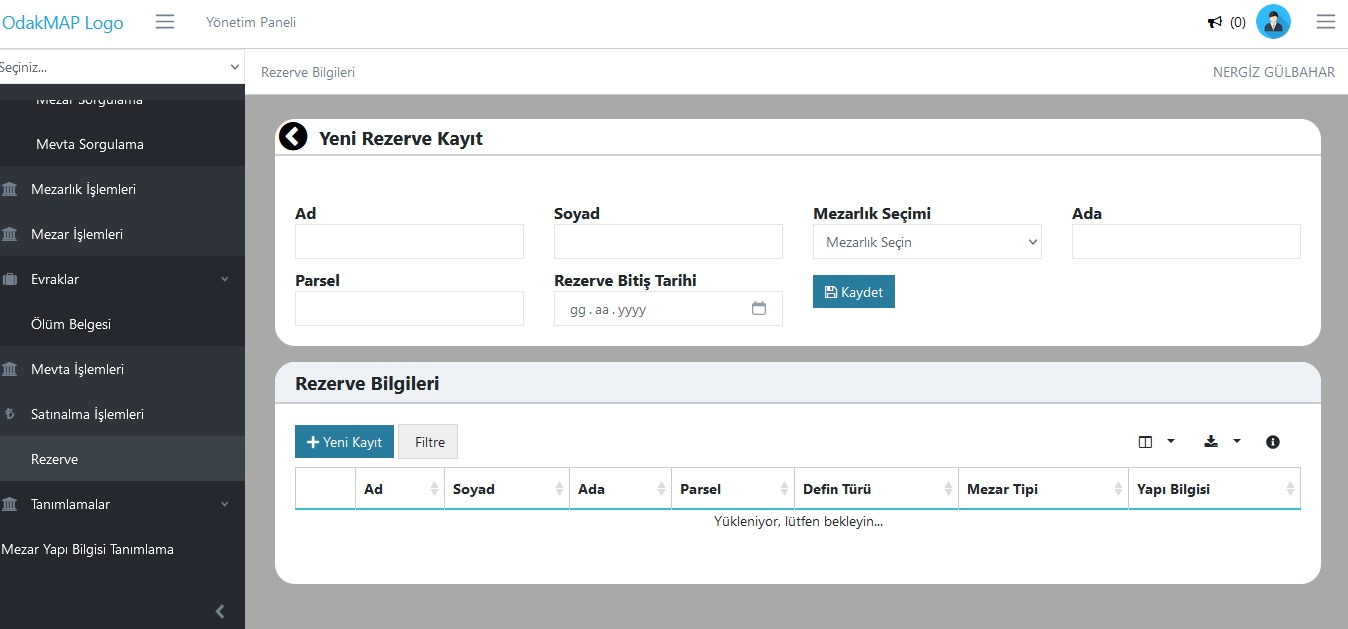
Reservation Management
This screen allows citizens to reserve specific cemetery areas for future use. When creating a reservation record, first name, last name, cemetery selection, block-parcel details, and reservation end date are entered. Once the record is completed, the relevant cemetery area is marked as reserved in the system. The reservation process is tracked digitally, enabling effective management of both citizen requests and area planning.
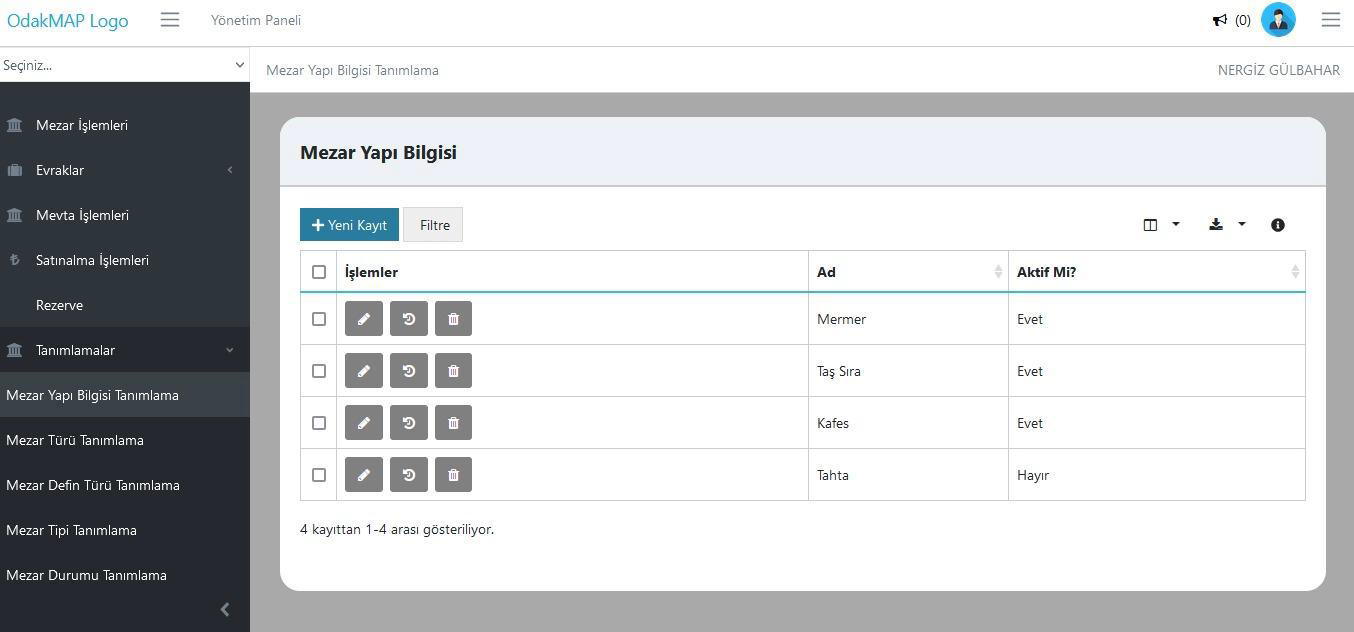
Grave Structure Definition
This screen is used to define and manage physical structure types of graves (e.g., marble, stone row, cage, etc.). New structure types can be added, existing definitions can be edited or deactivated. This standardizes all structure types used in the cemetery database and ensures record integrity and reporting accuracy.
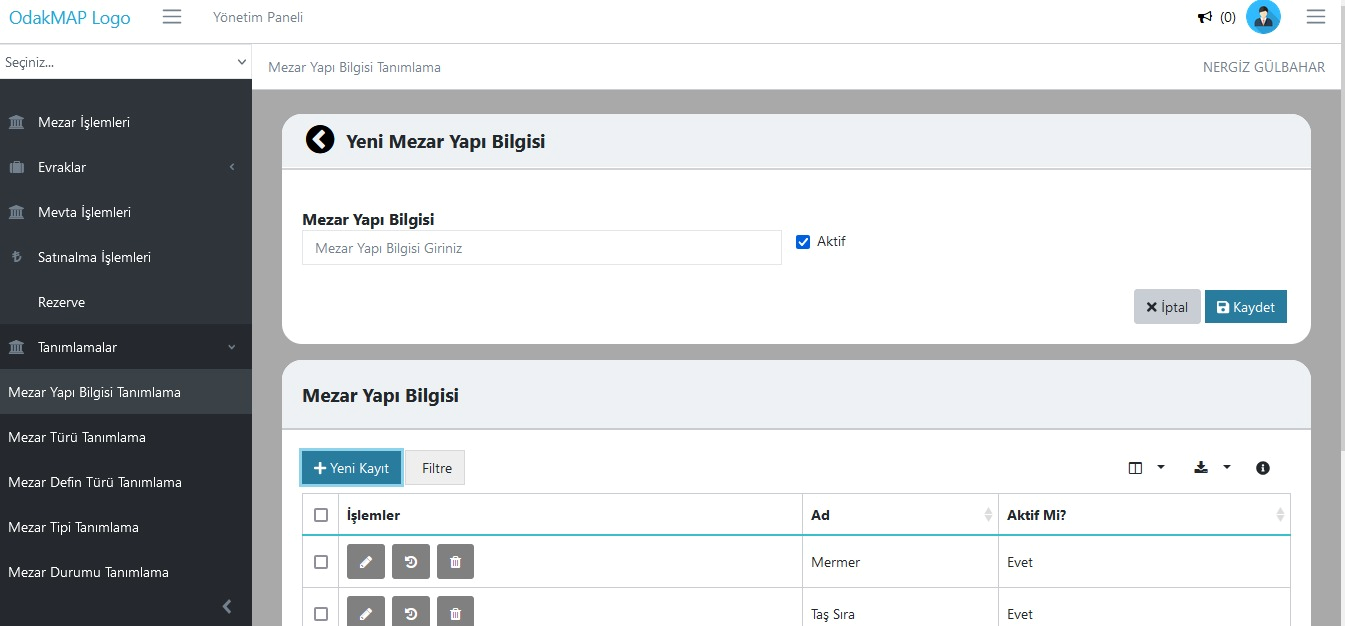
Add New Grave Structure
This screen allows defining new grave structure types to be used in the system. The user enters the structure type in the "Grave Structure Information" field, sets active/passive status, and saves it. The defined structure types become available in other modules (grave records, purchase, reservation, etc.). This enables institutions to easily integrate structure types specific to their application areas.
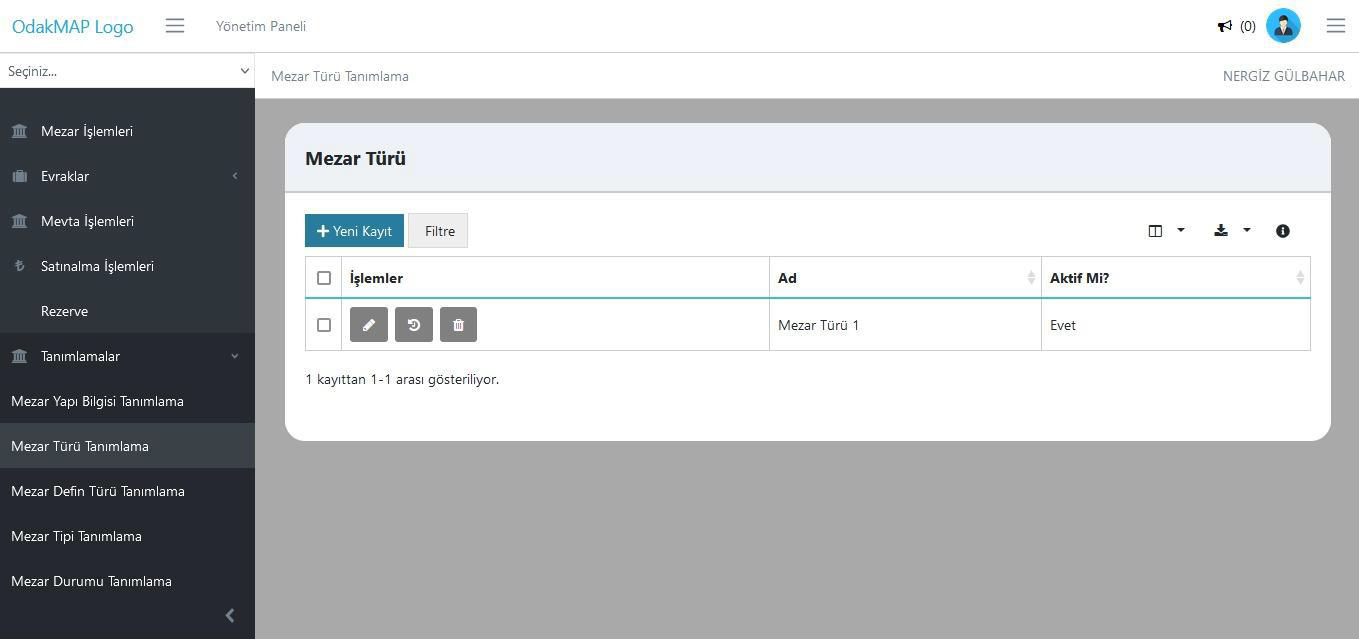
Grave Type Definition
This screen allows defining different grave types (e.g., single, family, child grave, etc.) to be used in the cemetery system. Users can add new grave types, edit existing records, or deactivate them. This allows the institution to classify grave areas by type, improving record consistency and data analysis.