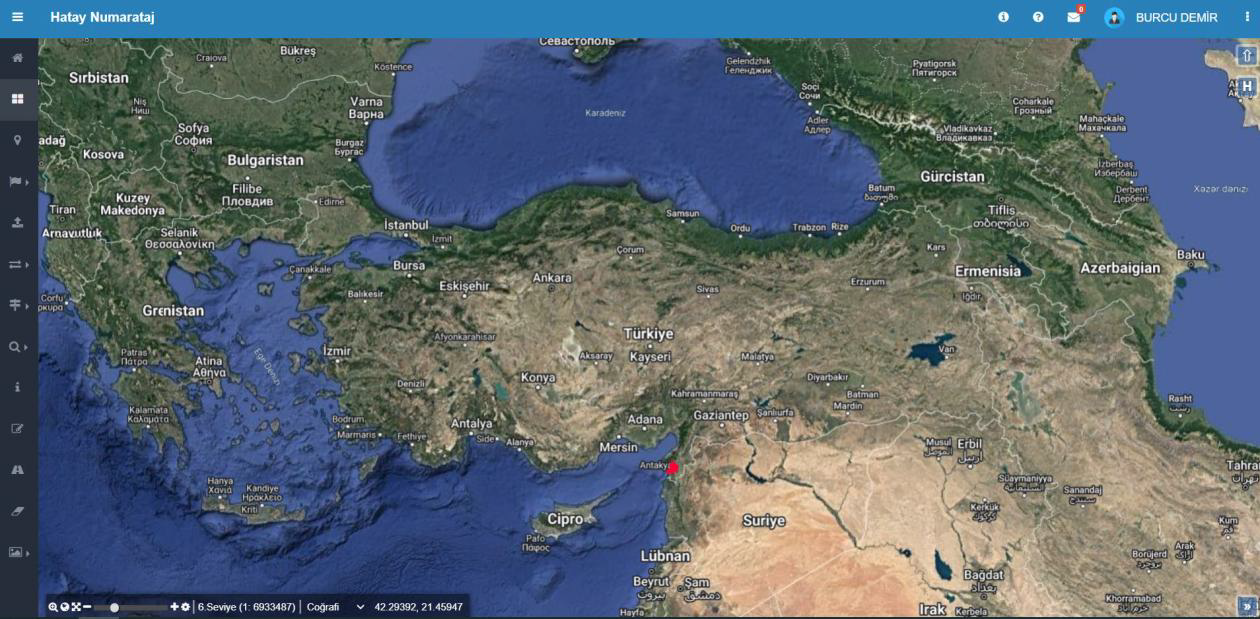
Map-Based Main Screen
Address data is displayed and managed on a geographic map. Users can access address components at the province-district-neighborhood level and manage all data through the map using layer controls, measurement, search, and editing tools. The high-resolution basemap increases positional accuracy in field and office work.

Cadastral Parcel Operations
All parcel data is accessible from a single screen. Information such as parcel, block, sheet, title deed type, and cadastral status is displayed in lists. With filtering and editing tools, records can be quickly found and updated.
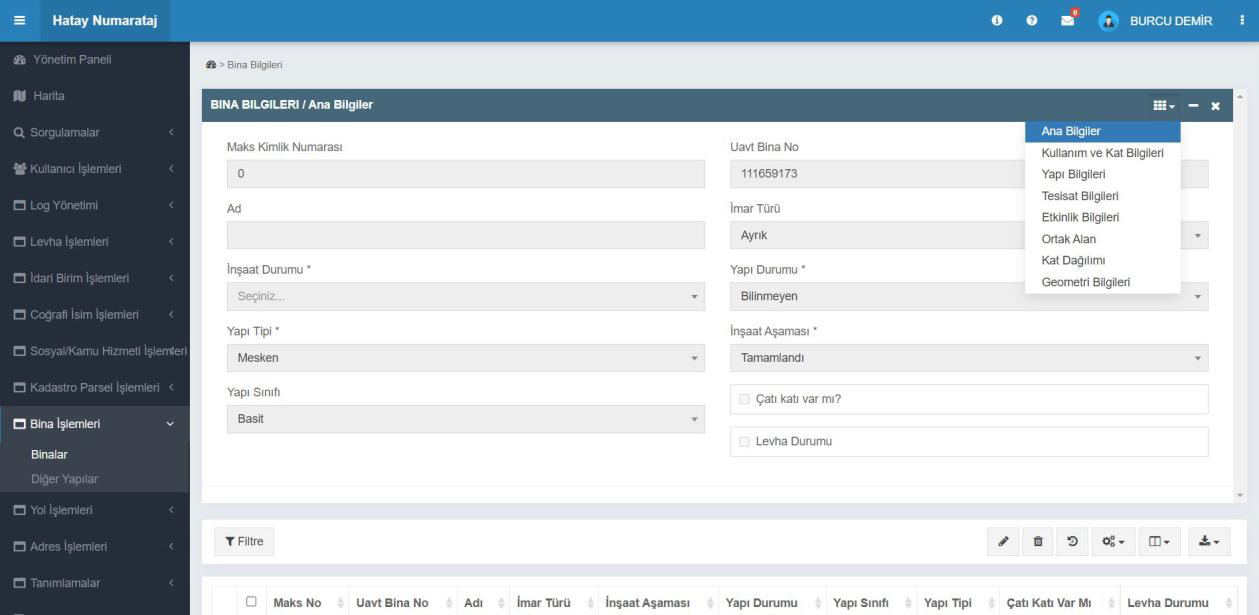
Building Information Screen
Building and construction information is managed through a single form. Basic details such as MAKS and UAVT building number, building type, class, status, and construction stage are entered. The user can switch from the top menu to usage, utilities, activity, and floor information to complete building details.
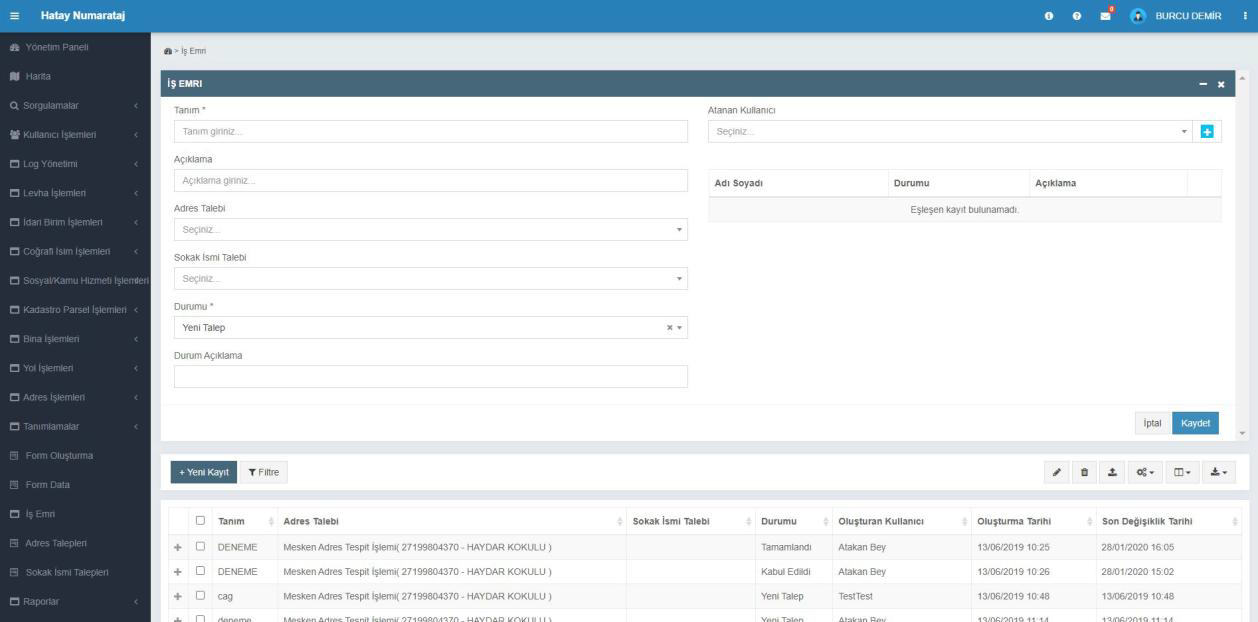
Work Order Management
All address and street requests are recorded and tracked as work orders. The user can create new work orders, assign them to relevant people, and update request status. Completed, pending, or rejected requests are easily tracked in the table.
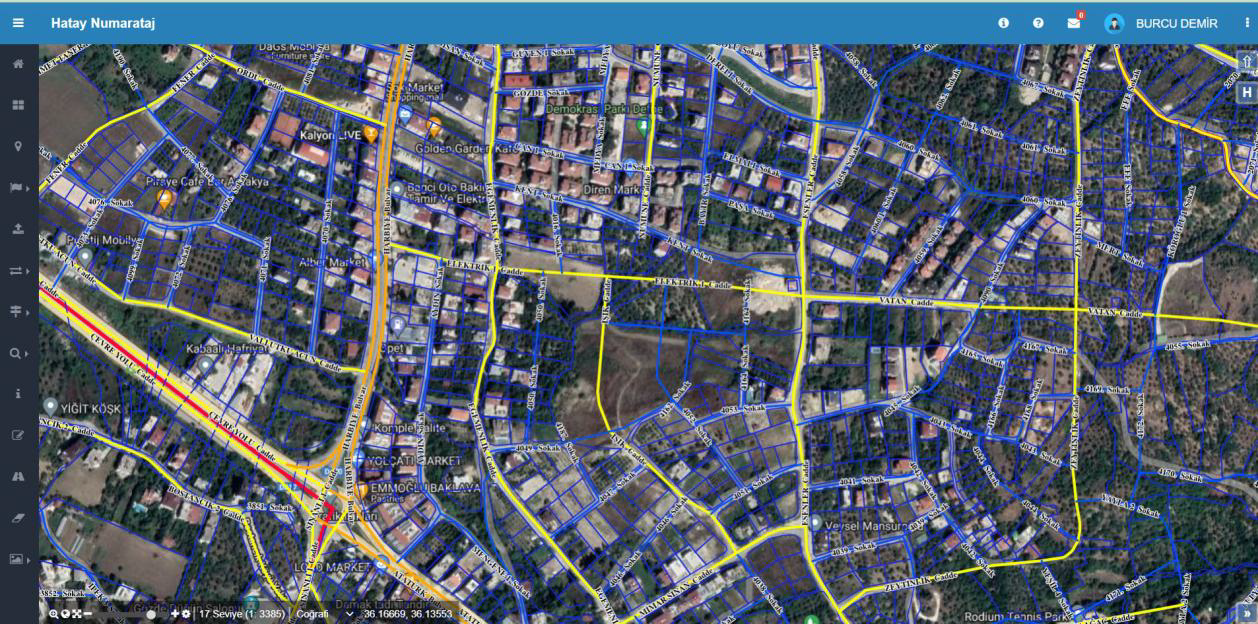
Addressing Map Screen
Address and addressing data across the province are managed on the map. Building, road, and door numbers are displayed geographically; the user can perform editing, querying, and verification from this screen.
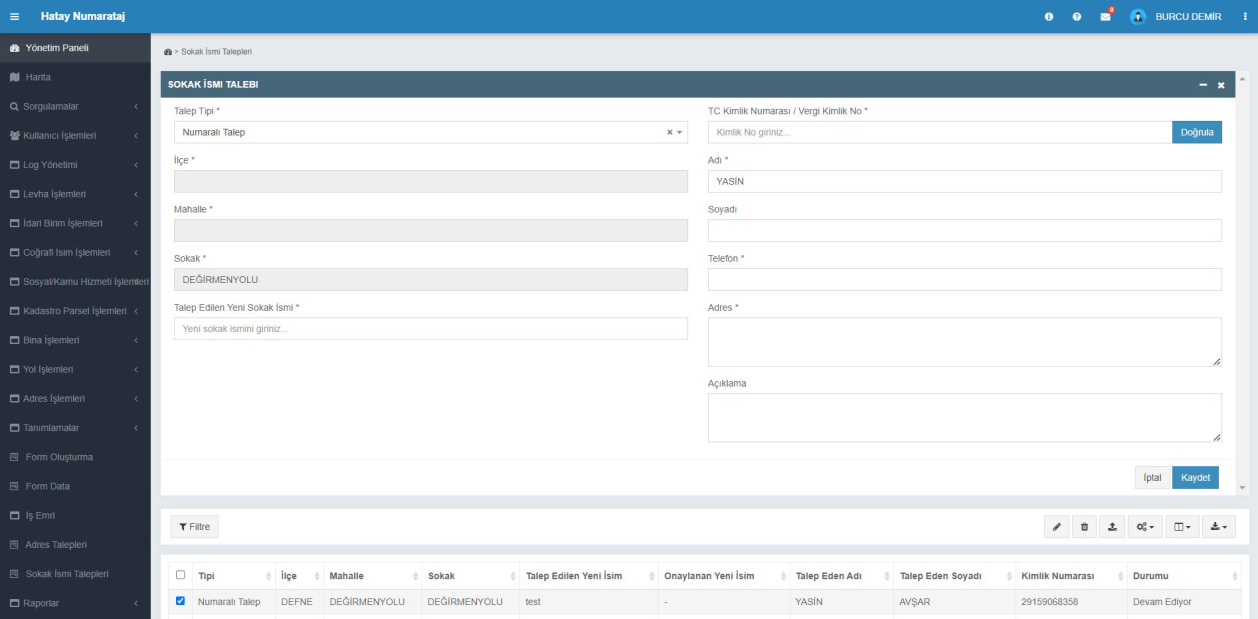
Street Name Request
New street name requests are received and managed on this screen. Citizen information, current street name, and the requested new name are recorded to start the approval process. All requests are listed in the table below with status information.
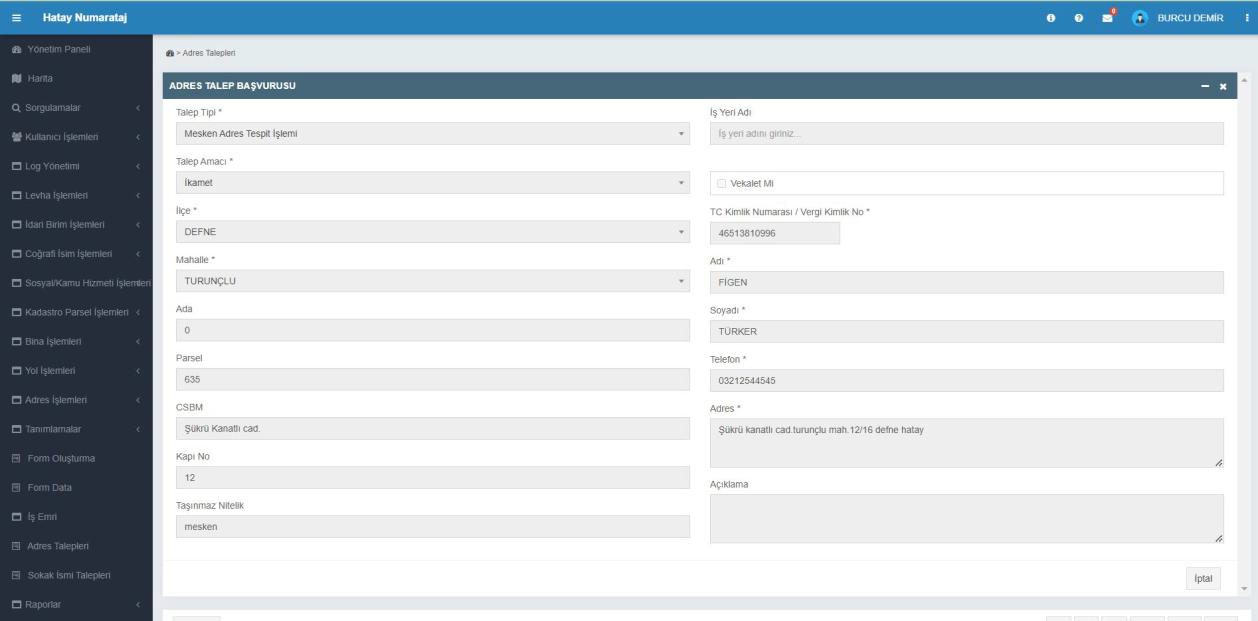
Address Request Application
Citizens submit address determination or new address creation requests via this screen. The user records the request by entering block-parcel, neighborhood, building, and contact information. Applications are logged in the system and reviewed by the municipality.
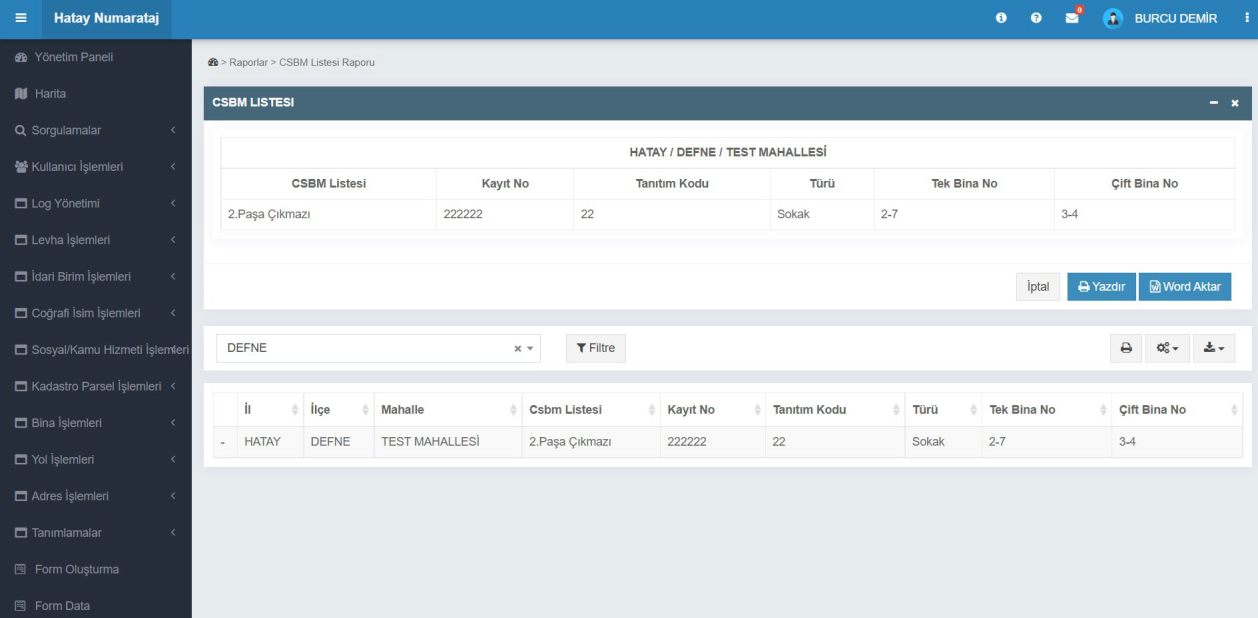
CSBM List Report
Street, road, and boulevard (CSBM) information is listed by neighborhood. The user can select district and neighborhood to view identification code, type, and building numbers; the list can be printed or exported to Word format.
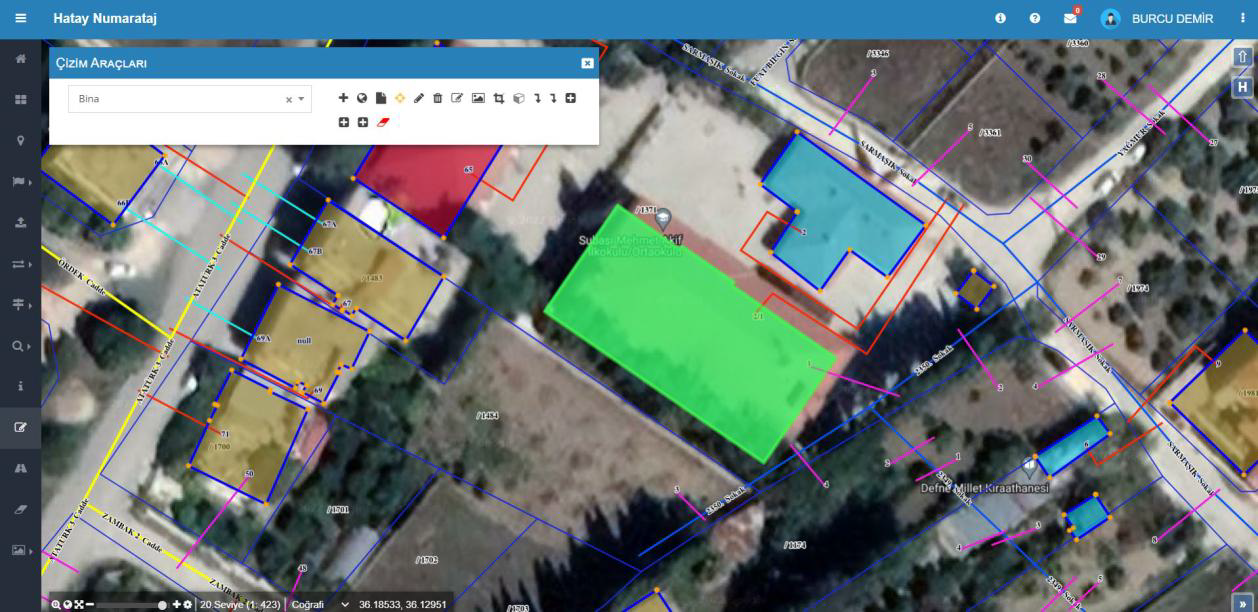
Drawing Tools
Objects such as buildings, parcels, or roads can be drawn on the map from this screen. The user can select a layer (e.g., Building) and perform drawing, editing, and deletion. Drawings are instantly applied to the map and saved to the system database.
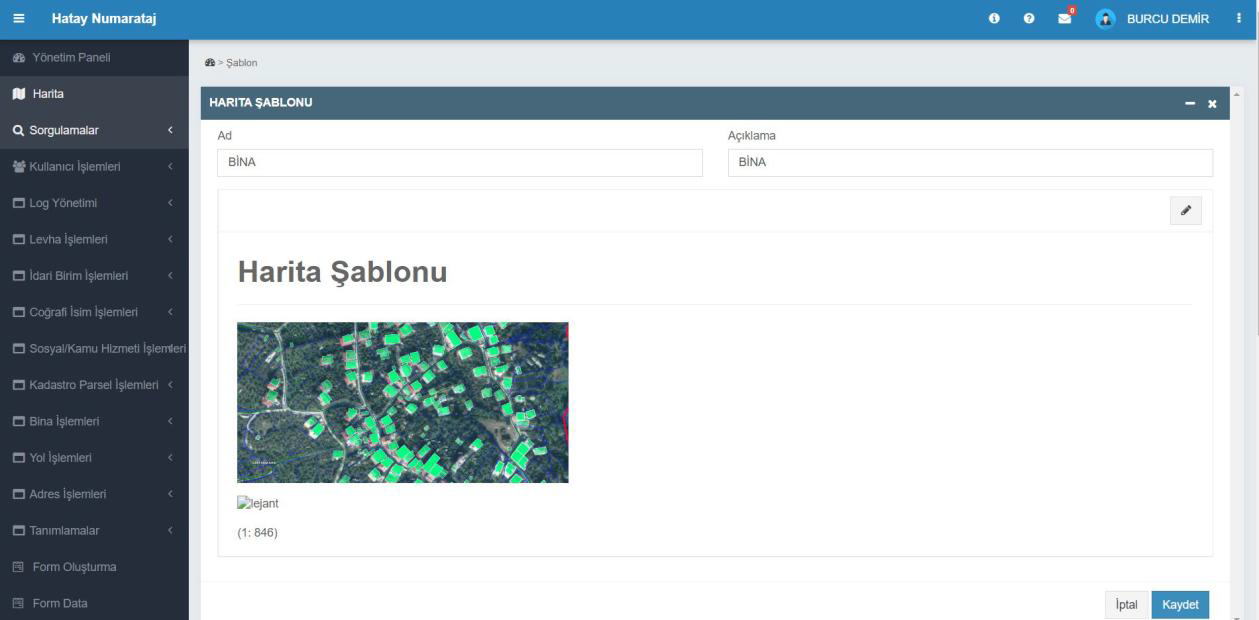
Map Template
Used to arrange different data layers in a single map view. The user adds a name and description to the template to define how layers such as buildings, parcels, and roads are displayed. The prepared template can be saved and used in subsequent operations.
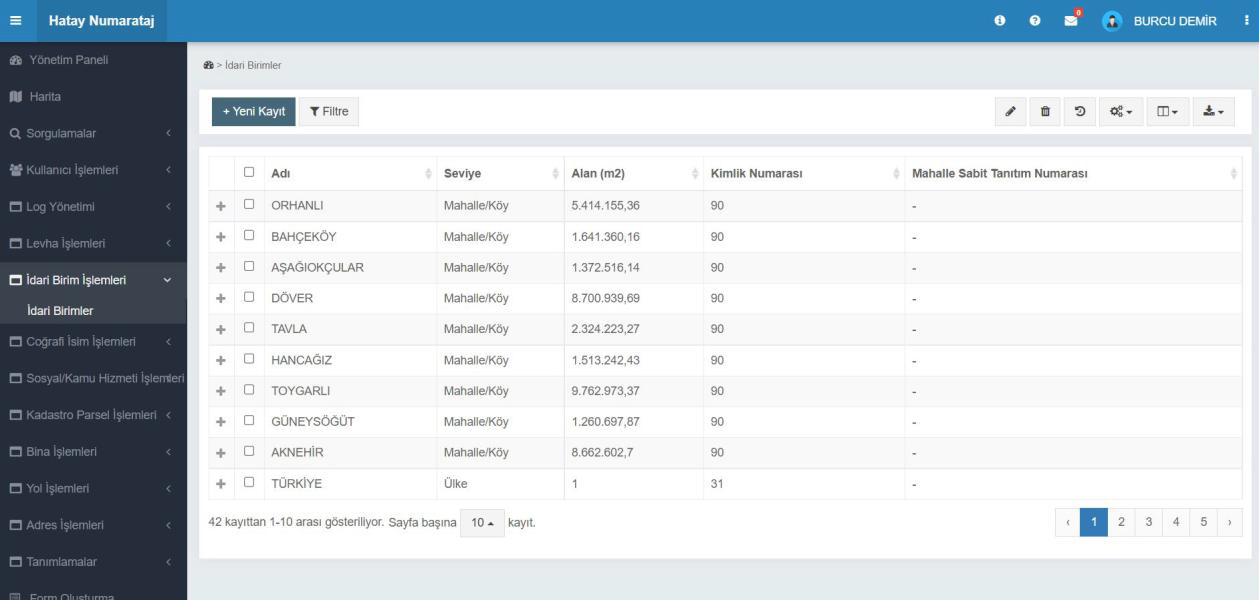
Administrative Units
Administrative areas at province, district, neighborhood, and village levels are managed on this screen. The user can view the name, area, ID number, and level of administrative units, or add new records. Data can be reported with filtering and export options.
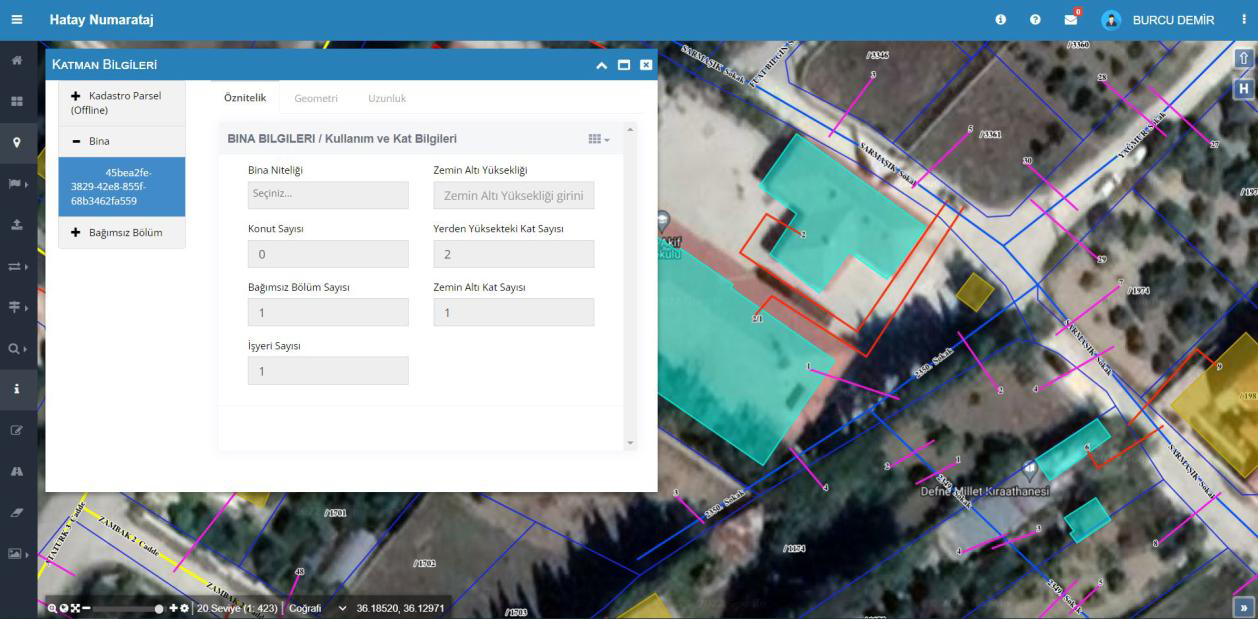
Layer Information
This screen displays and edits detailed data for buildings, parcels, and independent units on the map. The user can select and update building attributes, floor counts, and usage information directly on the map. Data is automatically saved to the layer database.
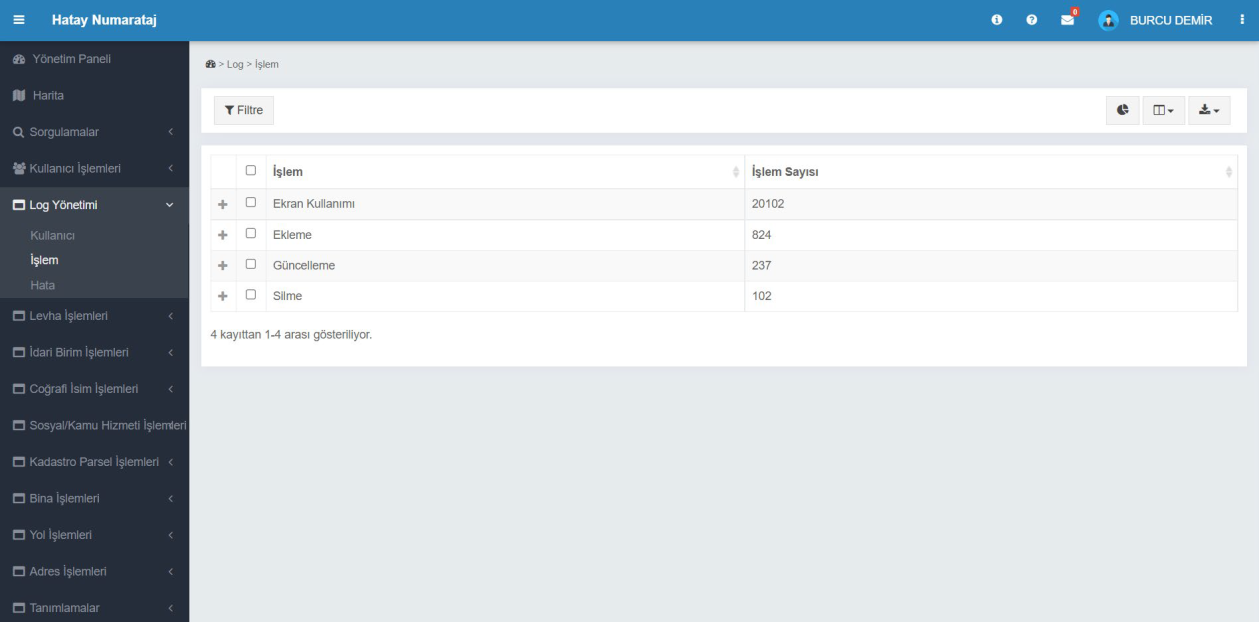
Log Management - Transaction Logs
All user actions performed in the system are monitored on this screen. Action types such as screen usage, add, update, and delete are listed separately as numeric values. This data is used to analyze user activity and evaluate system performance.
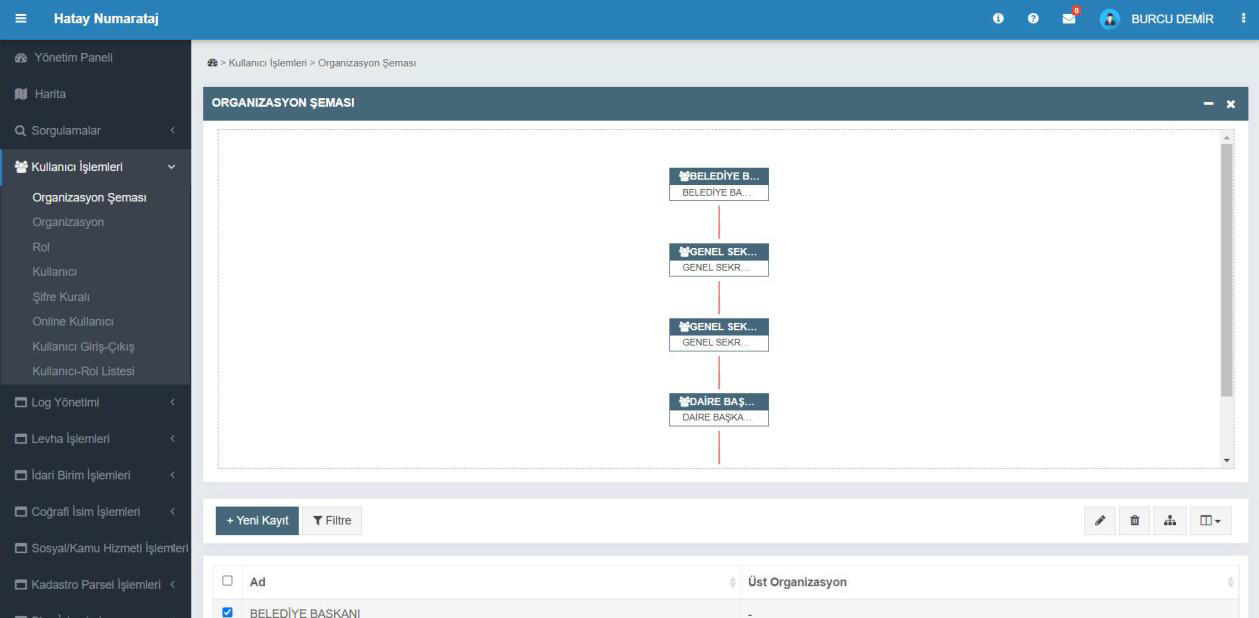
User Operations - Organizational Chart
This screen defines the municipal staff structure hierarchically. Users can view positions such as mayor, secretary general, and department head in a visual chart. New organizational units can be added, and existing structures can be edited or filtered.