Dashboard
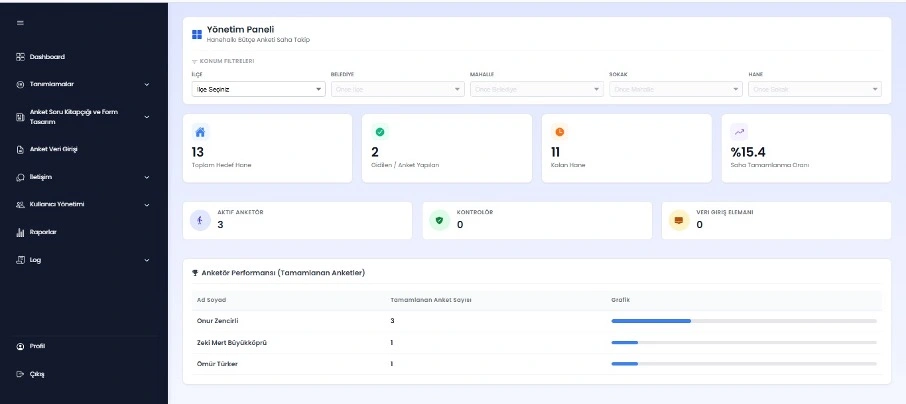
This screen functions as the central control dashboard summarizing overall survey operations, completion rates, and active surveyor information with real-time filtering.



Corporate survey and field data management system with dynamic form infrastructure.

Digitizes end-to-end data collection, validation, and management processes for household and institutional research.

Questionnaires and tables can be designed with row/column flexibility, database binding, filtering, and conditional structures.
Supports visibility, validation, and automated calculation rules to ensure data consistency during entry.

Provides role-based authorization, JWT authentication, and detailed activity logging for secure and traceable operations.

Enables dynamic report generation from surveys, questions, and tables with graphical visualization and advanced filtering.
OdakAnket is a web-based survey and field data management platform featuring dynamic form design and an integrated rule engine infrastructure.
The system unifies questionnaire design, table modeling, conditional logic, validation rules, role-based control, and dynamic reporting within a single architecture. Its advanced rule engine enables real-time data validation, automated calculations, and conditional field management during data entry.
With detailed logging, internal messaging, and graphical reporting tools, both field operations and centralized management processes are conducted in a secure and traceable manner. OdakAnket provides a standardized, scalable, and decision-support-oriented framework for large-scale data collection projects.

This screen functions as the central control dashboard summarizing overall survey operations, completion rates, and active surveyor information with real-time filtering.
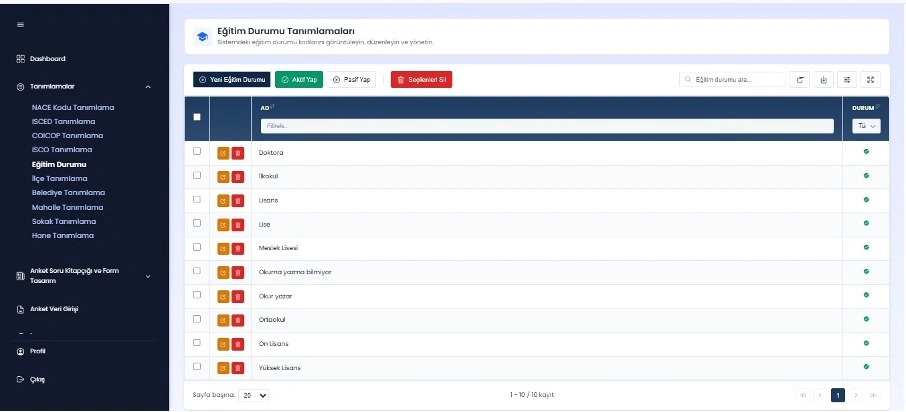
These screens enable centralized management of all reference and code definitions used within the system, including add, update, status change, and bulk operations.
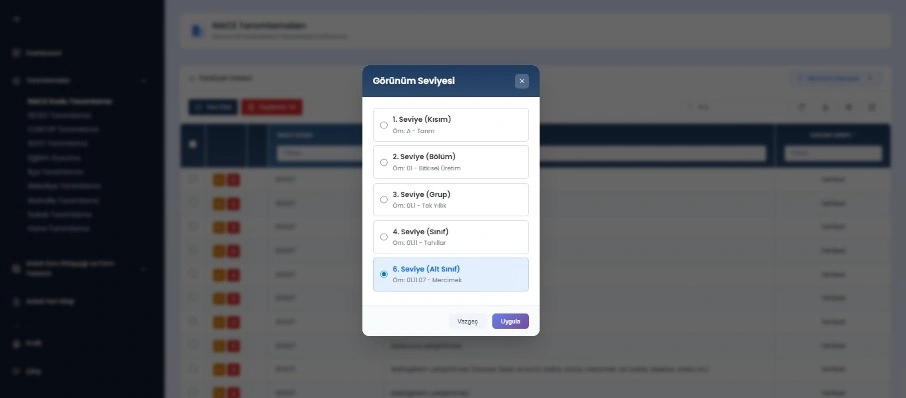
Hierarchical codes and classifications are managed on a level-based structure. Users can switch between section, division, group, class, and subclass levels.
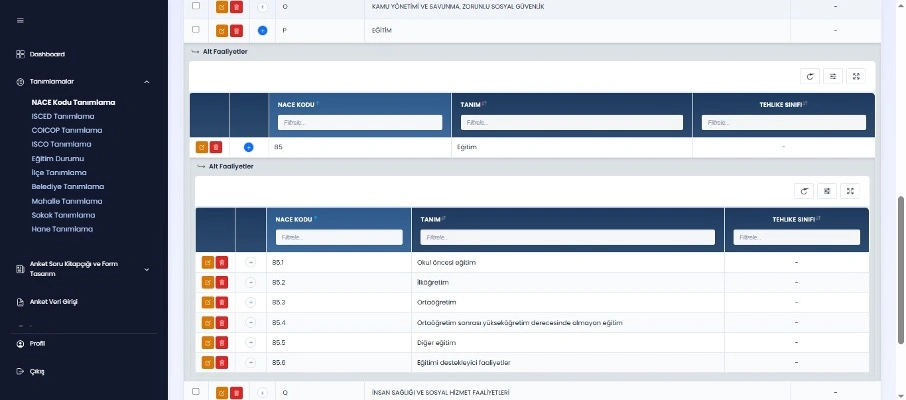
Definitions are displayed within a hierarchical tree with sub-activities. Expand/collapse and add/edit/delete operations can be performed at each level.
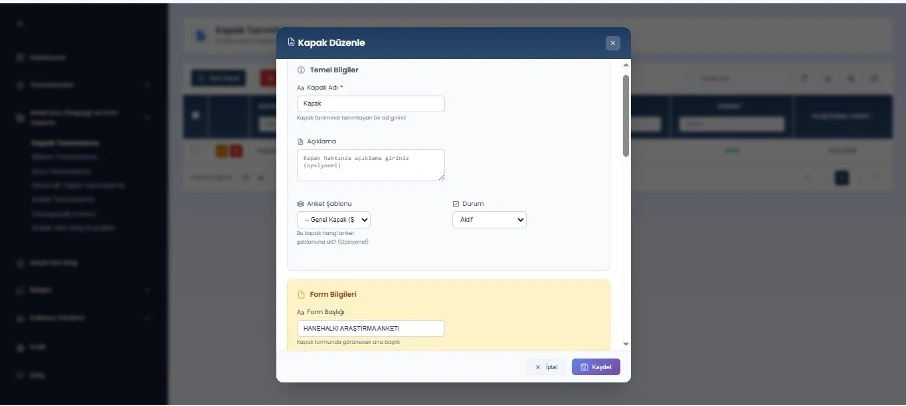
The survey cover screen is created and configured through this panel. Cover title, description, form heading, and status information can be defined.
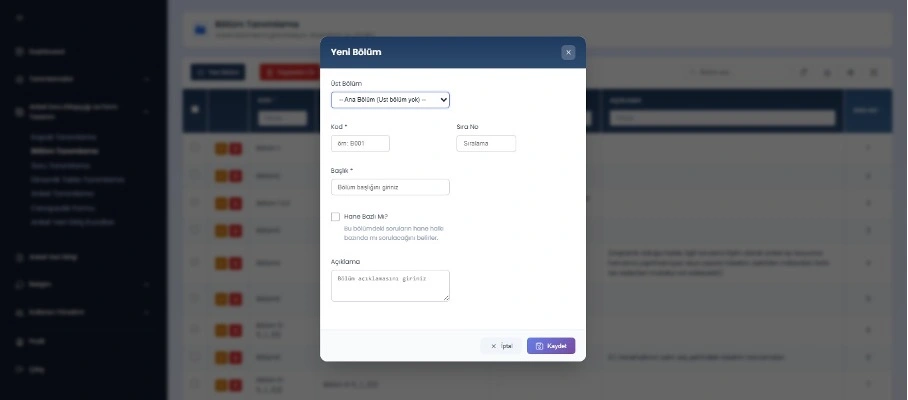
The survey form is structured into sections through this panel. Parent section, code, order number, and title can be configured for modular survey management.
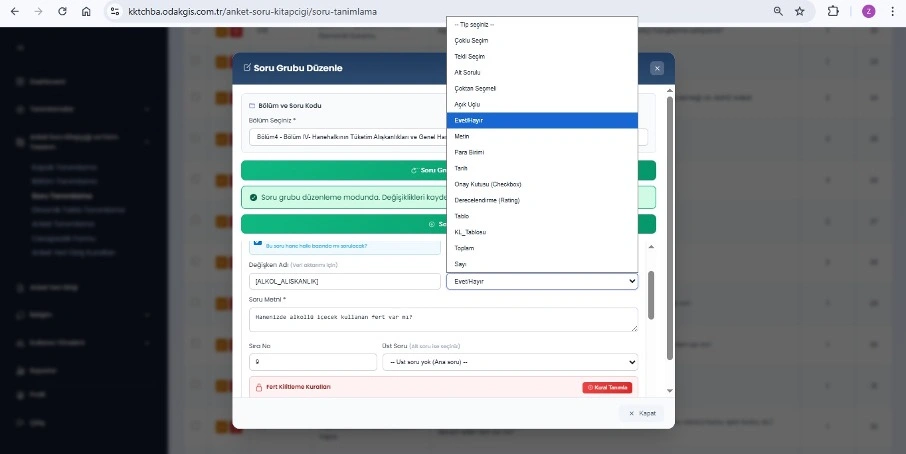
Each survey question is defined here and assigned a unique variable. Question type, mandatory status, and household/individual applicability are configured.
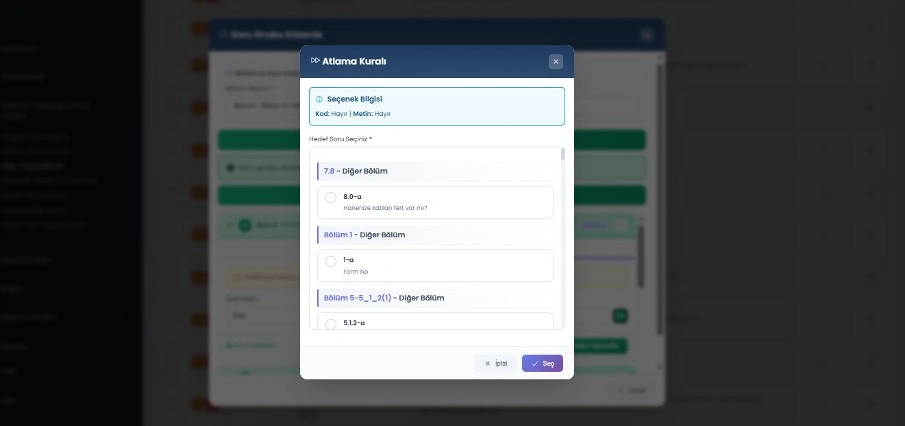
Skip logic rules dynamically manage survey flow. Users are redirected to the relevant question or section based on responses, reducing unnecessary questions.
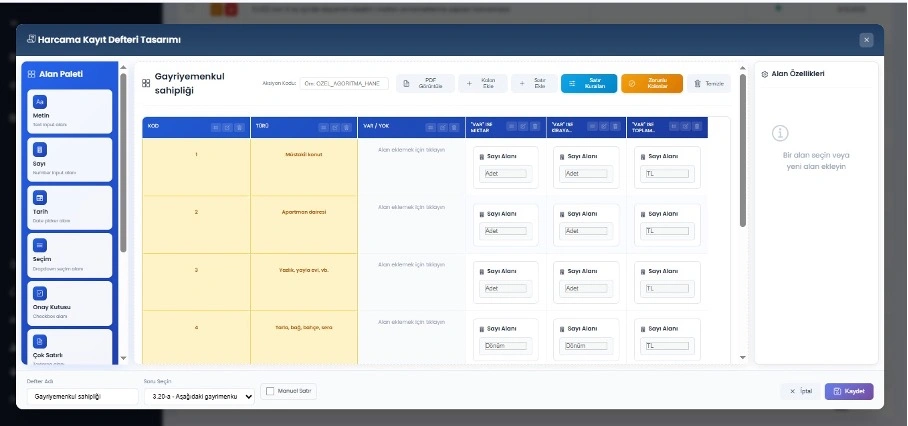
With a flexible and modular table structure, custom data tables can be created, configured, filtered, and validated for advanced data modeling.
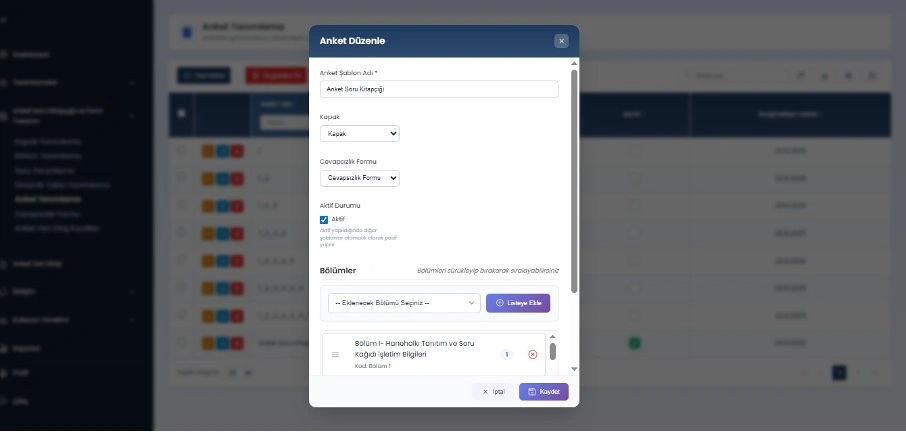
Saved sections can be arranged via drag-and-drop to define survey flow. Overall survey structure and execution order are centrally managed.
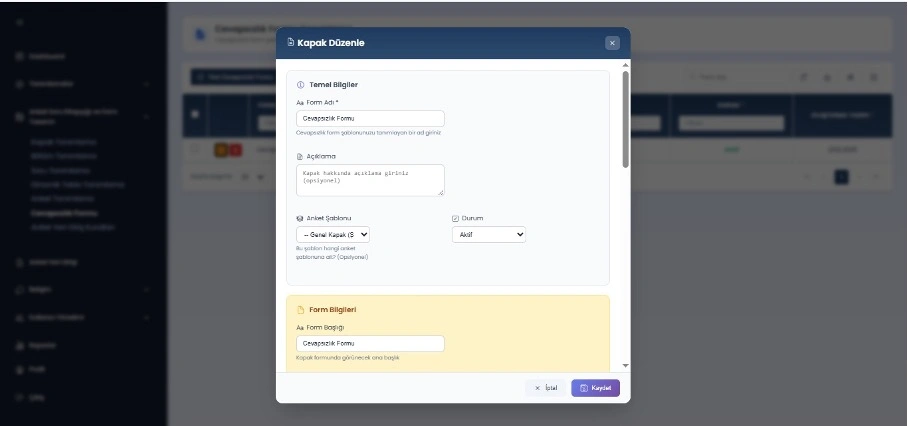
This panel defines the dedicated form used when the survey cannot be completed, such as refusal or absence of household members.
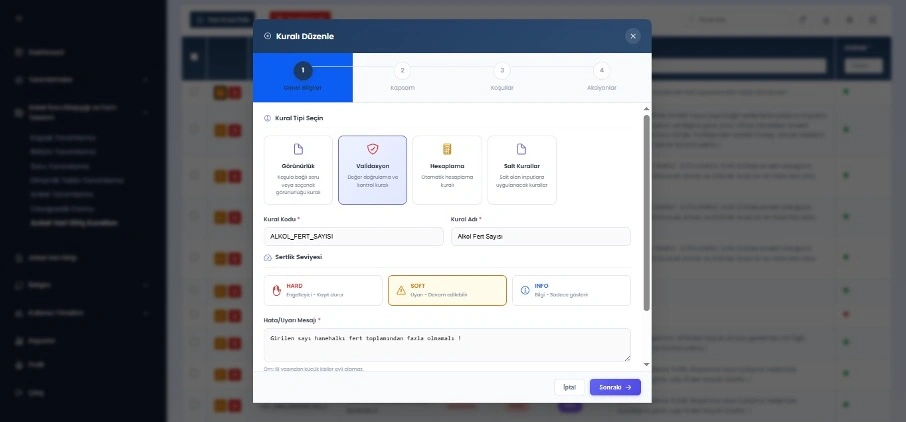
Business rules such as visibility, validation, calculation, and custom logic are defined for survey questions with error/warning/info severity levels.
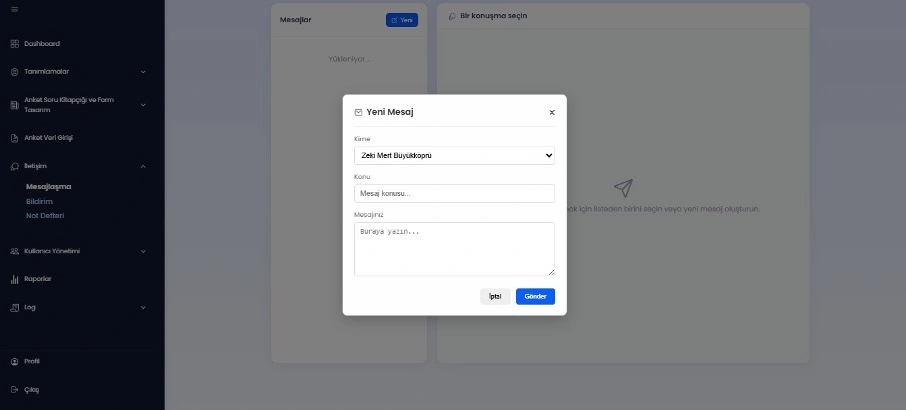
Users can directly communicate with other system users through the messaging module. Conversations are recorded for tracking and reference.
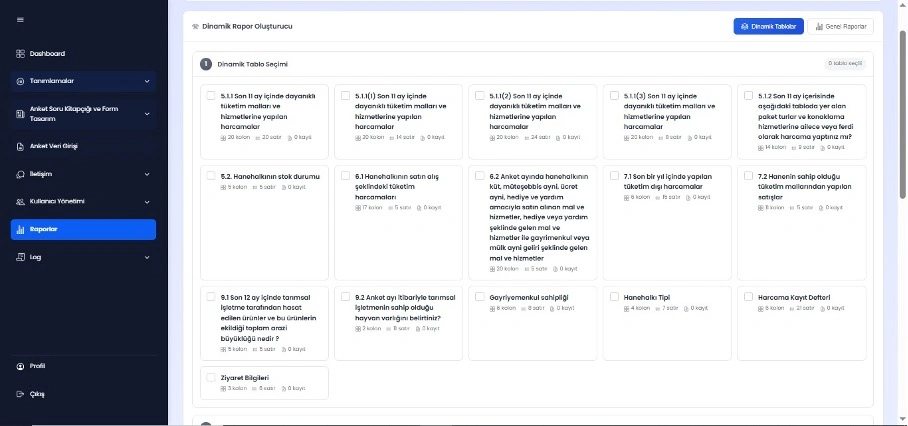
Dynamic reports are generated from defined surveys, questions, and custom tables. Users can analyze and export reports as needed.
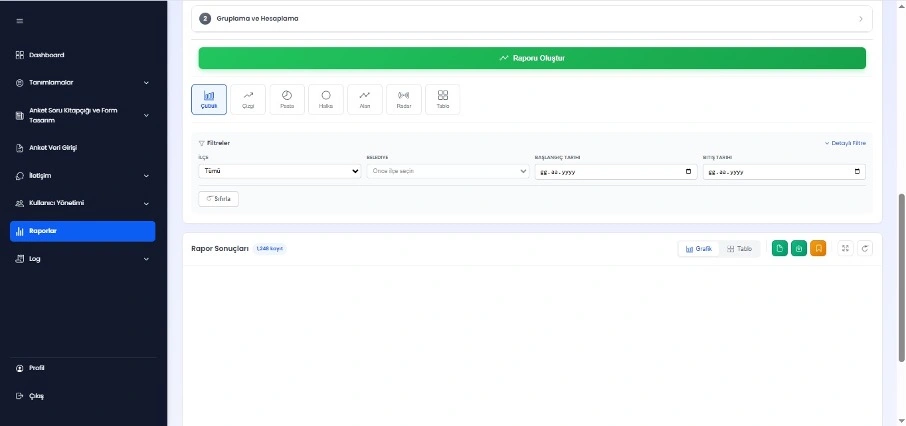
Reports can be visualized using chart types such as bar, line, pie, doughnut, area, and radar with filtering/grouping options.
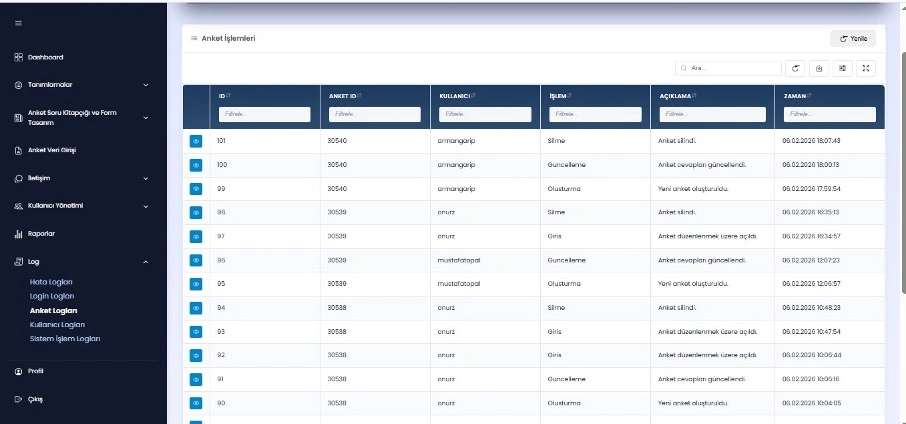
All activities are logged with user, action, description, and timestamp. Categorized logs ensure full traceability, auditability, and transparent monitoring.
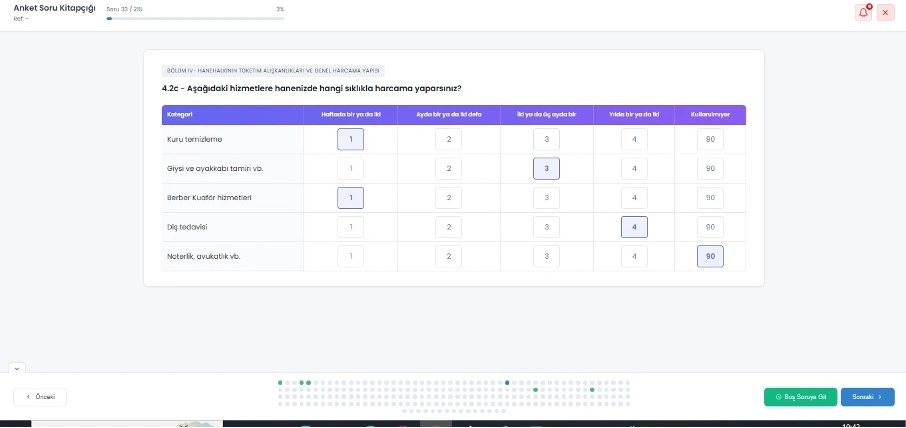
Survey questions are displayed step by step with section context and progress status in a card-based layout, supported by navigation controls.